Workflow challenges continue to frustrate teams across industries, and CRM automation is emerging as a powerful solution to overcome these inefficiencies. The culprit? Fragmented processes, manual tasks, and inconsistent data. CRM automation offers a way forward—streamlining workflows, improving collaboration, and turning inefficiency into predictable growth. Below, we’ll explore why workflows break down, the benefits of CRM automation, the role AI plays, and practical steps to implement it—so your team can work smarter, not harder.
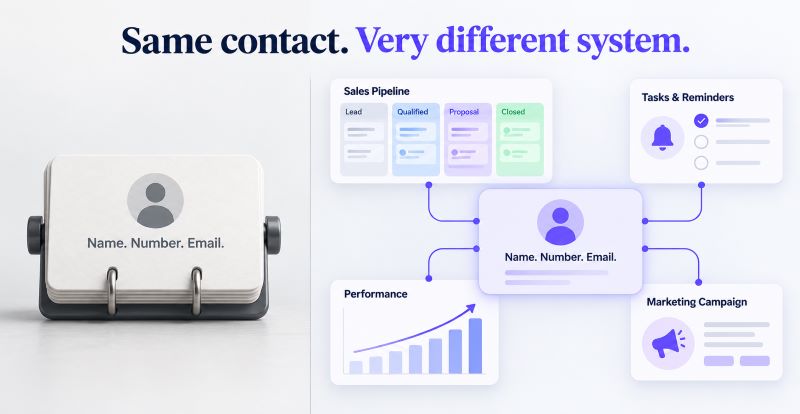
Workflows are designed to bring order and efficiency to collaboration, yet many organizations find that they create more friction than clarity. When processes are poorly defined or overly complex, employees are left guessing about responsibilities and next steps. This lack of structure often results in duplicated effort, overlooked tasks, and confusion about priorities. Add to that the challenge of disconnected tools—where sales, marketing, and service teams each operate in separate systems—and you end up with fragmented data that makes it nearly impossible to maintain a unified view of progress. Instead of streamlining work, these broken workflows slow teams down and erode confidence in the process.
The problem intensifies when manual updates and inconsistent communication enter the mix. Teams relying on spreadsheets, email threads, or ad-hoc messaging struggle to keep information current, leading to errors and missed opportunities. Without real-time visibility into what’s happening across the pipeline, managers can’t spot bottlenecks or intervene before deadlines slip. The result is wasted time, frustrated employees, and lost revenue potential. In short, workflows fail not because the concept is flawed, but because the execution lacks automation, integration, and transparency—three essentials that modern CRM platforms are built to deliver.
Even with digital tools in place, many teams continue to struggle with workflows that create more friction than efficiency. The root causes often lie in fragmented systems, manual processes, inconsistent data, and poor visibility. These challenges not only slow execution but also undermine collaboration, decision‑making, and customer engagement.
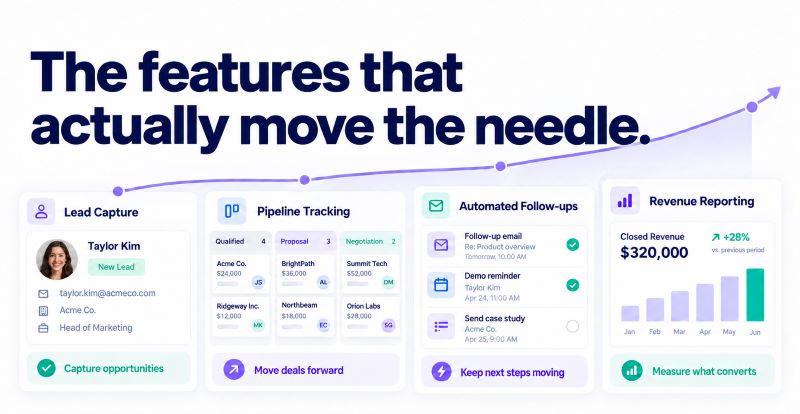
CRM automation uses software to streamline customer-facing workflows. By automating repetitive tasks, centralizing data, and enabling real-time collaboration, it reduces friction and empowers teams to focus on high-value work.
When combined, these features deliver clarity, consistency, and speed. Teams no longer waste time chasing information or duplicating effort. Instead, they execute with confidence—knowing that tasks are tracked, reminders are automated, data is reliable, and performance is visible. The result is smoother collaboration, stronger customer engagement, and measurable growth.
CRM automation eliminates manual steps and ensures processes run smoothly from start to finish. Instead of relying on spreadsheets, emails, or ad-hoc updates, automation creates a structured environment where tasks, data, and communication flow seamlessly. This not only reduces human error but also ensures that every team member has the information they need at the right moment. By embedding automation into daily operations, businesses can move from reactive problem-solving to proactive execution—keeping projects on track and customers engaged.
Together, these features transform workflows into a streamlined, predictable system. Teams spend less time chasing updates and more time focusing on strategic work, resulting in faster execution, stronger collaboration, and measurable growth.
For small and midsize businesses, CRM automation delivers tangible improvements that directly impact growth and efficiency. By removing repetitive administrative work, teams can devote more time to strategic selling and customer engagement. Automated lead scoring, reminders, and reporting shorten sales cycles and raise productivity, ensuring that every rep spends their energy on the highest-value opportunities. This shift from manual effort to automated execution translates into faster deal closures and higher output per employee—critical advantages for resource‑constrained organizations.
Together, these benefits create a foundation for predictable growth. CRM automation not only streamlines day-to-day operations but also strengthens customer engagement by ensuring timely, personalized interactions. The result is a more efficient, agile organization that can scale confidently without sacrificing quality or control.
Artificial intelligence elevates CRM automation from simple task management to intelligent workflow orchestration. Instead of just automating repetitive steps, AI analyzes patterns, predicts outcomes, and adapts processes in real time. This means teams don’t just work faster—they work smarter. Predictive analytics highlight potential bottlenecks before they occur, while intelligent routing ensures tasks are assigned to the right person based on skill, availability, or priority. By embedding AI into workflows, businesses gain agility, reduce wasted effort, and create a system that continuously improves with every interaction.
Together, these capabilities transform CRM automation into a strategic growth engine. Teams gain the ability to anticipate challenges, personalize customer experiences at scale, and operate with greater efficiency. The result is a smarter, leaner organization that can adapt quickly to market changes while maintaining consistency and control across every workflow.
CRM automation eliminates manual steps and keeps processes running smoothly end-to-end. By replacing spreadsheets, emails, and ad-hoc updates with structured workflows, it reduces errors and ensures teams have the right information at the right time. This shift turns reactive problem‑solving into proactive execution.
Together, these capabilities transform CRM automation into a growth engine. Businesses gain predictability in revenue, confidence in planning, and agility in execution. By combining automation with AI-driven insights, organizations can scale customer engagement, maximize deal value, and build a foundation for sustainable success.
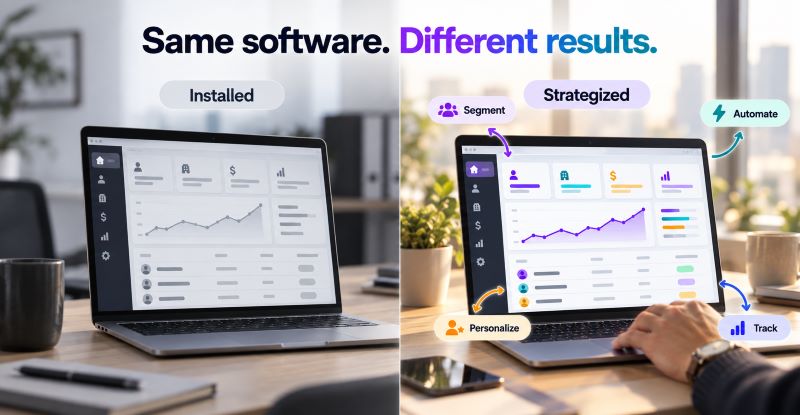
Adopting CRM automation is not just about installing new software—it’s about reshaping how teams work. Success requires clear goals, a phased rollout, and consistent training to ensure adoption is smooth and sustainable. When businesses approach implementation strategically, they minimize disruption and maximize early wins, building momentum and confidence across the organization.
Integration Steps
Measuring ROI
The success of CRM automation should be measured through both quantitative and qualitative outcomes. Key metrics include productivity gains, shorter cycle times, improved customer satisfaction, and revenue growth. At the same time, adoption rates and employee feedback reveal how well teams are embracing the system. Regular reviews of these metrics allow businesses to refine processes, optimize tool usage, and ensure automation continues to deliver measurable value.
ConvergeHub offers a unified CRM platform built specifically for growing businesses that need to streamline operations without sacrificing flexibility. Its automation features are designed to simplify complex workflows, centralize customer data, and enhance collaboration across departments. By combining sales, marketing, and service into one cohesive system, ConvergeHub eliminates the inefficiencies of juggling multiple tools and provides teams with a single, reliable source of truth.
By leveraging ConvergeHub’s CRM automation, teams can eliminate workflow friction, improve efficiency, and scale with confidence. The platform empowers businesses to operate smarter, respond faster, and deliver more personalized experiences—turning workflow management from a challenge into a competitive advantage.
Any team struggling with manual processes, fragmented tools, or inconsistent data can benefit—especially SMBs aiming to scale efficiently.
AI predicts bottlenecks, automates task routing, and personalizes customer engagement, making workflows smarter and more adaptive.
Resistance to change, integration gaps, and lack of training are common. Overcome them with phased rollout and stakeholder involvement.
Track KPIs like cycle time, task completion rates, customer satisfaction, and revenue growth.
Yes. Most CRM platforms integrate with marketing, analytics, and service tools to provide a unified view of customer activity.
Teams struggle with workflows because of fragmented tools, manual processes, and inconsistent data. CRM automation fixes these issues by streamlining tasks, centralizing information, and enabling smarter collaboration. With AI-powered insights, businesses can predict bottlenecks, personalize engagement, and drive growth. For a deeper look at the essential CRM automation features modern platforms should offer in 2026, explore how ConvergeHub can help your team simplify workflows and scale with confidence.