| |||||||||||||||
| |||||||||||||||
![]() | |||||||||||||||
| |||||||||||||||
![]() | |||||||||||||||
| |||||||||||||||
![]() | |||||||||||||||
| |||||||||||||||
![]() | |||||||||||||||
| |||||||||||||||
![]() | |||||||||||||||
| |||||||||||||||
Year: 2026
Everything You Need to Know About CRM Sales Automation
CRM sales automation transforms how small and medium businesses sell, automating repetitive tasks so your team can focus on relationships and closing deals instead of admin work. This article explains core concepts, the main benefits, how automation streamlines the sales process, key lead-management features, how to choose the right CRM, and rollout best practices.
What Is CRM Sales Automation and How Does It Benefit Small Businesses?
CRM sales automation uses technology to handle sales tasks and improve customer relationship management. It includes lead management, sales forecasting, and workflow automation. The primary benefit is efficiency: less manual work and fewer human errors, which helps small businesses boost sales performance and customer satisfaction.
How Does Sales Process Automation Improve Efficiency?
Automation speeds up sales activities by handling data entry and follow-up reminders, letting reps spend time on high-value work like talking to prospects. It reduces manual errors, keeps data accurate, and leads to better decisions and higher conversion rates.
What Are Automated Sales Workflows in CRM?
Automated sales workflows are predefined task sequences triggered by events. For example, when a lead arrives a workflow can send a welcome email, assign the lead to a rep, and schedule a follow-up. Workflows help prevent missed steps, keep leads nurtured, improve tracking, and organize the sales process.
Which Features Should You Look for in CRM Lead Management Software?
Prioritize a user-friendly interface, strong reporting, and solid integrations. Look for customizable workflows and automation that match your business needs so the solution is practical and scalable.
How Does Sales Pipeline Automation Enhance Lead Management?
Pipeline automation gives a clear visual of your sales stages so teams can track leads from first contact to close. Automated updates and alerts speed responses and improve conversion chances. Companies using pipeline automation typically see better tracking and follow-up.
What Role Does Workflow Automation Play in CRM Sales Tools?
Workflow automation streamlines repetitive tasks and enforces consistent processes, reducing admin time and freeing teams to build customer relationships. The outcome is higher productivity and a better customer experience through timely, personalized communication.
How to Choose the Right CRM Software for Small Business Sales Automation?
Choose a CRM that can scale as you grow and has positive user reviews for ease of use. Check for strong customer support and training resources to ensure quick adoption; these factors help you get more value from the software over time.
While the benefits are clear, small businesses often face unique challenges when adopting CRM automation, particularly concerning scalability and resource limitations.
CRM Automation for Small Businesses: Benefits & Challenges
Automation in customer relationship management improves customer interaction, lowers operational costs, and drives growth across sectors. Small-scale enterprises, however, often face scaling problems when adopting CRM automation due to limited financial resources, technological infrastructure, and qualified staff.
Scalability Challenges and Solutions in CRM Automation for Small-Scale Enterprises: A Comparative Study, 2025
What Pricing Plans and ROI Can SMBs Expect from CRM Sales Automation?
SMBs can expect pricing plans roughly from $12 to $300 per user per month, depending on features. ROI can be meaningful: many businesses report higher sales productivity and improved customer retention. Automating sales tasks often produces a positive impact on the bottom line within a few months.
How Do Integration Capabilities Affect CRM Sales Automation Effectiveness?
Integrations are essential. A CRM that connects to email marketing, accounting, and support systems improves data flow and cross-department communication, giving a fuller view of customer interactions and boosting efficiency. Prioritize solutions with robust integration options to maximise automation impact.
How Can You Get Started with CRM Sales Automation?
Start by auditing your current sales processes to identify automation opportunities. Research CRMs that fit your needs and budget, implement the system in stages, and train your team so they become comfortable with the new tools.
What Are Best Practices for Implementing CRM Sales Automation?
- Define Clear Objectives: Establish specific goals for what you want to achieve with automation.
- Involve Your Team: Engage your sales team in selection and implementation to ensure buy-in and ease of use.
- Monitor and Adjust: Regularly review automation effectiveness and make adjustments as needed to optimize performance.
Where Can You Request a Demo to Explore CRM Sales Automation Tools?
Request a demo from different providers to compare features and usability. For example, ConvergeHub offers an all-in-one CRM aimed at streamlining sales, marketing, and customer service for small to medium businesses. Its Sales CRM includes pipeline automation, lead management, sales forecasting, and workflow automation — useful features for improving sales processes.
Frequently Asked Questions
What are the common challenges small businesses face when implementing CRM sales automation?
Small businesses often face tight budgets, weak tech infrastructure, and a shortage of skilled staff when implementing CRM automation. They may also struggle to pick the right software and scale it as they grow. Careful planning, allocating budget, and getting external help can ease the transition.
How can CRM sales automation improve customer relationships?
CRM automation enables timely, personalized communication by tracking interactions, preferences, and purchase history. That lets sales teams tailor outreach, build trust and loyalty, and keep follow-ups on schedule to reduce missed opportunities and raise satisfaction.
What types of businesses benefit most from CRM sales automation?
Many businesses benefit, but SMEs often see the largest gains due to limited staff and resources. Sectors like retail, real estate, and professional services — where customer contact is frequent — gain particular advantage. Automation frees these businesses to focus on growth and customer engagement.
How does CRM sales automation impact sales forecasting?
CRM automation improves forecasting by delivering accurate, real-time analytics. Systems analyse past sales, customer behaviour, and market trends to produce reliable forecasts, helping teams make better decisions, allocate resources, and set realistic targets.
What training resources are available for teams adopting CRM sales automation?
Many CRM providers offer tutorials, webinars, user guides, and customer support. Some provide personalised training sessions or workshops. Community forums and user groups also share tips and practical advice to help teams adopt the system smoothly.
Can CRM sales automation be integrated with existing business tools?
Yes. CRM automation often integrates with existing tools, which is key to its value. Many systems connect to email marketing, accounting, and project management apps to enable seamless data flow and better operational efficiency. When choosing a CRM, prioritise one with strong integration capabilities to match your current systems.
Conclusion
Implementing CRM sales automation can boost efficiency and strengthen customer relationships. Automating repetitive tasks frees your team for strategic work that drives growth and satisfaction. Know the key features and best practices to get the most from your CRM, and start exploring options to transform your sales strategy and achieve lasting results.
ConvergeHub Partner Program Launch: Empowering Affiliates and Solution Providers with Recurring Revenue
We are excited to announce the launch of the ConvergeHub Partner Program, a new initiative designed to help affiliates, consultants, agencies, and solution providers grow with us while earning predictable recurring revenue. This program reflects our commitment to building stronger partnerships and enabling trusted advisors to deliver measurable value to their clients.
With two clear tracks — the Affiliate Partner Program and the Solutions Partner Program — we’ve made it simple for partners to choose the path that best fits their strengths. Whether you’re a content creator promoting ConvergeHub through your network, or a solutions provider delivering CRM implementations for clients, our Partner Program ensures you can grow alongside us while helping businesses succeed.
“Partners are one of the most important drivers of CRM adoption because they educate buyers, guide implementation, and help teams succeed,” said Shampa Bagchi, Founder and CEO of ConvergeHub. “With our new Partner Program, we’re making it easier for affiliates and solution providers to grow with ConvergeHub — while earning recurring revenue for the value they create.”
Through structured onboarding, transparent tracking, and a dedicated Partner Portal, we are giving partners the tools they need to confidently drive adoption and deliver results. This program is built for modern expectations — recurring payouts, clear attribution, and the flexibility to deliver value through promotion, consulting, or managed services.
👉 Please read the full details in our official press release here:
https://world.einnews.com/pr_news/890977929/convergehub-launches-partner-program-to-help-affiliates-and-solution-providers-earn-recurring-revenue
We Announce the Launch of ConvergeHub 4.0: A Future-Ready CRM Platform Powered by Intelligence, Speed, and Scale
We are excited to share that ConvergeHub 4.0 has officially launched — a transformative upgrade designed to redefine how businesses manage customer relationships, automate workflows, and scale revenue growth in today’s dynamic market.
Built on a modernized tech stack and inspired by real-world customer needs, ConvergeHub 4.0 introduces a low-code automation engine, lightning-fast redesigned interface, AI-driven features, and advanced analytics. Together, these innovations empower businesses to move beyond reactive CRM into intelligent revenue orchestration.
“This launch is a leap forward in helping businesses become anti-fragile — resilient, adaptive, and growth-oriented in the face of change,” said Shampa Bagchi, Founder and CEO of ConvergeHub. “With ConvergeHub 4.0, we’ve reimagined every layer of our platform to future-proof our customers’ operations.”
Key Highlights of ConvergeHub 4.0
- Intuitive, Speed-Optimized Interface – Seamless navigation and lightning-fast performance across devices.
- Unified Automation Engine – Drag-and-drop, no-code workflows for onboarding, invoicing, and follow-ups.
- Custom Dashboards & Reports – Tailored analytics for unique business processes.
- Built-in AI – Smarter forecasts, support suggestions, and decision-making tools.
Already being adopted across industries such as finance, legal, healthcare, consulting, and education, ConvergeHub 4.0 is designed to streamline operations, reduce silos, and accelerate business outcomes.
Please read the full details in our official press release here:
What Is Sales Automation and How Does It Work?
Sales automation uses software to remove repetitive work and streamline workflows so sales teams spend more time on relationships and closing deals. This guide explains core features, practical benefits for small and medium businesses, and simple steps to implement automation effectively.
What Is Sales Automation and Why Is It Essential for Sales Teams?
Sales automation automates tasks such as lead management, follow‑ups and reporting, cutting manual effort and errors. With routine work handled, reps focus on selling while data quality and tracking improve.
How Does Sales Automation Streamline Sales Pipelines?
Automation structures the pipeline so teams can visualise stages, avoid missed leads and act consistently. Automated reminders and task management keep reps organised, producing smoother customer experiences and higher productivity.
Which Features Define the Best Sales Automation Tools?
Look for automated pipelines, lead nurturing, task management and follow‑up automation — each reduces manual work and supports scalable, repeatable sales processes.
| Feature | Description | Benefit |
|---|---|---|
| Automated Sales Pipelines | Visual representation of the sales process | Helps track leads and opportunities effectively |
| Lead Nurturing Tools | Automated communication with leads | Increases engagement and conversion rates |
| Task Management Software | Organizes tasks and reminders | Enhances productivity and accountability |
What Role Does Automated Sales Workflow Play in CRM Software?
Workflows trigger the right actions at each stage so leads move smoothly through the pipeline. They ensure timely follow‑ups and deliver relevant information, saving time and keeping prospects engaged.
Adding AI can enhance scoring, routing and personalised outreach inside your CRM.
AI & Automation in CRM: Revolutionizing Sales Operations
The integration of artificial intelligence (AI) and automation tools into CRM systems has revolutionized sales operations by enhancing decisionmaking, improving lead management, and streamlining workflows. This synergy allows sales teams to focus on high-value activities, personalize customer interactions, and accelerate the sales cycle, ultimately driving revenue growth and competitive advantage.
Optimizing CRM-based sales pipelines: A business process reengineering model, CC Imediegwu, 2020
How Does Sales Pipeline Automation Improve Lead Management?
Pipeline automation provides real‑time visibility, tracks interactions and segments leads by readiness. Teams can prioritise high-potential prospects, refine strategy using captured data, and increase conversion rates.
How Can Small to Medium Businesses Benefit from Sales Automation?
SMBs reduce costs and boost efficiency by automating repetitive tasks. Automation lets small teams scale activity without a proportional headcount increase, helping them compete and grow more effectively.
Evidence shows CRM automation supports small business productivity and growth when implemented thoughtfully.
CRM Automation for Sales Efficiency in Small Businesses
This article explores how CRM automation enhances sales efficiency through lead management, customer segmentation, and personalized communication, ultimately boosting conversion rates and customer satisfaction. However, implementing CRM automation requires careful planning and resource allocation. This initial investment can strain budgets, especially for smaller companies.
Impact of CRM automation on organizational productivity, 2022
What Are the Productivity Gains from CRM Sales Automation?
Automation reduces time spent on data entry, follow‑ups and reporting, freeing reps for revenue‑driving activities. Reported productivity gains commonly fall in a mid‑range, enabling teams to close more deals faster and improve results.
How Does Lead Nurturing Enhance Sales Conversion Rates?
Automated nurturing delivers timely, relevant content to keep prospects engaged. Personalised email sequences and targeted content raise conversion rates and build relationships that support repeat business.
How to Get Started with Sales Automation Using CRM Software?
Begin by mapping your sales process and identifying repetitive tasks to automate. Choose a CRM that fits your needs and train the team to use it effectively — these steps enable a smoother rollout.
What Are the Steps to Automate Your Sales Process Effectively?
To automate your sales process effectively, follow these steps:
- Evaluate Current Processes: Identify repetitive tasks that can be automated.
- Choose the Right CRM: Select a CRM that offers robust sales automation features.
- Implement Automation Tools: Set up automated workflows for lead management and follow-ups.
- Train Your Team: Provide training to ensure your sales team can utilize the tools effectively.
These steps streamline sales workflows and improve consistency across the team.
Careful vendor selection and planning reduce risk and improve adoption.
Implementing CRM & Sales Automation for Small Business Productivity
is essential for small businesses to identify inefficiencies, improve productivity, and align operations with strategic goals. When selecting a CRM system, consider your specific needs and budget. Determine the features you need, such as sales automation, customer service, or marketing tools. Choose a scalable solution that can grow with your business.
Implementing CRM: Best Practices for Small Businesses, 2024
Where Can You Find CRM Pricing Plans and Demo Options?
Compare tiered pricing and free trials from multiple CRM vendors to match features, user counts and budget. Demos let you test usability before committing. For example, ConvergeHub offers a sales automation CRM with pipelines, lead nurturing, task management and follow‑up automation that may suit businesses aiming to improve their sales process.
Frequently Asked Questions
What types of businesses can benefit from sales automation?
Sales automation fits many organisations. SMEs gain efficiency and lower costs, while larger firms gain consistency and better data. Any company seeking to optimise sales workflows can benefit.
How can sales automation impact customer relationships?
Automation enables timely, personalised outreach that builds trust. With routine tasks handled automatically, reps have more time to build rapport and address customer needs, supporting loyalty and repeat business.
What challenges might businesses face when implementing sales automation?
Challenges include staff resistance, integrating with legacy systems, and the need for proper training. Addressing change management and integration early helps reduce disruption.
How does sales automation affect data analysis and reporting?
Automation captures interactions in real time and speeds reporting, making it easier to track KPIs, spot trends and make data‑driven decisions. Automated reports also reduce errors and save time.
What role does artificial intelligence play in sales automation?
AI provides predictive analytics, lead scoring and personalisation. It helps prioritise opportunities and schedule follow‑ups so teams focus on high‑value activities.
Can sales automation tools integrate with other business systems?
Yes. Most solutions integrate with marketing platforms, CRMs and accounting systems to ensure consistent data and cohesive workflows. Strong integration options maximise automation value.
Conclusion
Sales automation removes repetitive tasks, improves lead management and increases productivity so teams can focus on relationships and closing deals. Start evaluating solutions that match your processes and budget to realise these benefits.
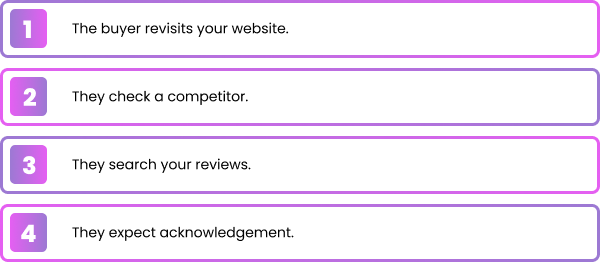
Why You’re Losing Leads (and How to Stop)
| |||||||||||||||||
| |||||||||||||||||
![]() | |||||||||||||||||
| |||||||||||||||||
![]() | |||||||||||||||||
| |||||||||||||||||
![]() | |||||||||||||||||
| |||||||||||||||||
![]() | |||||||||||||||||
| |||||||||||||||||
![]() | |||||||||||||||||
| |||||||||||||||||
![]() | |||||||||||||||||
| |||||||||||||||||
|
Your 90-Day Turnaround
| | |||||||
| |||||||
| |||||||
| |||||||
| |||||||
| |||||||
| |||||||
| |||||||
| |||||||
| |||||||
![]() | |||||||
|
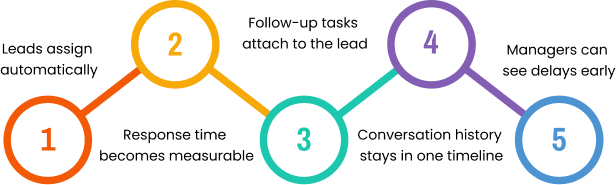
The Growth Loop
| |||||||
| |||||||
| |||||||
| |||||||
| |||||||
| |||||||
| |||||||
| |||||||
| |||||||
![]() | |||||||
|
Why Do Teams Still Struggle With Workflows and How Can CRM Automation Fix It?
Workflow challenges continue to frustrate teams across industries, and CRM automation is emerging as a powerful solution to overcome these inefficiencies. The culprit? Fragmented processes, manual tasks, and inconsistent data. CRM automation offers a way forward—streamlining workflows, improving collaboration, and turning inefficiency into predictable growth. Below, we’ll explore why workflows break down, the benefits of CRM automation, the role AI plays, and practical steps to implement it—so your team can work smarter, not harder.
Why Do Teams Struggle With Workflows?
Workflows are designed to bring order and efficiency to collaboration, yet many organizations find that they create more friction than clarity. When processes are poorly defined or overly complex, employees are left guessing about responsibilities and next steps. This lack of structure often results in duplicated effort, overlooked tasks, and confusion about priorities. Add to that the challenge of disconnected tools—where sales, marketing, and service teams each operate in separate systems—and you end up with fragmented data that makes it nearly impossible to maintain a unified view of progress. Instead of streamlining work, these broken workflows slow teams down and erode confidence in the process.
The problem intensifies when manual updates and inconsistent communication enter the mix. Teams relying on spreadsheets, email threads, or ad-hoc messaging struggle to keep information current, leading to errors and missed opportunities. Without real-time visibility into what’s happening across the pipeline, managers can’t spot bottlenecks or intervene before deadlines slip. The result is wasted time, frustrated employees, and lost revenue potential. In short, workflows fail not because the concept is flawed, but because the execution lacks automation, integration, and transparency—three essentials that modern CRM platforms are built to deliver.
Common Workflow Challenges
Even with digital tools in place, many teams continue to struggle with workflows that create more friction than efficiency. The root causes often lie in fragmented systems, manual processes, inconsistent data, and poor visibility. These challenges not only slow execution but also undermine collaboration, decision‑making, and customer engagement.
- Fragmented Tools: Using multiple platforms without integration forces teams to duplicate effort.
- Manual Processes: Reliance on spreadsheets and email slows execution and increases errors.
- Data Inconsistency: Without a single source of truth, teams make decisions on outdated or incomplete information.
- Poor Visibility: Managers lack real-time insight into progress, making it harder to spot risks or opportunities.
Defining CRM Automation and Its Core Features
CRM automation uses software to streamline customer-facing workflows. By automating repetitive tasks, centralizing data, and enabling real-time collaboration, it reduces friction and empowers teams to focus on high-value work.
Typical Features
- Task and Activity Tracking
CRM automation ensures every task and customer interaction is logged and visible to the entire team. This eliminates guesswork, prevents duplication, and helps managers monitor progress in real time. By tracking activities across the pipeline, teams gain accountability and a clear picture of what’s moving deals forward.
- Automated Reminders and Notifications
Instead of relying on memory or manual checklists, automation delivers timely reminders and alerts. Whether it’s a follow-up call, a contract renewal, or a pending approval, notifications keep workflows on track and reduce the risk of missed opportunities. This consistency strengthens customer relationships and shortens cycle times.
- Centralized Customer Records
All customer data—emails, calls, notes, and purchase history—lives in one unified system. This single source of truth improves accuracy and ensures that every team member has the context they need to engage effectively. Centralization also reduces errors caused by scattered spreadsheets or disconnected tools.
- Workflow Templates and Reporting Dashboards
Pre-built workflow templates standardize processes across teams, ensuring consistency and efficiency. Reporting dashboards provide real-time visibility into performance metrics, helping leaders spot trends, identify bottlenecks, and make data-driven decisions. Together, these tools transform workflows from reactive to proactive.
Why These Features Matter
When combined, these features deliver clarity, consistency, and speed. Teams no longer waste time chasing information or duplicating effort. Instead, they execute with confidence—knowing that tasks are tracked, reminders are automated, data is reliable, and performance is visible. The result is smoother collaboration, stronger customer engagement, and measurable growth.
How CRM Automation Streamlines Workflows
CRM automation eliminates manual steps and ensures processes run smoothly from start to finish. Instead of relying on spreadsheets, emails, or ad-hoc updates, automation creates a structured environment where tasks, data, and communication flow seamlessly. This not only reduces human error but also ensures that every team member has the information they need at the right moment. By embedding automation into daily operations, businesses can move from reactive problem-solving to proactive execution—keeping projects on track and customers engaged.
- Automated Task Assignment: Workflows intelligently route tasks to the right person at the right time, based on role, availability, or priority. This prevents duplication of effort and ensures accountability, so nothing slips through the cracks.
- Data Synchronization: Customer information updates automatically across integrated systems, reducing errors and eliminating the need for manual entry. Teams gain a single source of truth, which improves decision-making and strengthens customer relationships.
- Workflow Templates: Predefined sequences standardize processes across departments, ensuring consistency and efficiency. Templates reduce onboarding time for new employees and help teams follow best practices without reinventing the wheel.
- Real-Time Alerts: Notifications keep everyone aligned by flagging upcoming deadlines, stalled tasks, or urgent follow‑ups. This visibility prevents bottlenecks and empowers managers to intervene before issues escalate.
Together, these features transform workflows into a streamlined, predictable system. Teams spend less time chasing updates and more time focusing on strategic work, resulting in faster execution, stronger collaboration, and measurable growth.
Key Benefits of CRM Automation for Small and Medium Businesses
For small and midsize businesses, CRM automation delivers tangible improvements that directly impact growth and efficiency. By removing repetitive administrative work, teams can devote more time to strategic selling and customer engagement. Automated lead scoring, reminders, and reporting shorten sales cycles and raise productivity, ensuring that every rep spends their energy on the highest-value opportunities. This shift from manual effort to automated execution translates into faster deal closures and higher output per employee—critical advantages for resource‑constrained organizations.
- Increased Productivity: Automation eliminates low-value tasks like manual data entry and follow-up scheduling, freeing teams to focus on conversations that drive revenue.
- Improved Accuracy: Centralized, automated data management reduces errors and ensures records are always up to date, giving leaders reliable insights for forecasting and decision-making.
- Enhanced Collaboration: Shared workflows and synchronized updates keep teams aligned, reducing miscommunication and ensuring smooth handoffs between departments.
- Faster Execution: Automated reminders, approvals, and reporting accelerate processes, helping businesses respond quickly to customer needs and market changes.
Together, these benefits create a foundation for predictable growth. CRM automation not only streamlines day-to-day operations but also strengthens customer engagement by ensuring timely, personalized interactions. The result is a more efficient, agile organization that can scale confidently without sacrificing quality or control.
AI-Powered CRM Automation for Smarter Workflows
Artificial intelligence elevates CRM automation from simple task management to intelligent workflow orchestration. Instead of just automating repetitive steps, AI analyzes patterns, predicts outcomes, and adapts processes in real time. This means teams don’t just work faster—they work smarter. Predictive analytics highlight potential bottlenecks before they occur, while intelligent routing ensures tasks are assigned to the right person based on skill, availability, or priority. By embedding AI into workflows, businesses gain agility, reduce wasted effort, and create a system that continuously improves with every interaction.
- Predictive Task Management: AI forecasts workload distribution and identifies risks, allowing managers to reallocate resources proactively.
- Intelligent Routing: Machine learning assigns tasks dynamically, ensuring the right person handles the right activity at the right time.
- Personalized Engagement: Generative AI tailors communication to customer preferences, delivering messages that resonate and improve conversion rates.
- Analytics & Forecasting: AI surfaces trends in workflow data, helping leaders make informed decisions and set realistic growth targets.
Together, these capabilities transform CRM automation into a strategic growth engine. Teams gain the ability to anticipate challenges, personalize customer experiences at scale, and operate with greater efficiency. The result is a smarter, leaner organization that can adapt quickly to market changes while maintaining consistency and control across every workflow.
How CRM Automation Drives Business Growth
CRM automation eliminates manual steps and keeps processes running smoothly end-to-end. By replacing spreadsheets, emails, and ad-hoc updates with structured workflows, it reduces errors and ensures teams have the right information at the right time. This shift turns reactive problem‑solving into proactive execution.
- Opportunity Management: Automated tracking ensures every lead is monitored across the pipeline, revealing upsell and cross-sell potential while prioritizing the right conversations.
- Forecasting Accuracy: CRM automation leverages historical and real-time data to produce reliable forecasts, guiding resource allocation and strategic planning.
- Upselling & Cross–Selling: Timely, automated follow-ups and tailored offers increase the chance of successful add-on sales, boosting average deal size and customer lifetime value.
- Customer Retention: Consistent, personalized engagement nurtures stronger relationships, reducing churn and increasing repeat business.
Together, these capabilities transform CRM automation into a growth engine. Businesses gain predictability in revenue, confidence in planning, and agility in execution. By combining automation with AI-driven insights, organizations can scale customer engagement, maximize deal value, and build a foundation for sustainable success.
Implementing CRM Automation Effectively
Adopting CRM automation is not just about installing new software—it’s about reshaping how teams work. Success requires clear goals, a phased rollout, and consistent training to ensure adoption is smooth and sustainable. When businesses approach implementation strategically, they minimize disruption and maximize early wins, building momentum and confidence across the organization.
Integration Steps
- Assess Current Workflows: Begin by mapping existing processes to identify bottlenecks, inefficiencies, and areas where manual effort slows progress. This diagnostic step ensures automation targets the right pain points.
- Select the Right CRM Tool: Choose a solution that aligns with your business objectives and integrates seamlessly with your existing tech stack. Compatibility is critical to avoid data silos and ensure smooth collaboration across departments.
- Implement Gradually: Roll out automation in phases, starting with high-impact workflows such as lead management or customer follow-ups. This approach proves value early, builds trust among users, and reduces resistance to change.
- Train Teams: Provide role-based training and on-demand resources so employees understand not only how to use the tools, but why the workflows matter. Effective training bridges the gap between technology and strategy.
- Monitor & Adjust: Track KPIs continuously and refine workflows based on performance data and user feedback. Iteration ensures automation evolves with business needs and remains relevant over time.
Measuring ROI
The success of CRM automation should be measured through both quantitative and qualitative outcomes. Key metrics include productivity gains, shorter cycle times, improved customer satisfaction, and revenue growth. At the same time, adoption rates and employee feedback reveal how well teams are embracing the system. Regular reviews of these metrics allow businesses to refine processes, optimize tool usage, and ensure automation continues to deliver measurable value.
Why Choose ConvergeHub’s CRM Automation for Workflow Management?
ConvergeHub offers a unified CRM platform built specifically for growing businesses that need to streamline operations without sacrificing flexibility. Its automation features are designed to simplify complex workflows, centralize customer data, and enhance collaboration across departments. By combining sales, marketing, and service into one cohesive system, ConvergeHub eliminates the inefficiencies of juggling multiple tools and provides teams with a single, reliable source of truth.
- Unified Platform: ConvergeHub brings sales, marketing, and service together in one place, ensuring that every team works from the same set of data. This integration reduces tool sprawl, improves communication, and creates a seamless customer journey from lead capture to post-sale support.
- AI–Powered Automation: With intelligent task routing and personalized engagement, ConvergeHub helps teams focus on the right opportunities at the right time. AI-driven insights prioritize leads, tailor outreach, and deliver relevant content automatically—boosting conversion rates and strengthening customer relationships.
- Transparent Pricing: ConvergeHub offers clear, flexible pricing plans tailored to different business needs. This transparency allows organizations to budget confidently and choose the plan that best aligns with their growth stage and goals.
By leveraging ConvergeHub’s CRM automation, teams can eliminate workflow friction, improve efficiency, and scale with confidence. The platform empowers businesses to operate smarter, respond faster, and deliver more personalized experiences—turning workflow management from a challenge into a competitive advantage.
Frequently Asked Questions
What types of teams benefit most from CRM automation?
Any team struggling with manual processes, fragmented tools, or inconsistent data can benefit—especially SMBs aiming to scale efficiently.
How does AI improve workflows in CRM automation?
AI predicts bottlenecks, automates task routing, and personalizes customer engagement, making workflows smarter and more adaptive.
What challenges arise during CRM automation adoption?
Resistance to change, integration gaps, and lack of training are common. Overcome them with phased rollout and stakeholder involvement.
How can businesses measure success?
Track KPIs like cycle time, task completion rates, customer satisfaction, and revenue growth.
Can CRM automation integrate with other systems?
Yes. Most CRM platforms integrate with marketing, analytics, and service tools to provide a unified view of customer activity.
Conclusion
Teams struggle with workflows because of fragmented tools, manual processes, and inconsistent data. CRM automation fixes these issues by streamlining tasks, centralizing information, and enabling smarter collaboration. With AI-powered insights, businesses can predict bottlenecks, personalize engagement, and drive growth. For a deeper look at the essential CRM automation features modern platforms should offer in 2026, explore how ConvergeHub can help your team simplify workflows and scale with confidence.
Make Wins Repeatable
| | |||||
| |||||
| |||||
| |||||
![]() | |||||
| |||||
| |||||
| |||||
![]() | |||||
| |||||
![]() | |||||
|
How to Choose the Right Sales Force Automation CRM: A Buyer’s Checklist
Choosing the right Sales Force Automation (SFA) CRM can be a game changer for small and medium businesses. This guide lays out a practical checklist to help SMBs compare options, prioritize the features that matter, and pick a solution that scales. Read on to learn what SFA does, which features deliver the most value, how to vet vendors, and what market trends are shaping the future of CRM.
What is Sales Force Automation and Why Does Your SMB Need It?
Sales Force Automation (SFA) uses software to automate core sales tasks so your team spends less time on admin and more time closing deals. By automating lead capture, contact updates, follow-ups and forecasting, an SFA CRM helps teams move faster, stay organized, and make smarter decisions. For SMBs, that often translates to higher productivity, clearer customer insights, and improved revenue performance.
What is Sales Force Automation CRM and How Does It Work?
An SFA CRM is a purpose-built platform for managing and automating sales processes . Typical capabilities include lead and contact management, pipeline tracking, task automation, and reporting. The system centralizes customer data and triggers actions—assigning leads, logging interactions, and surfacing behavioral signals—so reps can follow up with the right message at the right time.
What Are the Key Benefits of Sales Force Automation for Small and Medium Businesses?
SFA delivers measurable benefits that change how SMBs operate. The most important wins are:
- Increased Productivity: Automating repetitive work frees salespeople to focus on selling and relationship-building.
- Improved Customer Relationships: A unified customer record helps reps personalize outreach and improve satisfaction.
- Enhanced Sales Forecasting: Better data and pipeline visibility lead to more accurate forecasts and smarter planning.
These outcomes underscore why investing in an SFA CRM is often a high-return move for growing SMBs.
Which Essential Features Should You Look for in a Sales Force Automation CRM?
When evaluating SFA vendors, focus on the core capabilities that will support your sales process today—and scale with you tomorrow. Key features to prioritize include:
- Lead and Contact Management: Reliable lead capture, deduplication, and contact records make consistent outreach possible.
- Sales Pipeline and Opportunity Management: Visual pipelines and opportunity stages help teams prioritize deals and next steps.
- Reporting and Analytics: Actionable reports and dashboards let you spot trends and measure what matters.
How Does Lead and Contact Management Improve Your Sales Process?
Good lead and contact management organizes every interaction in one place. Segmentation and activity history let you target the right prospects with the right message. That precision raises engagement, shortens sales cycles, and increases conversion rates. Plus, a clean central database ensures everyone on the team works from the same, up-to-date information.
What Sales Pipeline and Opportunity Management Tools Are Critical?
Pipeline tools should make the sales process visible and actionable. Look for drag-and-drop pipelines, clear stage definitions, and automated reminders that keep deals moving. When your team can see deal health and next steps at a glance, it’s easier to focus effort where it will close.
How Can Automation and AI Enhance Your Sales Workflows?
Automation and AI remove manual friction and surface insights that improve outcomes. AI can prioritize leads, predict deal likelihood, and suggest next actions based on behavior. Automation handles routine touches—like follow-up emails and task assignments—so reps spend more time on high-value conversations. Together, they boost efficiency and help teams scale without losing personalization.
Research shows that adding AI and automation to CRM platforms can significantly improve customer engagement and operational efficiency.
AI & Automation in Salesforce CRM: Enhancing Efficiency & Customer Satisfaction
Salesforce has layered AI and automation into core CRM functions to reduce manual work and improve decision-making. Capabilities like predictive forecasting, automated lead scoring, and smarter service interactions let organizations act faster and with more context. Automation also standardizes routine workflows, saving time and improving consistency across teams.
Transforming Salesforce Through AI and Automation
Why Are Reporting, Analytics, and Customizable Dashboards Important?
Reporting and dashboards turn raw activity into insight. Customizable views help different roles track the metrics that matter—pipeline velocity for sales leaders, activity scores for managers, or conversion rates for marketers. Regularly reviewing those metrics drives better decisions and continuous improvement.
What Integration Capabilities Should Your SFA CRM Support?
An SFA CRM should play well with the tools you already use—email, marketing automation, support systems, and accounting. Seamless integrations give you a complete view of the customer journey and prevent data silos. Prioritize platforms with solid APIs or pre-built connectors to reduce integration time and long-term maintenance.
How Does Mobile Access and Usability Impact Sales Team Productivity?
Mobile access matters when reps are in the field or on calls. A clean, usable mobile app lets salespeople update records, log activity, and respond to leads in real time. The result: faster follow-ups, fewer missed opportunities, and higher team responsiveness.
Why Are Customization and Scalability Vital for Growing SMBs?
Your processes will evolve as you grow. A customizable CRM lets you model those processes—custom fields, workflows, and page layouts—without constant workarounds. Scalability ensures the system performs and supports more users and data as your business expands. Together, customization and scalability protect your investment and reduce friction as needs change.
How to Evaluate Sales Force Automation CRM Providers Beyond Features?
Features are important, but the vendor relationship and total cost matter just as much. Use these criteria to evaluate providers holistically:
- Pricing Models and Total Cost of Ownership: Understand subscription fees, implementation charges, and likely add-ons.
- Vendor Reputation and Customer Support: Check references, reviews, and how the vendor supports customers day-to-day.
- Implementation and Onboarding Support: Assess the vendor’s onboarding approach, training, and data migration help.
What Pricing Models and Total Cost of Ownership Should You Consider?
Pricing models vary—monthly per user, annual plans, and tiered feature sets are common. Look beyond the sticker price for hidden costs like extra-user fees, integrations, premium support, and storage. Estimate your total cost over a few years to compare vendors fairly.
How to Assess Vendor Reputation, Customer Support, and Reviews?
Reputation and support quality affect day-to-day success. Read customer reviews, ask for case studies, and test support responsiveness before you buy. A vendor with proven implementations and timely support reduces risk and speeds ROI.
What Should You Expect from Implementation and Onboarding Support?
A smooth implementation makes adoption easier. Expect a vendor to offer structured onboarding, training materials, and migration assistance. Clear timelines, milestone tracking, and hands-on help for your admins and users will increase the chances of a successful rollout.
How Does ConvergeHub Stand Out as the Right Sales Force Automation CRM for SMBs?
ConvergeHub is built as an all-in-one CRM for small and medium businesses—bringing sales, marketing, support, and billing into a single system. That unified approach reduces tool sprawl, automates routine work, and gives teams a full view of the customer so businesses can grow with confidence.
What Are ConvergeHub’s All-in-One CRM Advantages?
ConvergeHub replaces multiple point tools with one integrated platform, which lowers complexity and cost. Automation features cut manual tasks, while combined customer data enables more relevant outreach and better service. For SMBs, that means fewer systems to manage and more focus on customers.
How Is ConvergeHub Tailored to Meet SMB Needs?
ConvergeHub is designed for fast adoption and easy customization. The interface is straightforward, and workflows can be tuned to match how your team works. As you grow, the platform scales with your user base and data, so the system evolves with you rather than against you.
How Can You Get Started with ConvergeHub’s Free Trial or Demo?
To see ConvergeHub in action, sign up for a free trial or demo. Try the core features, test your workflows, and decide with confidence before you commit. A short trial can quickly show whether the platform fits your needs.
What Are the Latest Trends and Market Insights in Sales Force Automation CRM?
The SFA CRM market keeps evolving—driven by automation, analytics, and tighter integrations. Staying current helps SMBs pick tools that deliver immediate value and remain relevant as requirements shift.
How Is the CRM Market Growing and What Does It Mean for SMBs?
CRM adoption is expanding as more businesses prioritize automation and data-driven sales. For SMBs, that growth brings better feature sets at competitive prices and more options tailored to smaller teams. Choosing a modern SFA CRM gives SMBs access to capabilities that previously were available only to larger enterprises.
What Impact Does AI Have on Sales Force Automation Today?
AI is moving from novelty to utility—helping with lead prioritization, forecasting, and personalized outreach. When deployed thoughtfully, AI amplifies a salesperson’s judgment and saves time on routine decisions, which can improve win rates and pipeline efficiency.
Studies indicate sales leaders increasingly see AI as a necessary tool for maintaining market position and improving sales outcomes.
AI Adoption in Salesforce Automation: Perceived Value & Market Share
Research shows sales executives are adopting AI in digital sales environments and recognizing its practical value. Even experienced salespeople are embracing these tools, and adoption can grow without a rigid formal training program. The analysis underscores the risk of falling behind if organizations ignore AI in their sales strategy.
The impact of Artificial Intelligence within a digital sales environment: A quantitative view of salesforce automation adoption and perceived value, 2021
How Do SMBs Benefit from Increased Investment in SFA CRM?
As CRM providers innovate, SMBs gain access to more advanced features at lower cost. Greater competition drives improvements in usability, automation, and analytics—so smaller teams can get enterprise-grade capabilities that directly support growth, efficiency, and better customer experiences.
Frequently Asked Questions
What factors should I consider when choosing a Sales Force Automation CRM?
Focus on fit and total cost: pricing, ease of use, vendor reputation, support quality, and how well the product maps to your sales process. Factor in implementation, integrations, and likely add-ons so you can compare options realistically.
How can I ensure my Sales Force Automation CRM is scalable?
Choose a platform that supports customization, has robust data handling, and offers flexible pricing or tiers. Ask vendors how they handle increases in users and data, and look for customer examples of scaling successfully.
What role does customer support play in the effectiveness of a Sales Force Automation CRM?
Strong support shortens downtime and speeds adoption. Reliable onboarding, responsive help, and accessible training resources make a big difference in how quickly your team realizes value from the CRM.
How can I leverage AI features in my Sales Force Automation CRM?
Start with practical use cases—lead scoring, deal prioritization, or forecast accuracy—then pilot those features with a small team. Combine AI insights with human judgment and provide guidance so reps trust and use the recommendations.
What are the common challenges faced during the implementation of a Sales Force Automation CRM?
Typical challenges include resistance to change, messy data, and insufficient training. Resolve them with stakeholder alignment, a clean migration plan, phased rollouts, and hands-on training to ensure users feel confident with the new system.
How can I measure the success of my Sales Force Automation CRM?
Track KPIs such as sales growth, lead-to-opportunity conversion, average deal size, pipeline velocity, and user adoption rates. Combine quantitative metrics with user feedback to identify friction points and opportunities for improvement.
Conclusion
The right Sales Force Automation CRM can boost productivity, deepen customer relationships, and sharpen forecasting for SMBs. Learn more about the advantages it offers by exploring the key benefits of CRM sales force automation for modern businesses. Use the criteria in this guide to evaluate options and choose a platform that fits your process and growth plans. Ready to see how ConvergeHub can help? Start with a free trial or demo to test the platform with your team.
8 Benefits of CRM Sales Force Automation for Modern Businesses
Companies today pair Customer Relationship Management (CRM) with Sales Force Automation (SFA) to simplify sales work and close more deals. This guide breaks down eight practical benefits of CRM + SFA—how they streamline operations, improve lead management, and support measurable growth. You’ll see how SFA reduces manual work, lifts team productivity, and strengthens customer relationships. If managing leads or keeping your pipeline tidy feels like a constant struggle, SFA gives you a structured, reliable way to fix those problems.
Research consistently shows CRM and SFA implementations lift sales performance and help teams build stronger customer relationships.
How SFA + CRM Improve Sales Outcomes
One clear goal of CRM implementation is to improve sales performance. Using SFA tools typically strengthens customer relationships and supports measurable sales growth.
The benefits of sales force automation (SFA): an empirical examination of SFA usage on relationship quality and performance, GD Deitz, 2013
How does Sales Force Automation improve lead management and conversion?
Sales Force Automation takes repetitive lead tasks off your team’s plate. With automated lead scoring and targeted nurturing, you can prioritize high-value prospects and guide them through the funnel with consistent, timely touchpoints. That focus raises conversion rates and creates a predictable path from first contact to close.
Advances in personalization and predictive analytics are making automated lead generation and nurturing even more effective.
How does Sales Force Automation improve lead management and conversion?
Sales Force Automation takes repetitive lead tasks off your team’s plate. With automated lead scoring and targeted nurturing, you can prioritize high-value prospects and guide them through the funnel with consistent, timely touchpoints. That focus raises conversion rates and creates a predictable path from first contact to close.
Advances in personalization and predictive analytics are making automated lead generation and nurturing even more effective.
Lead generation automation and predictive analytics
Better segmentation, smarter lead scoring, and automated nurturing let teams personalize outreach at scale—improving both efficiency and results.
Advances in lead generation and marketing efficiency through predictive campaign analytics, JC Ogeawuchi, 2022
What are the core features of automated lead scoring and nurturing?
Automated lead scoring assigns a value to each prospect based on actions and engagement, so your reps know which leads to prioritize. Key features include:
- Behavior tracking: Capture actions like email opens, site visits, and form fills to understand intent.
- Scoring algorithms: Apply preset criteria to rank leads by likelihood to convert.
- Nurturing campaigns: Trigger relevant content and follow-ups automatically as leads move through the funnel.
Together, these features help you spend time on leads that matter most and increase your conversion efficiency.
This approach is central to modern marketing automation—supporting lead nurturing, scoring, and lifecycle management.
Marketing automation for lead nurturing and efficiency
Marketing automation improves efficiency and enables core processes—lead nurturing, scoring, and lifecycle management—for a modern marketing team.
Lead nurturing at Company X, 2020
How does AI-powered lead capture improve sales outcomes?
AI-driven capture collects richer lead data and helps you act faster. Common elements include:
- Chatbots: Engage visitors in real time to capture intent and contact details.
- Predictive analytics: Spot patterns in past behavior to forecast which leads will convert.
- CRM integration: Push captured data into your CRM for immediate follow-up.
Higher-quality, better-qualified leads entering your pipeline mean more efficient sales cycles and higher close rates.
How does SFA streamline pipeline and opportunity management?
SFA gives teams clearer visibility into pipeline health and opportunities so no deal falls through the cracks. Visual pipeline tools make it easy to monitor progress and act where it matters most.
How do visual pipeline tools speed up deal closure?
Visual pipeline tools map your deals so teams can:
- Spot bottlenecks: See where deals stall and fix process gaps quickly.
- Prioritize opportunities: Focus on high-value deals that are closest to closing.
- Forecast revenue: Base projections on live pipeline data for better accuracy.
That clarity helps teams move deals forward faster and make smarter daily decisions.
What role does automation play in managing sales stages?
Automation keeps deals moving by handling routine tasks and updating records automatically. Typical benefits include:
- Automated follow-ups: Schedule reminders and send timely emails without manual effort.
- Status updates: Trigger stage changes when actions occur, reducing manual entry.
- Automated reporting: Generate activity and pipeline reports so managers can act on trends, not guesswork.
That frees reps to focus on selling instead of admin, boosting productivity across the team.
Why is Sales Force Automation essential for sales team productivity?
SFA removes repetitive work and gives reps the tools they need to spend more time selling. Automated workflows, templates, and integrations all contribute to a more efficient, focused sales force.
Which repetitive sales tasks can be automated to save time?
Common time-savers include:
- Data entry: Capture contact and activity data automatically from forms and integrations.
- Email campaigns: Trigger follow-ups and nurture sequences based on behavior.
- Meeting scheduling: Automate calendar invites and booking to remove friction.
Automating these tasks reallocates hours toward high-value selling activities.
How does mobile SFA support on-the-go sales?
Mobile SFA keeps reps productive wherever they are. Key advantages include:
- Real-time access: View contacts, deals, and activity from your phone.
- Instant updates: Changes sync immediately so the whole team stays aligned.
- Offline access: Work with essential data even when you lose connectivity.
Mobile tools make it simple to capture activity and move deals forward in the field.
How does CRM analytics enable data-driven decisions with SFA?
CRM analytics turns activity and pipeline data into actionable insights. With clear dashboards and reports, you can refine tactics, reallocate resources, and measure what actually moves the needle.
What insights do real-time sales dashboards provide?
Real-time dashboards typically show:
- Performance metrics: KPIs like conversion rates, deal velocity, and win rates.
- Lead source analysis: Which channels deliver the best leads and conversions.
- Sales forecasting: Projections based on live pipeline and historical trends.
These insights help managers and reps make faster, smarter decisions.
How can sales forecasting be improved using SFA data?
SFA data makes forecasts more reliable by combining:
- Historical trends: Use past results to inform future expectations.
- Pattern recognition: Identify customer and market behaviors that repeat.
- Scenario planning: Model different outcomes to prepare for variation.
Better forecasts lead to smarter resource allocation and more predictable growth.
How does SFA help build stronger customer relationships?
SFA gives teams the context and tools to communicate more relevantly and consistently. That leads to better service, higher satisfaction, and stronger loyalty over time.
What benefits come from a 360-degree customer view?
A unified customer view provides:
- Complete context: All interactions and history in one place for faster, smarter conversations.
- Personalized outreach: Tailor messages based on preferences and past behavior.
- Faster resolution: Service and sales teams can resolve issues with full background at hand.
That holistic perspective helps teams deliver better, more consistent experiences.
How does personalized communication improve loyalty?
Personalized messages build trust and drive engagement by making customers feel understood. The results are clearer engagement, stronger retention, and more repeat business.
- Builds trust: Customers respond to relevant, timely messages.
- Increases engagement: Personalized content encourages more interaction with your brand.
- Boosts retention: Satisfied customers are likelier to stay and buy again.
Using SFA to personalize communications turns one-off buyers into loyal customers.
What are the advantages of seamless integration and unified operations?
Connecting CRM with SFA and other systems eliminates silos and creates smoother workflows across sales, marketing, and service—so every team operates from the same playbook.
How does integrating sales, marketing, and service improve efficiency?
Integration delivers clear benefits:
- Consistent messaging: Everyone shares the same customer story and value proposition.
- Shared data: Teams work from the same customer records, reducing mistakes.
- Coordinated campaigns: Cross-functional collaboration becomes simpler and more effective.
The result is faster time-to-value and better customer experiences.
Why choose an all-in-one CRM platform for sales automation?
An all-in-one CRM simplifies operations and reduces overhead. Key advantages include:
- Centralized data: One place for customer records, interactions, and history—no data gaps.
- Simpler workflows: Integrated tools reduce the need to juggle multiple apps.
- Lower total cost: Bundled capabilities are often more economical than separate systems.
Choosing a unified CRM platform helps you maximize the impact of sales automation.
Understanding cost and fit matters. For details on plans and features, review our pricing options to find the right match for your team.
| Benefit | Description | Impact Level |
|---|---|---|
| Enhanced Lead Management | Automates lead scoring and nurturing | High |
| Streamlined Sales Processes | Visual tools for pipeline management | High |
| Improved Team Productivity | Automation of repetitive tasks | Medium |
| Data-Driven Decision Making | Real-time analytics and forecasting | High |
| Superior Customer Relationships | 360-degree view and personalized communication | High |
| Seamless Integration | Unified operations across departments | Medium |
Frequently Asked Questions
What types of businesses benefit from Sales Force Automation?
SFA helps any organization that depends on sales, leads, or customer interactions—from small startups to large enterprises. Retail, real estate, finance, tech, and many other industries see measurable gains when they automate lead handling and standardize sales processes. If you rely on repeatable sales steps, SFA can make those steps faster and more reliable.
How can Sales Force Automation improve customer service?
SFA gives reps a complete view of customer interactions so they can respond faster and with more context. Automated reminders and integrated systems reduce handoffs and speed resolution, while personalized follow-ups keep customers engaged. The net effect is quicker service and a better customer experience.
What challenges might businesses face when implementing SFA?
Common challenges include user resistance, integration with legacy systems, and ensuring clean, accurate data. The right approach combines clear change management, adequate training, and data governance. Involving teams early and providing ongoing support helps drive adoption and ensures the system delivers business value.
How does SFA support remote sales teams?
SFA supports remote reps with mobile access, real-time syncing, and cloud-based collaboration. Reps can update deals, view customer history, and capture activity from anywhere—keeping the team aligned and responsive no matter where they work.
What role does training play in SFA success?
Training is essential. Good onboarding and continuous learning make sure teams use SFA features correctly and consistently. Training reduces friction, speeds adoption, and lets you realize the ROI from automation sooner.
Can SFA be customized to fit specific business needs?
Yes. Most SFA solutions offer configurable workflows, custom scoring rules, and integrations so you can align the system with your sales process. Customization ensures SFA supports the way your team sells—not the other way around.
Conclusion
CRM combined with Sales Force Automation can transform how your team works—automating routine tasks, improving lead quality, and giving you the data to make smarter decisions. With automated lead scoring, real-time analytics, and integrated workflows, you’ll boost productivity and build stronger customer relationships. To understand how this directly impacts pipeline performance, explore how sales force automation improves lead management and drives revenue growth. Explore our all-in-one CRM to see how sales automation can deliver consistent, measurable results for your business.