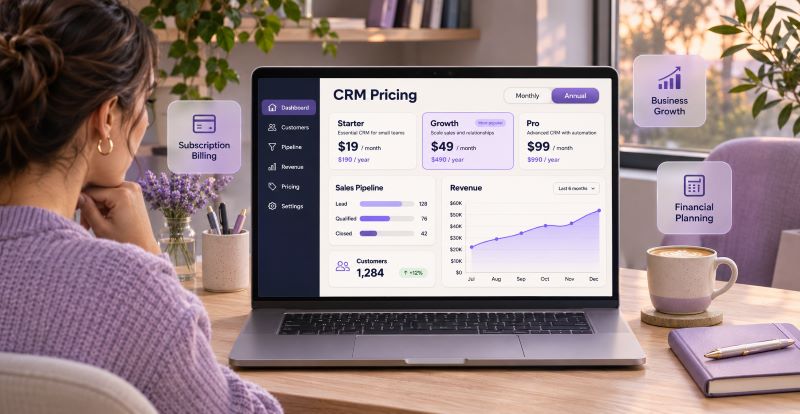
Choosing the right CRM software is an important investment for any growing business. However, with so many platforms offering different pricing models, features, and subscription plans, understanding the actual CRM software pricing for small businesses can be challenging.
Some CRM platforms charge per user, while others offer tiered subscriptions, additional feature packages, or premium integrations. The cheapest option may look attractive initially, but it might not provide the tools your business needs as it grows. Let’s explore more in the following piece.
CRM software pricing for small businesses typically depends on the number of users, available features, storage, automation capabilities, and level of customer support.
Most CRM providers offer monthly or annual subscription plans. Entry-level plans generally cover essential contact management and sales tracking, while advanced plans include workflow automation, reporting, integrations, and AI-powered assistance.
Here are the major pricing models to understand:
When comparing CRM software pricing, always calculate the total monthly expense rather than looking at the advertised starting price alone.
Make a smarter investment decision with our Free Small Business CRM Budget Planner. Calculate your CRM expenses, compare pricing plans, uncover hidden costs, and estimate potential ROI before choosing the right CRM for your business.
Download Your Free CRM Budget Planner Today!
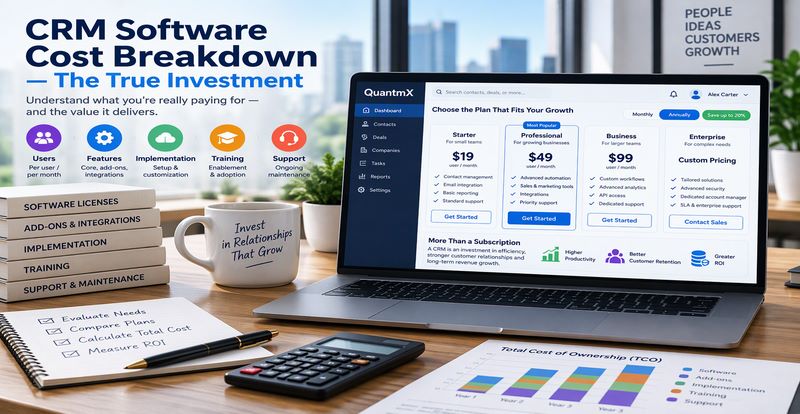
Before choosing a CRM, understand what contributes to its overall cost.
Most CRM platforms calculate subscription costs based on the number of users. A five-person sales team may require a smaller investment than a business with 25 employees.
Consider both your current team size and expected growth.
Basic CRM plans may include contact management, lead tracking, and sales pipelines. Advanced packages can provide marketing automation, customer support management, invoicing, analytics, and workflow customization.
Choose features that solve actual business problems instead of paying for capabilities your team will rarely use.
Modern CRM platforms increasingly incorporate artificial intelligence to simplify everyday operations.
AI-powered features can help businesses draft personalized emails, organize notes, manage templates, and receive timely notifications. These capabilities reduce repetitive work and help employees focus on meaningful customer interactions.
For small businesses operating with limited resources, AI can provide considerable productivity benefits.
Check whether your CRM integrates with your existing business applications. Some providers charge extra for advanced integrations, additional storage, or third-party services.
A platform that brings sales, marketing, customer service, and billing together can help reduce the expense of maintaining multiple disconnected tools.
The best CRM software for small businesses should balance affordability with functionality.
Here are the core features worth prioritizing:
AI should no longer be treated as an optional luxury when evaluating modern CRM platforms. It is becoming an important part of an efficient customer relationship management strategy.
For example, ConvergeHub’s AI Assistant helps users streamline email composition, note-taking, template management, and notifications.
If you are evaluating an affordable CRM solution, ConvergeHub offers different subscription options designed around business requirements.
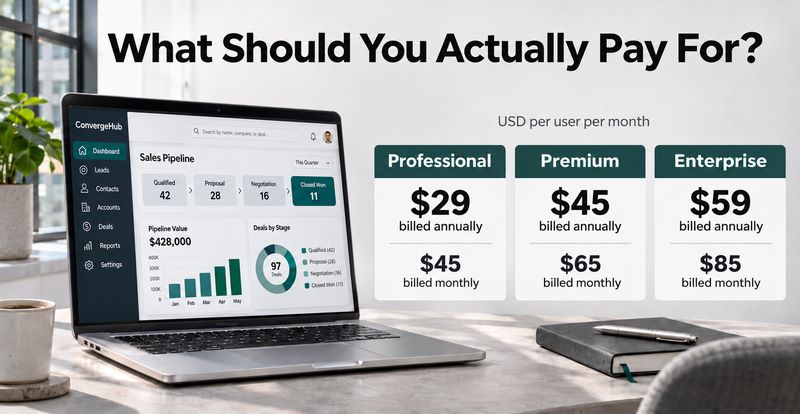
Its Sales CRM pricing includes three primary plans:
| Plan | Annual billing (per user/month) | Monthly billing (per user/month) |
| Professional | $29 | $45 |
| Premium | $45 | $65 |
| Enterprise | $59 | $85 |
Prices are based on the published Sales CRM pricing structure. Verify current rates and billing terms on the official ConvergeHub pricing page.
The plans offer different levels of functionality:
ConvergeHub also offers additional Marketing, Service, and Revenue capabilities, making it possible to bring multiple business functions into one platform.
Its AI features, automation capabilities, and integrated customer management tools make it worth considering for small businesses looking to simplify their operations.
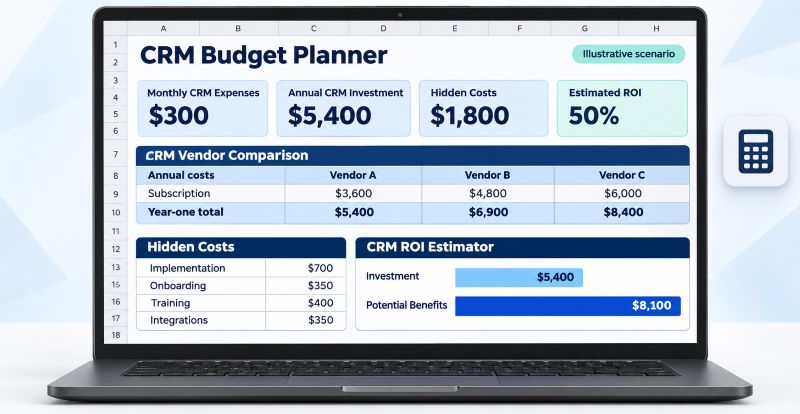
Before purchasing CRM software, calculate how much your business can comfortably spend.
Use this simple budget planner to estimate your subscription expenses.
Step 1: Calculate your team size.
Determine how many employees actually need CRM access. Avoid purchasing unnecessary user licenses.
Step 2: Select your required features.
List essential requirements such as lead management, sales automation, AI assistance, reporting, and customer support.
Step 3: Estimate your monthly subscription.
Multiply the per-user subscription price by the number of users.
For example, a five-person team using a CRM priced at $29 per user per month would spend:
$29 × 5 = $145 per month.
Step 4: Account for additional expenses.
Consider onboarding, integrations, training, data migration, and optional feature packages.
Step 5: Evaluate long-term value.
Compare the subscription cost against the time saved, improved customer management, and reduced administrative workload.
A slightly more expensive CRM may deliver better overall value if it eliminates several separate software subscriptions.
Finding the right CRM is not simply about choosing the lowest-priced subscription. It is about finding a solution that supports your current operations and future business goals.
Keep these practical considerations in mind:
A free trial is particularly useful because it allows your team to explore the interface, test essential workflows, and understand whether the CRM fits your daily operations.
ConvergeHub offers a 14-day free trial without requiring a credit card, giving businesses an opportunity to experience the platform before making a purchasing decision.
Start Your Free ConvergeHub CRM Trial
You can also book a personalized ConvergeHub demo to understand how its features can support your business requirements.
Investing in the right CRM software can help small businesses organize customer information, improve sales processes, automate repetitive activities, and build stronger customer relationships.
When comparing CRM software pricing for small businesses, consider more than the initial subscription cost. Evaluate the available features, AI capabilities, scalability, integrations, and long-term business value.
A practical CRM budget should support your current needs without limiting future growth.
ConvergeHub brings sales, marketing, customer service, billing, automation, and AI-powered assistance together in one platform, making it a solution worth exploring for businesses looking to manage customer relationships more efficiently.
CRM software costs vary depending on the provider, number of users, and available features. Most platforms offer tiered or per-user subscriptions. Compare the total cost against your business requirements before purchasing.
The most affordable CRM is one that provides essential functionality without requiring expensive additional tools. Compare contact management, sales tracking, automation, reporting, and AI capabilities before deciding.
Free CRM software can be useful for startups and very small teams. However, free versions may have limitations in automation, customization, reporting, integrations, and user access.
A small business CRM should ideally include contact management, lead tracking, sales pipeline management, workflow automation, reporting, marketing tools, customer support management, and AI-powered assistance.
AI helps automate repetitive activities and improve employee productivity. Features such as AI-generated emails, organized notes, template management, and timely notifications can make everyday customer management more efficient.
Multiply the per-user subscription price by the number of users, then account for additional expenses such as integrations, onboarding, training, and optional modules. Review the total cost monthly and annually.
Annual billing often provides discounted subscription rates compared with paying monthly. However, businesses should evaluate their long-term requirements before committing to an annual subscription.
Yes. An all-in-one CRM can combine sales, marketing, customer service, billing, and automation capabilities. This can reduce software fragmentation and simplify business operations.
Yes. ConvergeHub offers a 14-day free trial without requiring a credit card. Businesses can explore its CRM capabilities before choosing a subscription.
You can explore the platform through its free trial or request a personalized product demonstration. Both options help you understand its features, AI assistance, automation capabilities, and suitability for your business needs.