As a business grows, spreadsheets and disconnected tools quickly become a bottleneck. Moving to a CRM system helps organize customer data, streamline sales pipelines, and automate repetitive tasks—all while building stronger customer relationships. Still, evaluating CRM software costs and figuring out how to make the right choice can feel overwhelming before you invest.
This guide covers everything you need to make a confident decision, from standard pricing tiers to the hidden costs most businesses overlook.
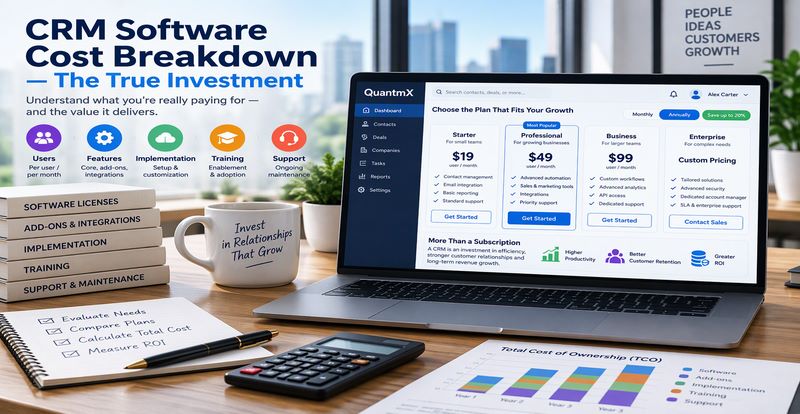
CRM software pricing depends on the provider, features, number of users, deployment model and level of customization.
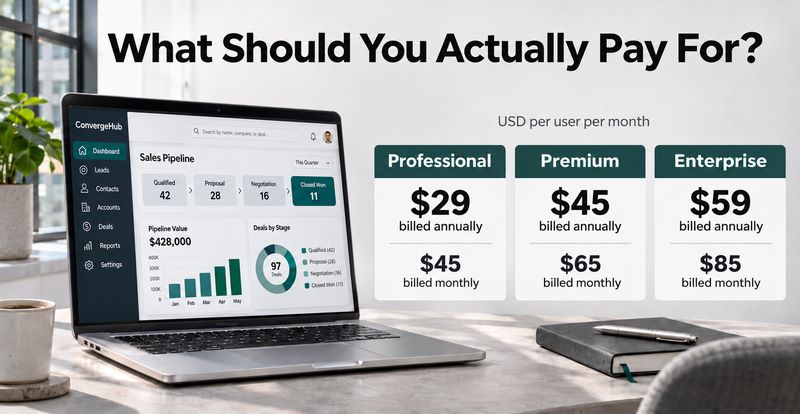
Most cloud-based CRM platforms follow a subscription-based pricing model, charging businesses monthly or annually for each user. Some providers also offer free plans, while enterprise solutions may require customized pricing.
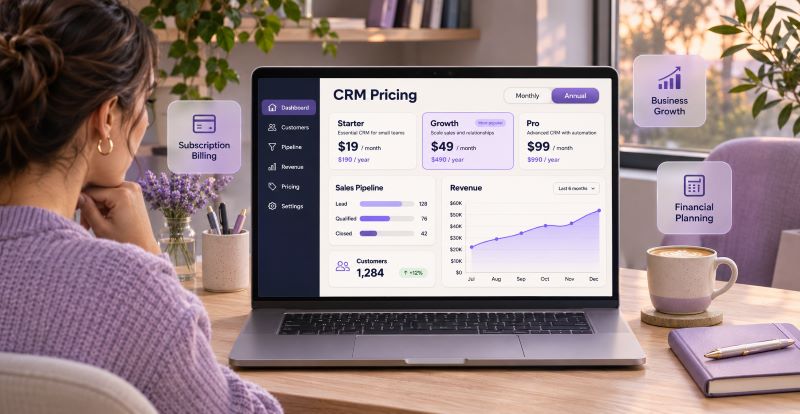
Here is an indicative breakdown of common CRM pricing tiers:
| CRM category | Indicative cost per user/month | Suitable for |
| Free CRM | $0 | Startups and very small teams |
| Basic CRM | $10–$30 | Small businesses |
| Mid-range CRM | $40–$100 | Growing businesses |
| Advanced CRM | $100–$300+ | Established businesses |
| Enterprise CRM | Custom pricing or higher-tier subscriptions | Large organizations |
These are indicative market ranges, not fixed industry prices. Actual pricing varies by vendor, billing frequency, region and feature availability.
For example, businesses comparing platforms such as Salesforce, HubSpot and Zoho CRM should examine what each subscription includes rather than selecting a platform based solely on its starting price.
A lower-cost plan may cover contact management but require an upgrade for advanced reporting, workflow automation or sales forecasting.
The key takeaway: Choose a CRM based on the features your team needs today and the capabilities it will require as your business expands.
Several factors determine the overall cost of a CRM system. Understanding them helps businesses estimate their investment more accurately.
Most CRM providers charge according to the number of users. As your sales, marketing and customer support teams expand, subscription expenses increase.
For instance, a CRM charging $25 per user per month would cost $250 monthly for 10 users, excluding additional expenses.
Basic CRM plans typically include contact management, lead tracking and pipeline management.
Advanced subscriptions may include:
Businesses should evaluate which features are essential instead of paying for functionalities they may never use.
Every business has different workflows. Some companies require customised sales pipelines, automated lead assignments, custom fields, approval processes and specialised dashboards.
The more complex the requirements, the greater the potential implementation and configuration costs.
Cloud-based CRM systems generally operate through recurring subscriptions, whereas self-hosted or on-premise solutions may involve infrastructure, installation, licensing and maintenance expenses.
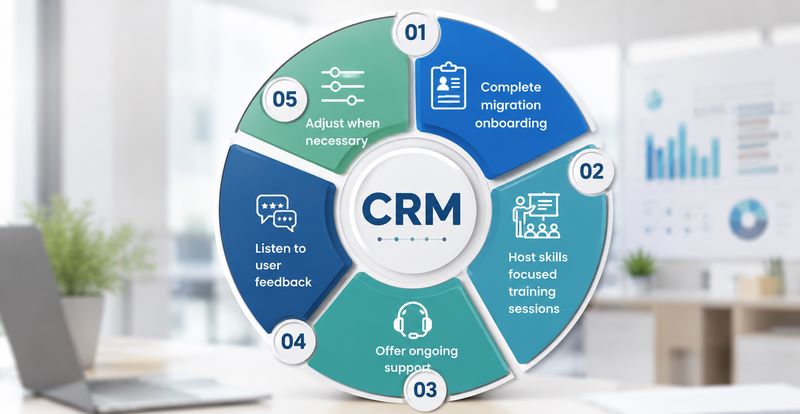
The subscription fee is only one part of the investment. Several additional expenses can affect your CRM budget.
Implementation involves configuring the platform according to your business processes, setting up user permissions, building sales pipelines and establishing workflows.
Depending on complexity, implementation may require internal resources, external consultants or vendor-provided onboarding services.
Moving customer information from spreadsheets, legacy CRMs or other business applications can involve significant work.
Data cleaning, duplicate removal, field mapping, validation and record transfer must be handled carefully to avoid losing important customer information.
Businesses often need their CRM to connect with existing tools, including email platforms, accounting software, marketing automation systems, communication applications and customer support tools.
Some integrations are included in the subscription, while others require paid connectors, middleware or custom development.
A CRM system only delivers value when employees understand how to use it.
Training costs may include onboarding sessions, documentation, workshops and time spent helping employees adapt to new workflows.
Ongoing expenses may include premium technical support, system administration, additional storage, API usage and customisation updates.
Before signing a contract, check whether these services are included in your chosen subscription.
To understand what a CRM will actually cost, businesses should calculate its Total Cost of Ownership (TCO).
A simple formula is:
Total CRM Cost = Subscription + Implementation + Migration + Integrations + Training + Maintenance + Additional Expenses
Consider this illustrative example:
A growing business plans to implement a CRM for 10 employees.
| Expense | Estimated cost |
| CRM subscription ($25 × 10 users × 12 months) | $3,000 |
| Initial implementation | $1,000 |
| Data migration | $500 |
| Third-party integrations | $600 |
| Employee training | $400 |
| Annual maintenance and support | $500 |
| First-year total | $6,000 |
This example is hypothetical and excludes taxes and potential future upgrades.
The business would spend approximately $6,000 in its first year, even though its subscription costs only $3,000.
This is why evaluating the complete CRM investment is essential before making a purchasing decision.
For a more accurate estimate, businesses should also calculate their expected costs over three to five years, accounting for additional users, storage requirements and changing operational needs.
Choosing the right CRM is about more than comparing monthly subscription fees. From implementation and data migration to integrations and employee training, every expense matters.
Download our Free CRM Cost Checklist to identify potential expenses, plan your CRM budget and make a smarter investment as your business grows.
[Get Your Free CRM Cost Checklist here: https://d1dh8zq0hn9bdl.cloudfront.net/website/wp-content/uploads/2026/11/Complete_CRM_Cost_Breakdown.pdf]
CRM software costs involve much more than monthly subscriptions. Implementation, data migration, integrations, employee training and ongoing support all contribute to the actual investment.
For growing businesses, the right CRM is one that balances affordability, functionality and scalability. By calculating the total cost of ownership and evaluating long-term business value, companies can make more informed purchasing decisions.
Before investing in a CRM, understand what you are paying for, what additional costs to expect and how the platform will support your business as it grows.
CRM software can range from free plans to approximately $10–$30 per user per month for entry-level paid subscriptions. However, implementation, integrations, training and additional features may increase the overall investment.
Free CRM software can work well for startups and small teams with basic requirements. However, growing businesses may eventually need advanced automation, custom reporting, additional storage and more user access.
Implementation costs vary depending on business size, data complexity, customisation and integration requirements. Simple implementations may require limited internal resources, while complex enterprise deployments can involve substantial consulting and configuration fees. Always request a project-specific estimate.
Yes. Common additional expenses include data migration, employee training, premium support, third-party integrations, additional storage, API usage and advanced feature upgrades.
Entry-level CRM subscriptions may cost around $10–$30 per user monthly, while mid-range solutions may cost $40–$100 or more. Enterprise subscriptions can cost considerably more depending on the provider and selected features.
Businesses should assess data quality, duplicate records, custom fields, existing integrations, user permissions, workflow dependencies and historical customer information. A migration plan should include backups, testing, validation and a rollback strategy.
Not necessarily. A properly planned migration involving data backups, field mapping, test imports and record validation can significantly reduce the risk of data loss. Businesses should verify that important records, attachments, communication histories and relationships transfer correctly.
Migration timelines depend on data volume, system complexity, integrations and customisation. A straightforward migration may take days or a few weeks, while larger deployments can take several months. A detailed assessment is necessary before committing to a timeline.
Most established CRM platforms support integrations with common business applications, including email, marketing automation, accounting and customer support systems. However, availability, integration limits and additional charges vary by provider and subscription.
Compare the financial benefits of CRM adoption with its total cost. Consider improvements in lead conversion, sales productivity, customer retention and reduced administrative work. Subtract the CRM investment from the measurable financial benefits to estimate the return.