Choosing an affordable Salesforce alternative is not simply about finding a CRM with a lower subscription fee. It is about choosing a platform that gives your team the tools to manage leads, track opportunities, automate routine work, and build customer relationships—without adding unnecessary cost or complexity.
For small and mid-sized businesses, the right CRM should support growth while remaining practical for everyday use. Here are the key factors to evaluate before making the switch.
Salesforce offers a broad ecosystem of sales, service, marketing, and analytics tools. However, not every business needs that level of functionality.
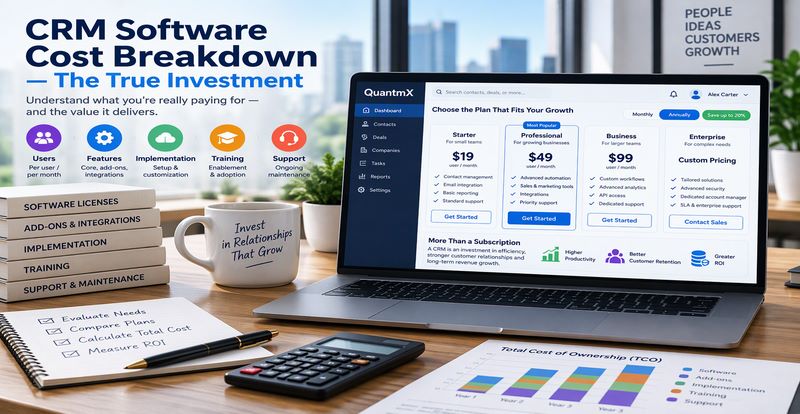
As teams grow, they may find that the total cost includes more than licenses. Add-ons, implementation, integrations, customization, training, and administration can all affect the budget.
A smaller team may also need a simpler way to manage its sales pipeline and customer information. If employees spend more time navigating the CRM than using it, the platform may be creating friction instead of improving productivity.
The goal is not to find the cheapest CRM. It is to find one that matches your team’s actual requirements.
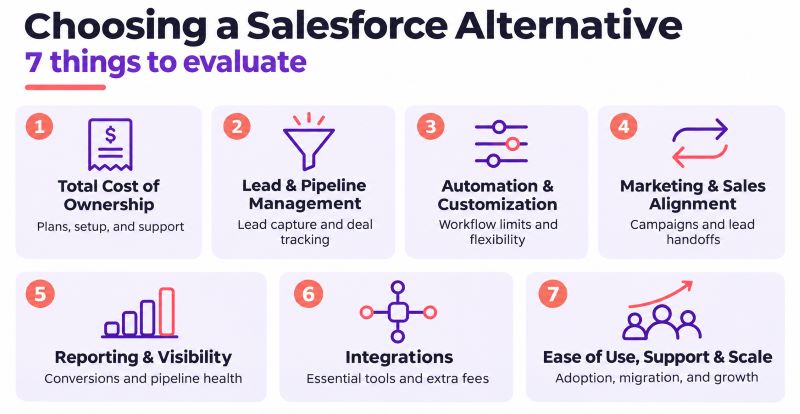
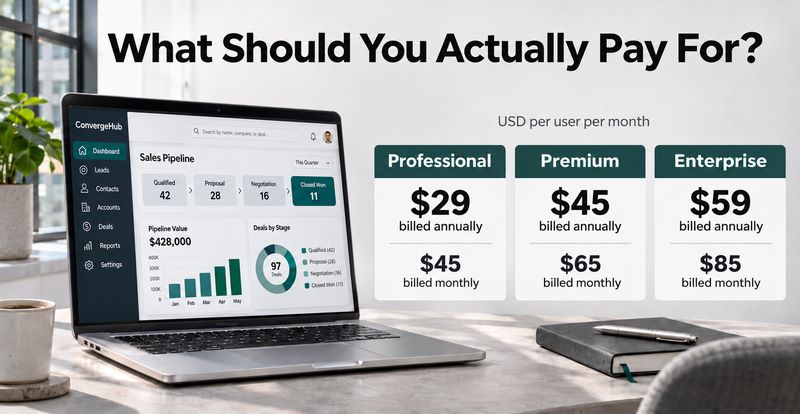
Look beyond the advertised per-user price. Check which features are included, whether automation or reporting requires a higher plan, and whether implementation or support involves additional fees.
Compare the cost of the features your team will genuinely use. Review CRM pricing and plans before making a decision.
Your CRM should make it easy to capture leads, organize contacts, track opportunities, assign follow-ups, and monitor deal progress.
Look for a clear sales CRM that gives sales representatives visibility into their next actions and helps managers understand pipeline performance.
Automation can reduce repetitive tasks such as lead assignment, reminders, and follow-up emails. But check whether the workflows you need are included in your chosen plan.
Also evaluate whether you can customize fields, stages, layouts, and reports to reflect your sales process. A customizable CRM should adapt to your business rather than forcing your team into a rigid workflow.
When marketing and sales work with disconnected information, leads can be missed or followed up late.
Consider whether the CRM supports campaign management, lead nurturing, segmentation, and a smooth handoff to sales. Explore the available marketing automation capabilities and check whether they fit your team’s needs.
A useful CRM should help managers understand lead sources, conversion rates, sales activities, and pipeline health.
Check whether reports are easy to build and whether dashboards show the information your team needs. Avoid paying extra for advanced analytics if your business only needs straightforward sales reporting.
Your CRM should work with the tools your business already uses, such as email, calendars, accounting software, and communication platforms.
Review the available CRM integrations and confirm that the specific integrations you depend on are supported. Also check whether they are included in the plan or require an additional subscription.
A feature-rich CRM is not useful if employees find it difficult to adopt. Request a product walkthrough and let the people who will use the system test common tasks.
Evaluate onboarding, customer support, permissions, data migration, and the ability to add users or functionality as your business grows.
Get our free Salesforce Alternative Toolkit, an Excel scorecard and 3-year cost calculator built on the 7 factors above.
Download the free toolkit
Free. Delivered to your inbox instantly.
The best choice depends on your budget, processes, and feature requirements. Consider these platforms as part of your evaluation:
Features, packaging, and prices can change. Compare current plan details directly with each provider before deciding.
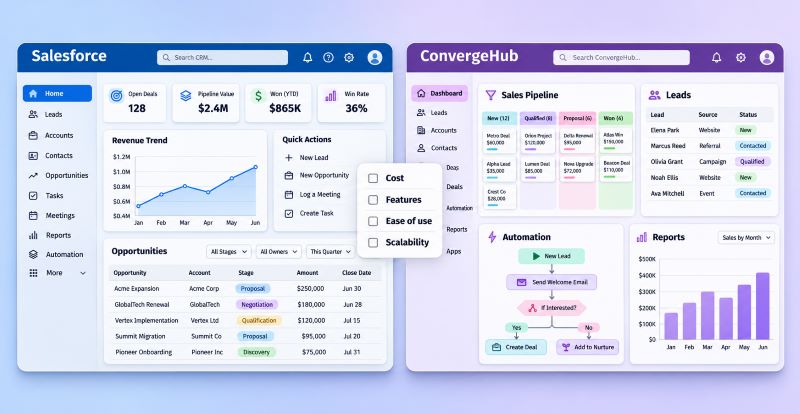
If ConvergeHub is on your shortlist, assess it against the same practical requirements you use to evaluate Salesforce: sales pipeline management, lead tracking, automation, reporting, customization, integrations, and support.
Its CRM comparison page provides a feature-by-feature overview against Salesforce and other platforms. Use it as a starting point, then verify important capabilities against your team’s specific workflows and the current pricing plans.
You can also review ConvergeHub’s CRM features and pricing to understand whether the platform fits your requirements and budget.
Before moving from Salesforce, document the data and workflows your team needs to retain. Clean up duplicate records, review custom fields, identify essential integrations, and decide which automations should be recreated.
Next, test the new CRM with a small group. Import sample records, check reports, and ask users to complete everyday tasks. Once the setup is validated, plan the full migration and provide training so employees know how to use the new system.
A structured transition helps reduce disruption and gives your team a clearer starting point.
Finding an affordable Salesforce alternative means choosing a CRM that balances cost, usability, and the features your business actually needs. Compare platforms based on real workflows, total ownership costs, integrations, and room to grow—not price alone. Explore ConvergeHub’s Salesforce comparison to review the differences and decide whether it fits your team’s requirements.
It is a CRM that covers your essential sales and customer-management needs at a cost that fits your budget. Compare total ownership costs, not just subscription prices.
Some need simpler workflows, more predictable costs, or fewer features than a large CRM ecosystem provides.
Prioritize contact and lead management, pipeline tracking, follow-up reminders, reporting, integrations, and useful automation.
Some platforms offer both capabilities. Confirm which marketing tools are included, what requires an add-on, and whether the sales and marketing data can be shared effectively.
It depends on the volume and complexity of your data, customizations, integrations, and workflows. Planning and testing the migration can make the transition smoother.
Compare the plans based on the number of users and the features you need. Include add-ons, onboarding, integrations, and support in your calculation.
Not necessarily. Some platforms focus on the tools smaller teams use most. The important question is whether the CRM supports your specific processes.
Look for flexible user plans, customization, automation, reporting, and integration options. Confirm that the next growth stage will not require an expensive or disruptive change.
Review email, calendar, accounting, communication, marketing, and other business-critical tools. Confirm compatibility and any additional integration costs.
Compare subscription and operating costs with changes in user adoption, time spent on administration, follow-up consistency, and sales-process visibility. Set a baseline before migrating so you can measure the impact.