How to Build an Effective Sales Funnel?


It goes without saying that high-quality data is the foundation of any successful business. But, does data accuracy make it reliable and high-quality in CRM solutions? Not necessarily! Data accuracy or more technically, data integrity is just one part of the entire picture when it comes to CRMs. High-quality data is not only about data accuracy for CRMs, it is also about the value it adds to customer conversions.
In simple language, if your data is not fetching you enough business, then it is definitely of poor quality and what use can it be to you? Having said that, we must point out that even the best enterprise CRM software can fail you if your data quality is low i.e. not contributing to sales conversions. So, how can you ensure high-quality data? Our latest article here will discuss the various aspects of CRM data quality starting. Let us start with a brief on CRM data.
What is CRM Data?
The term CRM data refers to the information collected, stored, and managed by a customer relationship management system. It is a record of all interactions between your company and its customers and prospects. This involves information such as purchase history, contact information, buying preferences, and other relevant data about the customer. CRM data is all about helping a business to better their customers and improve relationships with them finally driving sales.
In a nutshell, it includes:
• Contact information,
• Purchase history,
• Service records,
• Communication channels such as email, website, social media, telephone, and live chat, and
• Insights about customers.
What is CRM Data Quality?
Speaking in simple terms, CRM data quality is the parameter that is decided based on how valuable and effective your data is. Where sales is concerned data quality is the measurement of the extent to which the data is useful for increasing sales performance. CRM data quality is a critical element of a successful all in one CRM strategy. It is important for customer retention, boosting sales performance, and other business operations to run effectively. It primarily deals with 4 main aspects of data in general, and they are:
• Accuracy
Data accuracy is the first level of ensuring data quality. Accuracy means that the data is free from errors such as wrong contact information or a misspelled name. Make sure all your customer data is correct to the last word.
• Consistency
Your CRM data can be termed as consistent when it is uniform with no duplicate or incompatible data across all cross-functional departments working under the same CRM solution. Be certain that all your teams have access to the same sets of consistent data.
• Completeness
If your CRM has all the relevant data required to maintain the customer relationship without any information gap such as purchase history or demographics, then be assured of its completeness. Complete data is important where lead generation is concerned.
• Timeliness
Up-to-date data that reflects the latest changes in customer information is absolutely necessary to keep your business afloat. Make sure that the data gets timely updated and that your sales team is able to make valuable sales pitches.
What is Poor CRM Data and Causes of It?
Poor or low-quality data is referred to as information that lacks accuracy, is inconsistent, incomplete, or outdated along with irrelevancy. Data of such kind often leads to poor decision-making, inferior customer interactions, slowed-down operations, or inaccurate insights.
Data that includes duplicate entries, incorrect customer contact details, and outdated, or missing information is considered as low-quality data in a CRM environment. When your business is going for data-driven strategies or operations, addressing low-quality data is critical to ensure that your strategy is effective and reliable.
There can be various reasons for Poor/Bad CRM Data such as:
• Inaccurate Data
Wrong data entry into your CRM software leads to data inaccuracy. This may include wrong information, entry in a wrong field, or erroneous system formatting.
• Duplicate Data
When the same data has been recorded under different accounts, useless information is formed.
• Invalid Data
If the data is not updated according to the latest customer interactions, the CRM system will produce ineffective information for your business.
• Fraudulent Data
Sometimes there may be intentional entry of wrong data by the different sources to take your business down. These fraudulent data is mostly harmful information for a business.
• Inconsistent Data
When redundant data stays in your system for a long time, it may cause bigger inconsistencies.
• Incomplete Data
There can be also instances when the system may lack the complete information required to make it functional. Such data that does not serve the rightful purpose of the business is considered poor or low-quality data.
Why is CRM Data Quality Important?
Your overall business success is directly proportional to the quality of data your CRM system caters to. If the quality falls, there is a high possibility that your business may lose on some sales opportunities affecting its revenue growth. Here are a few reasons why confirming high data quality is important for your business.
• Helps in accurate decision-making
Your teams will be able to make accurate decisions only if the insights gained from the CRM system are reliable and that is possible when there is high-quality data.
• Improved customer experience
High-quality data helps you to make meaningful interactions with the customers enhancing customer experience in the process. This will help you in customer retention and foster loyalty for a long period.
• Better team collaborations
If your CRM data is consistent and accurate, it can improve collaboration between your sales and marketing teams. This will ensure more effective campaigns and higher conversion rates.
• Boosted business productivity and thus ROI
Quality data allows for more accurate targeting and segmentation, leading to more successful marketing efforts and higher returns on your CRM investments.
• Compliance with data protection regulations
High-quality data protects your business from legal risks and penalties by ensuring compliance with data protection regulations.
Conclusion
All said and done, effective data management is essential for maintaining high-quality data. However, it shouldn’t consume much of your resources. In a fast-paced world, businesses have to face increasing time constraints. Hence, it is essential to have the right tools that can free up your valuable business hours. This allows you to focus on high-impact, relationship-building activities that drive more deals to closure.
Certain top-notch CRMs such as ConvergeHub help high-performing teams to be more productive in terms of sales generation by saving up their efforts on maintaining high-quality data.
Listen up, entrepreneurs! Do you know what’s gonna help your business grow in the coming years? The way you manage your customer relations. But, these days, enterprises are relying so much on enterprise CRM solutions because that’s what makes your customer relationship management easier and awesome. It helps you make more sales and gives customers a great experience. There are a bunch of different CRM options out there, but we’ve got your back. We made a guide with the best CRM software for small businesses. Check it out and find the perfect fit for you.
Salesforce
Score: 9.5/10
When it comes to searching for a top-notch CRM provider, Salesforce should be on your radar! They’re a big name in the game and have an awesome essentials-level platform that’s perfect for small and growing businesses. But if you’re looking to take things to the next level and dive into all that CRM can do, Salesforce has a ton of specialized solutions for sales, marketing, and customer service teams that can help you do just that.
Pipedrive
Score: 8.2/10
If you’re looking for a CRM that gives you a great visual sales pipeline and a 360-degree business view, Pipedrive is a great product. It makes it super easy to understand your opportunities, with perfect data visualizations. Plus, the drag-and-drop interface lets you quickly respond to important tasks. As a sales CRM, PipeDrive is customizable and lets you optimize your workflows and improve processes across your entire business. And with a powerful mobile app, you can stay connected with your team and customers even when you’re on the move.
ConvergeHub
Score: 9.5/10
ConvergeHub is one of the most talked about enterprise CRM software in the US. Thanks to the affordability of the product alongside powerful functionalities. Designed for SMEs, this cloud-based all in one CRM software is effectively designed for streamlining sales, marketing, and customer service teams. With its user-friendly interface and customizable features, ConvergeHub makes it easy to manage customer data, automate sales and marketing processes, and improve team collaboration.
The biggest advantage of ConvergeHub is the way it provides a unified 360-degree view of customer data. As a result, teams in every department are well aware of the customers and which stage they are in the sales funnel. The software also offers a range of advanced features, including lead scoring, email marketing, and social media integration, thus making it a great solution for SMEs looking for enterprise CRM without burning their pockets.
The reporting and analytics capabilities are top-notch. It allows businesses to gain valuable insights into their sales and marketing performance. It also comes with a mobile app that ensures collaboration across teams on the go. That’s quite a help for accentuating productivity and efficiency. Overall, ConvergeHub is a top choice for businesses looking to streamline their sales, marketing, and customer service operations.
Monday CRM
Score : 8.5/10
Monday Sales CRM is an all-in-one CRM software that’s great to manage complex sales processes. This power-packed CRM platform makes a great product for salespeople to stay organized. With Monday Sales CRM, you get an easy-to-use interface and unlimited boards to help you stay on top of everything. Plus, you can customize your dashboard. The top-notch data visualization tools help analyze customer data so that you gain a piece of in-depth knowledge about your customers. Whether you’re a small business or a large enterprise, Monday Sales CRM is designed to help you succeed and scale your workflow. So why wait? Try it out today!
NetSuite CRM
Score: 9.4/10
Small and medium-sized online stores that want to keep their customers coming back need a CRM tool that can help them get a better grasp of their customers’ buying behaviors. Oracle’s NetSuite is a cloud-based ERP solution that comes with CRM features, making it ideal for business owners who aim to provide top-notch customer service. The CRM module lets companies maximize the value of each interaction with their clients, regardless of the touchpoint. NetSuite streamlines and automates your customer interactions across various teams, including marketing, sales, customer service, and tech support. This way, any employee can talk to any customer as if they’ve been in touch since the very beginning.
Freshsales CRM
Score: 9.4/10
Freshsales CRM software provides an intuitive and flexible solution that includes tools to enhance communication and gain a deeper understanding of customers. The software features an AI assistant, Freddy, that analyzes sales data, activities, and engagement history to provide valuable insights into customer behavior. In addition, Freshworks offers a built-in VoIP phone service that includes local toll-free numbers in more than 90 countries and allows users to make calls from any device.
HubSpot CRM
Score: 9.5/10
HubSpot’s new Operations Hub offers sales teams a comprehensive solution to improve performance and streamline data management. With thousands of integration capabilities, users can easily connect third-party tools to sync and clean customer data, while automating business processes to increase efficiency. By centralizing data from multiple software providers, sales teams can easily track sales funnel metrics, actionable insights, productivity, and performance across all sales activities. This powerful CRM solution provides businesses with a complete picture of their customers and helps them to make data-driven decisions. HubSpot Operations Hub is the perfect tool for businesses looking to optimize their sales process and improve overall performance.
Zoho
Score: 8.3/10
Zoho CRM is an ideal choice for sales teams that work remotely or in different locations. It helps increase leads, accelerate sales, and measure performance accurately with ease. The CRM platform has an AI-powered assistant named Zia, which predicts leads and deals, identifies potential customers for conversion, and provides user-friendly guidance to large sales teams. Zoho also includes gamification features that encourage friendly competition, making it a popular choice for remote sales teams. With every lead, call, and deal, team members can earn trophies, creating a competitive and motivating sales environment no matter where they are located.
The Final Takeaway
Ideally, enterprise CRM solutions are designed to help businesses manage their customers. From helping sales teams to keep track of communication logs, manage leads, and even create marketing campaigns. While CRM solutions were initially intended for sales and PR professionals, they have since evolved to include a variety of features such as analytics, marketing, communication, and light project management. Some systems even have chatbot and calling capabilities that allow sales reps to communicate with clients directly from the CRM. With all these functionalities, CRM solutions have become essential tools for businesses looking to streamline their customer relationship management processes.
Whether you’re a professional accountant or just a QuickBooks novice, integration of QuickBooks with CRM software solution can significantly enhance your business processes. According to recent statistics, businesses that integrate their CRM with QuickBooks experience a 30% increase in productivity and a 25% reduction in administrative costs. This article explains why you should consider this integration, the criteria for choosing the right CRM, and some of the types of integration available.
QuickBooks is an accounting software which help small to medium-sized businesses manage the financial aspect of its organization. By using QuickBooks, businesses can generate and send invoices, accept payments, keep a track of income and expenses, manage inventory and payroll and generate accounting reports. Many businesses also integrate CRM software for accounting firms to improve client relationship management alongside their accounting operations.
QuickBooks has both a desktop and cloud-based version, termed as QuickBooks Online. With the use of QuickBooks Online, you may log in to any supported device from anywhere in the world.
While QuickBooks help you keep a track of the financial aspects of your business, it can’t do everything. For example, while being a powerful accounting software, QuickBooks will not help you to manage and follow up on leads, track your billable time or forecast client profitability.
That is why, you need to integrate your CRM with QuickBooks.
Customer Relationship Management (CRM), is a process through a company or any other organization manages it relationship with customers, usually by analysis of vast amounts of data.
Today’s business landscape is shifting from being company/product centric to customer centric. With a reliable CRM, you may deliver a consistent, streamlined and profitable client service easily and manage your tasks, issues and data all in one platform, in real-time.
Without the integration of CRM with QuickBooks, your business will be sitting on an invaluable data which can help to increase your sales and drive revenue for your business. For example, if you have leads which has requested a quote but hasn’t taken any step further, you may send personalized emails to remind them of the solutions you provide, answer any objection raised and convert them to paying customers.
Integrating your CRM with QuickBooks can act as the catalyst which will unlock better customer management, increase customer satisfaction and by extension, increase customer lifetime value.
QuickBooks is not same as CRM but an accounting software. Sure, you may use it to send invoices, receive payments from consumers and view customer’s transaction history but this doesn’t build rapport with your clients.
Rather, business should get a CRM and integrate it with QuickBooks because QuickBooks does not perform core CRM functions like sales management, marketing automation and customer service management.
So, can you try to use QuickBooks as a CRM? Yes.
Should You? No.
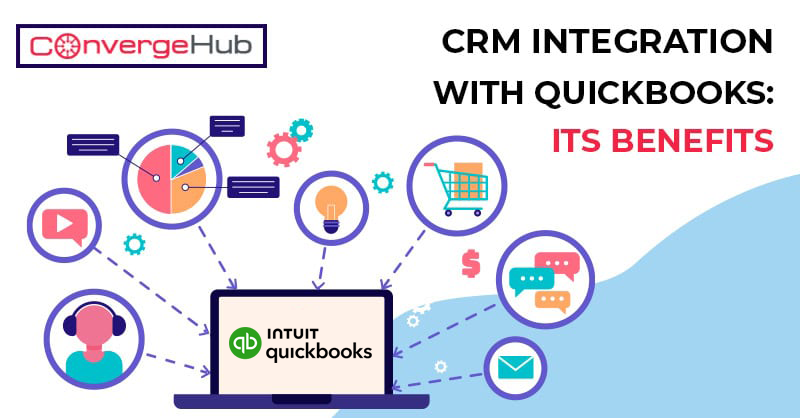
CRM QuickBooks integration means linkage of this accounting software to your CRM so that you can get a single view of client work, invoice and payments. This data may then be used for follow-ups, to deliver personalized service for better marketing automation and for ultimate linkage of your time with invoices.
Below mentioned is some of the things you ought to consider before deciding on a CRM integration with QuickBooks. Everyone’s has different business needs, so don’t skip these questions.
l What is your budget?
l What data do you want to import?
l Who will use your CRM?
l Will you perform manual or sync-based integration?
l What data is already in QuickBooks?
l Do you need QuickBooks Online or the QuickBooks Desktop version?
Let’s talk about the different reasons to get a CRM which integrates with QuickBooks.
Lead Management
If you are an accountant, QuickBooks alone cannot help you obtain new contacts and leads to them into paying customers. That is what a CRM is for, it can help with marketing, lead generation and then bringing in that data to create new QuickBooks accounts.
Data Entry
CRM is great to save your team members’ time and efforts by taking over a lot of manual typing and click work. This efficiency translates over into your QuickBooks activity by syncing everything once and in real time.
Data Security
As yous QuickBooks data is so important to your customers, having a CRM integration may add a layer of data protection should you ever need to share any more customer information.
Sales Automation
To ensure a prime customer experience all the way throughout the sales process, a CRM integration with QuickBooks is ideal. It may send automated follow ups to stay on point and use workflows to update the sales pipeline status.
Customer Service
If different needs of your accounting business include offering customer support, there are many perfect CRM software which specialize in customer service. It may automate tickets from QuickBooks, create them in your CRM and use workflows for faster resolutions.
Types of integration of CRM with QuickBooks
There are two major types of CRM integration with QuickBooks, which are manual and sync-based.
l With a manual integration, you’ll need to click on each row of data yourself that you want to sync.
l With a sync-based system, you run a program which reviews and syncs all data according to your parameters.
However, with syncing, there are two categories of data flow: unidirectional data flow vs bidirectional data flow.
Unidirectional Data Flow
This is where data flows one way, from one platform to another. For example, when you update a contact profile in your QuickBooks account, it will get automatically updated in your CRM, but updates of CRM won’t affect QuickBooks.
Bidirectional Data Flow
As obvious, bidirectional data flow is a two way sync. Any changes or update you make in either your QuickBooks or CRM systems, will be automatically synced and updated in the other platform
Conclusion on Choice of CRM software for QuickBooks which would go with your needs
Now that you know about how important CRM is with QuickBooks, next step is to integrate. If you are still not sure on which CRM integration is most compatible with your business needs, visit the CRM website and often free trials are provided for which sometimes you don’t need to enter a credit card.
CRM helps businesses streamline the sales process, improve interdepartmental collaboration, and maintain business relationships. Many startups have been integrating it into their marketing stack for its powerful features.
However, there are certain myths that have mushroomed over the years about CRMs and their use. Such myths have hindered business owners from benefiting from such high-end business tools which led to many facing negative impacts on their growth.
In this article, we will be discussing certain myths about CRM software that have been affecting CRM marketing for a long. But, before let us have a brief know-how on what a CRM solution actually does. So, let’s get going.
• Collects customer data from multiple sources and applications and stores that in a centralized location.
• Automates repetitive sales, marketing, and customer service processes.
• Tracks prospective customers through their purchase journey.
• Identifies up selling and cross-selling opportunities.
• Promotes interdepartmental collaboration.
With so many functions to offer, CRM should have been accepted in every field but unfortunately, there are certain myths associated with it which will be learnt in the following paper. Let’s take a look at the misconceptions that are popular in recent times.
In this section, you will find 5 common myths that when entertained are going to cost you sales.
Well, this was somewhat true when CRM tools were initially launched. Back in those days, licensing a single CRM software meant a huge expense, usually thousands of dollars. Apart from licensing, there was the piling expense for installation, setup, hardware, and training costs as the basic investment cost before you could actually use a CRM.
This scenario changed with the entrance of cloud technology in the early 2000s. It helped save a lot in hardware and maintenance which is fundamentally the IT cost behind a business. The efficiency and cost-effectiveness of cloud storage solutions changed the entire game in the CRM software market. It made CRMs available to even small and medium businesses where the resource budget is low. In the current state, it literally takes $0 to use a CRM. You may find many offering a free version of CRMs that are perfect for certain types and sizes of businesses.
Earlier, only large organizations could afford a CRM solution because of the costs involved, as mentioned in the previous point. It gave birth to another misconception that a CRM is only ‘required’ by large organizations. But, as the scenario has changed to a more cost-effective one, the myth has almost diluted making way for startups, and small and medium-scale businesses.
If you are still hesitating thinking about its cost and utility for your business, then let us put it like this – you want better communication with your clients and better sales, go for a CRM! Still not convinced? How about software that automates repetitive tasks and takes care of all your manual tasks enhancing your overall business productivity? Well, that is an enterprise CRM for you.
In the late 90’s when the concept of CRM was making its way through businesses, many found it difficult to comprehend. None to blame, early CRMs were not really in a structured form and thus lacked user-friendliness. Also, they needed extensive training for first-time users and in case of any technical issue had to rely on IT staff to get them fixed.
However, as technological advancements happened and CRMs got better in terms of usability and clarity, the concept that CRMs are complex stands null and void. The user-friendliness, intuitive UI/UX, and browser compatibility of modern-day CRM solutions make them highly approachable and beneficial for the business.
Not to mention some additive features some CRMs have, such as the on-boarding process of a customer in the initial stage of engagement.
This misconception goes around for cloud technology in general. With frequent news of data breaches and security compromised, many business owners are showing concern aboput adopting cloud technology. But, CRM users need not worry much as developers go to great lengths to secure CRM software. They have several security measures such as security certificates, firewalls, and data encryption that are high-tech and 100% trustworthy.
Further, such safety measures help business owners with a deeper level of data protection by helping to decide on CRM vendors, employees’ training methods, and monitoring activities of CRM.
It was true in the yesteryears but no longer is. With every day the digital world going through numerous technological advancements, CRMs have developed to a great extent. Currently, we can call it a suite of features that encompasses almost every touchpoint with a customer. The sales and marketing operations are particularly benefited from it but the other teams existing in an organization can also make use of it to their advantage.
With new enhancements and integrations happening every day, some CRMs have turned out to be excellent marketing automation systems. From email marketing, and landing page creation, to automation of ad campaigns, these CRMs perform various activities that make them full-service SaaS applications.
Certain businesses follow unique personalized consumer processes and do not want to engage with software that resorts to generic systems. CRM systems are in no way at par with generalization. They are highly customizable and efficient customer interaction management systems. They can also be termed as business process management software as they are highly flexible to support several integrations at a time.
Though there are varying degrees of customization offered for different CRM solutions, a well-designed solution can offer any kind of customization fit for your business. They are capable of handling the overall business operations that go around an enterprise. Often, it has been seen that flexible CRM software engages minimum resources, allowing the company to save on costs.
In a nutshell, these are just misconceptions and do not hold much value but can be highly misleading. If you want your customer relationships to be taken care of, then there can be no better alternative than CRM software. From efficient customer service, improved customer interactions, and streamlined sales pipeline, to data security, competent CRM solutions such as ConvergeHub is the right choice when it comes to overall business growth.
Customers are king and the way you interact with them defines your business success. Doing the right thing can ensure sustainability and increase brand awareness. CRM guarantees seamless communication at every touch point. However, choosing the right CRM software can often feel overwhelming. Here we talk about the three different types of CRM systems and how to choose the right product to improve your company’s customer management.
Interactions with customers largely determine business success. Over 80% of customers prefer conversations when interacting with brands. Interactive experiences to the large extent impact customer journeys, no matter what channels you are using for marketing.
Enterprise CRM Software and their types
Modern CRM software is a collection of sales, marketing, and CS tools. There are many CRM products on the market, each with different features and functionality. On this basis, CRM tools can be roughly divided into three categories:
● Operational CRM
● Collaborative CRM
● Analytical CRM
Operational CRM
Operational CRM supports buyer journeys at every touchpoint. It comes with a wide variety of tools to help businesses with better insight into the customer journey as well as the sales and marketing campaigns. From cold prospects to converting them into high paying customers, an operational CRM tracks the entire lead management process with perfect ease. With it, you can do close monitoring of the customer journey through the sales funnel and track their behavior 24/7 from anywhere.
Operational Systems come with marketing, sales, and service automation capabilities. Automating these three key roles frees employees who can spend significant time on tasks that require human intervention. Help businesses grow by providing excellent customer service.
Collaborative CRM
This one bears the name of their function. It is designed for team collaboration, whether it is with the clients or the With this tool, you can share customer information between departments, vendors, suppliers, and internal and external stakeholders.
Both Operational and Analytical ones come with the capabilities of a collaborative CR. It is best to be used in the hotels, resorts, hospitals and Other similar places where customer service is important and improves customer satisfaction, retention and acquisition.
Analytical CRM
Analytical CRMs like ConvergeHub empower you with customer data to develop various crucial business insights. Analytical CRM software, as the name suggests, is meant for analyzing and probing into the business data and translates it into considerable business insight that is further aimed for extracting business insight. Having an Analytical CRM helps businesses to uncover crucial customer data at every level of the customer journey. It helps decipher customer behavioral trends of the customers, their purchase behavior, pain points, preferences and needs. Based on these trends, SMBs can create and build up their marketing strategies. It helps sales managers decide which leads are potential for sales forecasting. At the same time, it’s easy to keep a track of the average deal cycle, customer retention rates, monthly recurring revenue, and more.
What a 360-degree Enterprise CRM Software does for your Business?
Here’s a list of the tasks performed by an Enterprise CRM software
Having a customer relationship software can save you from struggling with unorganized data and streamlining a lot of your manual process. The result is higher rates of better customer relationships, faster deal closing and of course a better way of reaching out to your revenue goals.
While Artificial Intelligence has made significant strides in our daily lives, in the business premises it has become a survival imperative. Artificial Intelligence is being extremely mainstream nowadays. It has brought another new debate to the scene, comparing two competing paradigms of AI and human intelligence.
To explore further into the debate, the first thing that must be taken into note is that Artificial Intelligence is built to create intelligent systems. But, AI is very much the product of human intelligence. This is designed to accomplish jobs that are similar to those performed by humans. The question here is if AI is adequate on its own. This article covers a wide range of subjects, including the potential impact of AI on the future of work and the economy, how AI differs from human intelligence, and the ethical considerations that must be taken into account.
There are good reasons for this. Artificial intelligence is the product of human intelligence is true , but the former can perform tasks more effectively than human beings. AI can quickly sort through customer questions and direct them to the right agent, or even answer simple questions on its own.
Unlike humans, AI can effectively handle a large and good volume of interactions at the same time. It is something that would require a lot of time and resources if done manually. Addressing the individual concern again would be extremely time-consuming. AI software can work 24/7 which means that customers can get help even outside of regular business hours of the human agents.
Although AI can efficiently handle a lot of tasks quickly, it is not efficient and “intelligent” enough to handle human emotions. Neither it can provide empathetic responses that the person on the other side is expecting. There can be situations where AI Chatbots fall short of providing the appropriate solutions to the issues. In such situations customers feel frustrated or need a more personalized approach. Human interaction is the key here.
Secondly, complex customer issues often require a level of problem-solving and creative thinking that AI currently can’t match. Humans can understand nuances and offer tailored solutions, something AI is still far from achieving.
So, while AI is a powerful tool for handling routine tasks and boosting efficiency, a human-first approach is crucial for dealing with more complex, sensitive, or emotional customer service issues.
The adoption of AI in CRM is rapidly evolving with customer support professionals seeing its benefits first-hand. The extraordinary capability of AI software to expedite manual tasks such as sorting queries, answering common questions, or scheduling is amazing. This allows support professionals to focus on more complex issues.
Another reason behind the popularity of Artificial intelligence is its predictive capabilities. It can successfully analyze data and predict customer needs or issues before they escalate. For instance, AI might predict when a customer is likely to need support based on their usage patterns and prompt proactive outreach. Plus, AI can suggest solutions and help articles to customers based on the type of their query.
Precisely, Artificial Intelligence takes human intelligence a step forward by supporting it with instant solutions and prompt replies. When the former can effectively process information from the vast datasets, it automatically enables human support agents with the following:
Precise Information Handling: AI systems are programmed to process and provide information with high accuracy, minimizing the chances of human error.
Consistency in Responses: AI maintains consistent responses for straightforward queries, ensuring uniformity in customer service.
Data-Driven Insights: AI tools analyze customer data and trends to offer precise, tailored responses or solutions.
Thus, a human support agent already gets the optimum support from the AI without even investing much time in data analysis and other manual processes that is the part and parcel of his daily job.
Here’s a real life example on how Artificial and Human Intelligence together can create an ecosystem for CRM success. Consider using AI software in the online retail setting. Different types of customers arrive in an online space and some are global too. When a customer inquires about product availability, an AI chatbot can instantly check the inventory, providing real-time, accurate stock levels. This particular task when approached by human agents consumes a lot of time. There are high chances that the agent is new in the store and cannot comprehend the customer’s request properly. With AI, all these hassles can be eliminated. This not only saves time but also reduces the potential for human error, such as misinforming a customer about product availability.
The same happens at the time of billing as well. Just imagine, when it comes to managing an intricate charging issue or a delicate billing issue with the customers, most of the time they want to have words with the human delegates who can correctly comprehend the issue, and the reason behind their disappointment and accordingly comes up with prompt and compassionate input, and proposition arrangements custom-made to their special conditions. Unlike Artificial intelligence, human specialists can significantly evolve their methodology in dealing with client issues.
It’s important to figure out that efficient customer service is the outcome of a mix of human and simulated intelligence support. It needs a decent and balanced methodology – one that is human-driven and computer-based intelligence helped!
The first name that often crosses our mind while talking about CRM is Salesforce. It’s a CRM giant and for all the right reasons. It comes with all the feature that makes it a clear winner in any cases. However, Salesforce comes with a hefty price tag along with a complex interface. And, that’s where ConvergeHub emerges as a compelling Salesforce alternative.
ConvergeHub is an all-in-one CRM Software designed for the SMBs. This robust platform is crafted to track , organize and manage data from all four departments – marketing, sales, support and billing/accounts. Let’s go in-depth into the data and explore why ConvergeHub might be the perfect fit for your growing business.
Investing in a CRM software is a substantial investment. Quite obviously, SMBs will compare the prices before investing in it. Many SMBs cannot afford such extensive investment during the initial phase of their establishment. But their requirements are no less than of a big enterprise. In fact, things are more scattered in every department and as they plan to scale up, they desperately need a systematic approach. They need a CRM that comes with all the functionalities, but not that pricey. Salesforce does not match with this criteria. On the contrary, ConvergeHub offers quite an affordable option. Their plans start at $9 per user per month, significantly lower than Salesforce’s base price of $75 per user per month. This translates to substantial savings, especially for larger teams.
Here’s a table on the feature-specific comparison.
| Features | Salesforce | ConvergeHub |
| Starting Price | $75/user/month | $9/user/month |
| Automation Capabilities | Requires additional licenses | Included in all plans |
| Service Features | Requires additional licenses | Included in all plans |
| Contract length | Yearly | Quarterly or Yearly |
There’s a lot of powerful features in Salesforce, to be honest. But then, it comes at the cost of complex interface. Extensive training ad comprehensive hand holding is required to use the product at its full potential. Often the SMBs do not have this high-level of technical expertise
for such extensive hand holding process. Without it, SMBs often find it difficult to navigate its various modules effectively. On the other hand, ConvergeHub is widely preferred by the users for its ease of use. ConvergeHub boasts a user-friendly interface that requires minimal training. Its intuitive design allows users to get started quickly, maximizing their productivity and minimizing on boarding costs.
As mentioned earlier, Salesforce is the CRM giant and obviously made for the companies with complex business structure. This enterprise CRM platform talks about core functionalities like sales pipeline management, lead generation, and customer support. ConvergeHub also supports the same with features essentially designed to streamline the SMB workflows.
Here’s a look at the key features of the ConvergeHub hat SMBs might found useful.
Salesforce requires integration with third-party marketing automation tools like Mailchimp, which further adds to the complexity and cost of the product. It means to run the marketing automation feature of Salesforce, additional support and licenses from other product is needed. On the contrary, ConvergeHub comes with in-built marketing automation features within its core platform. So, when a user is implementing ConvergeHub, he can already access the built-in features in the platform that helps them target email campaigns, track campaign performance, and nurture leads with automated workflows.
And, if you are still not convinced with the advantages mentioned above, here’s a look at the data fro credible sources where users have chsen ConvergeHub at the better alternative. Several review platforms like G2 Crowd rates ConvergeHub higher than Salesforce for ease of use and ease of doing business. So is Software Reviews and Capterra. Capterra has also further highlighted the ConvergeHub’s affordability and positive customer reviews.
Here’s a glimpse into the data:
Ease of Use: ConvergeHub (8.8) vs. Salesforce (8.3)
Ease of Doing Business: ConvergeHub (9.2) vs. Salesforce (8.8)
Average User Rating: ConvergeHub (4.7 out of 5 stars) vs. Salesforce (4.3 out of 5 stars)
Beyond the Data: Additional Benefits of ConvergeHub
While cost, ease of use, and built-in marketing automation are clear advantages, ConvergeHub offers other benefits:
Scalability: ConvergeHub scales efficiently as your business grows, eliminating the need to migrate CRMs later.
Security: ConvergeHub prioritizes data security with robust security measures in place.
Customer Support: ConvergeHub offers responsive customer support, ensuring you get the help you need when you need it.
If you are already convinced that ConvergeHub is a better Salesforce alternative and planning to switch, there are experts to help you with it. In fact the transitioning itself is absolutely smooth and quite straightforward process. ConvergeHub offers data migration services to ensure a seamless transition of your customer data and sales pipeline.
We understand how SMBs often struggle with finances. If you are one of them and stuck with the thought that Salesforce is the best, you won’t be able to make the transition. Instead, you can choose to get rid of he enormous costs and complexity associated with Salesforce, ConvergeHub is a compelling alternative. Its user-friendly interface, built-in marketing automation, and focus on core CRM functionalities make it ideal for growing businesses. With its affordable pricing and commitment to customer support, ConvergeHub empowers SMBs to streamline their operations, nurture leads, and close more deals.
And finally there’s nothing called best CRM in the market. Each product has a set of beneficial features. So, the best CRM for your business is the one that addresses your specific needs and budget. Consider your requirements, evaluate both platforms, and make an informed choice.
According to the latest data, 43% of the CRM users only leverage half of the product’s features in their day-to-day operations. That’s unfortunate, but true in most cases, which results in reduced operational output. White the CRM adoption costs businesses a few hundred dollars a year, the lack of knowledge makes it the most underutilized asset. If leveraged correctly an all-in-one CRM like ConvergeHub could be your most reliable asset.
As a productive CRM for startups, ConvergeHub is designed to take care of the end-to-end customer lifecycle for an organization. From sales, marketing support to billing this all-in one CRM can significantly deliver a productivity boost by automating your workflow.
However, before we talk about how an all-in-one CRM minimizes your time spent on meaningless administrative tasks, it’s crucial to point out the bottlenecks many organizations are facing even today. These are even true for the startups and growing SMBs that are working on scale up strategies.
Without a CRM, customer data can become scattered across emails, notes, spreadsheets, or even post-it notes. This disorganization means that valuable insights and information can be lost and overlooked. A CRM organizes all information in one place, making it easily accessible and actionable.
Sales teams not utilizing CRMs often struggle to maintain consistent communication, both internally and with customers. There’s no shared platform to track interactions, which can lead to mixed messages or duplicated efforts. CRMs streamline communication and ensure that everyone has the most up-to-date information.
When customer information is not centralized, opportunities for cross-selling, upselling, or even timely follow-ups can be missed. A CRM helps in identifying these opportunities by analyzing customer data and past purchases, and it prompts salespeople when an opportunity arises.
As a CRM for startups, ConvergeHub helps manage data, nurture leads, forecast sales and a lot more. As a centralized platform it establishes seamless connection with different operation modules, providing autonomy for the diverse business operations. The marketing module is directly connected with the sales module that can easily segregate and synchronize the hot leads in the Sales module. And there are a lot more.
For a startup managing contacts often becomes a hassle. Especially when the contact base starts to grow, managing those in a spreadsheet manually requires a lot of effort. Moreover, there are chances of human error, which ultimately leads to contact data mismanagement. With a CRM, it’s easier to consolidate such data in a single platform.All the necessary information pertaining to the particular contact can be automatically updated in the CRMs. It helps in cross-team accessibility of the data without wasting time digging through several files and records to locate information. A lot of resource time is saved by this.
ConvergeHub Account Management module enables sales leaders, managers and other authorized personnel to access a complete history of each account from one common repository. They can create task, schedule event, and add comments and notes to the accounts. Reach out to the accounts through email, phone, FAX, and SMS. Attach files to the accounts from the computer or ConvergeHub Library. Keep track of accounts more elaborately by associating them with relevant leads, deals, and contacts. Refer to the past deals of the accounts to understand buying patterns; analyze up-selling and cross-selling opportunities and set up loyalty programs.
As mentioned earlier, manual data-entry is error prone and tedious. Thanks to the automation features of ConvergeHub that makes 100% accurate data entry a breeze. Your reps no longer need to dig through emails, calls, meetings, and interactions to find data for manual keying. ConvergeHub captures the data and key it at the appropriate location, so that it can be retrieved anytime.
This is one of the key reasons why CRM for startups are so high in demand. Growing SMBs do not have a big team for this job. Relying on the all-in-one CRM Software helps manage the same. ConvergeHub has tools to track all the prospect activity and reminds them to follow up. Thus, it’s easier to schedule meetings, send reminders and so on. It helps reps become more proactive, which further increases the chance of conversion.
All-in-one CRM software facilitates effortless customer segmentation. Often your reps might have the task of creating a list of contacts to reach out to based on specific criteria. CovergeHub helps perform customer sorting based on the data that you have collected over time. Believe it or not, the process takes a much shorter time when CRM software is used. This way it will be easier to keep things organized.
ConvergeHub comes with excellent analytics and reporting features. The CRM itself tracks every data and the progress that is made at every domain. Further it helps generate different intuitive reports based on the data without any manual intervention. Such reports come with a detailed view of the sales pipelines, deals, and contacts. Moreover, they can also evaluate their personal performance and keep track of their goals and other important work to reach their quotas.
Sales forecasting becomes more data-driven
All-in-one CRM ConvergeHub helps business leaders to plan strategically and make informed decisions based on crucial sales data like monthly recurring revenue (MRR) and year-over-year (YOY) growth. It helps sales leaders identify trends and plan strategically.
ConvergeHub Deals Management module stores and manages every little information about the converted/to-be converted leads. Get a detailed outlook on each deal through fields like account name, assigned to, lead source, sales process, sales stage, deal type, deal value, expected close date and conversion probability. Import Deal opportunities from a spreadsheet or third-party business solution using Import Wizard and ConvergeHub API.
For quite some time, future-forward organizations are focusing on the CRM adoption to carry out the day-to-day tasks. A lot of companies have also come forward to make substantial investment into these platforms, but lack proper knowledge to incorporate it for day-to-day use. At ConvergeHub, we emphasize on the proper hand holding by providing the much needed technical support even after onboarding. We make sure that our CRM product is aptly integrated with the daily workflow of the sales, marketing and the support teams, so that they can provide their best while leveraging the all-in-one features of the product.