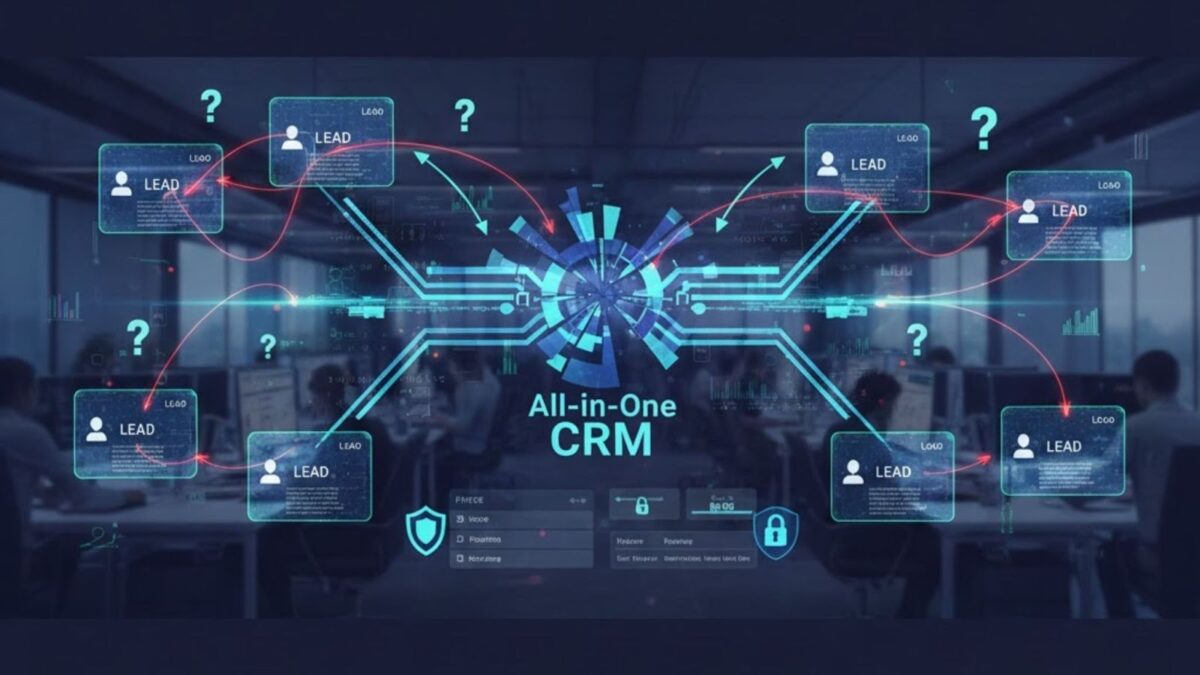
Why Aren’t My Teams Using the New All in One CRM and What Fixes Work?

It is a common and incredibly frustrating scenario: your organization invests significant time, money, and resources into implementing a powerful new all in one CRM, only to see your sales, marketing, and service teams default back to old spreadsheets, siloed tools, and manual processes. This resistance isn’t just a sign of stubbornness; it’s a clear indicator that a critical element of the adoption process has been missed. 

The primary reason for low usage is often a misalignment between the system’s design and the end-user’s daily workflow, coupled with insufficient or generic training. The solution lies in making the new system an indispensable, easy-to-use tool that clearly benefits each employee’s role, rather than feeling like extra administrative homework.

Why Do Employees Resist Using a New CRM System?

Why Do Employees Resist Using a New CRM System

The failure to get employees actively using a new customer relationship management (CRM) system usually stems from a handful of predictable and correctable issues. Resistance to change is natural, but it magnifies when the new technology feels harder, not easier, to use. When the process of logging an activity or pulling up customer data takes longer in the new system than in the old way, a rational employee will always choose the path of least resistance.

  • Complexity and Poor Usability: If the user interface is cluttered, confusing, or requires too many clicks to perform simple tasks, employees will quickly abandon it. A system that is powerful but not intuitive becomes a barrier to productivity.
  • Lack of Perceived Personal Value: If a sales representative only hears about how the CRM benefits the management team with better reporting, but doesn’t see how it helps them close more deals or save time, they won’t use it. The system must clearly offer individual productivity gains.
  • Fear of Micromanagement: Employees can sometimes view the CRM as a tool for “Big Brother” to track their every move rather than an asset to organize their work. This perception breeds distrust and encourages minimal, inaccurate data entry.
  • Generic or Inadequate Training: A single, all-hands training session rarely succeeds. Different roles—Sales, Marketing, Support—need to use the system in fundamentally different ways. A one-size-fits-all approach leaves everyone feeling ill-equipped.
  • Integration Issues: If the CRM doesn’t seamlessly connect with the essential tools your team uses daily (like email, calendar, or accounting software), they will be forced to manually enter data in multiple places, creating friction and errors.

The Core Fix: Focusing on User Experience and Workflow

The first step in fixing adoption is to stop focusing solely on the software’s features and instead focus on the end-user experience and how the system fits into their existing job routines. The goal is to make the CRM feel less like an imposed requirement and more like a helpful partner in their daily work.

Prioritize Simplicity and Intuitive Design

A well-designed all in one crm should feel natural for all user roles. If your current system is too complex, you may need to simplify the dashboards and workflows for different team members.

  • Customize Role-Specific Dashboards: Each team should see a home screen focused only on the metrics and tasks relevant to them. A support agent doesn’t need to see the entire sales pipeline, and a salesperson doesn’t need deep marketing automation reports.
  • Automate Data Entry: Eliminate manual effort wherever possible. The system should automatically log emails, sync calendar appointments, and capture web form data. This reduces administrative burden and improves data quality simultaneously.
  • Streamline Workflows: Review the essential daily tasks for each team—like converting a lead, opening a support ticket, or sending a marketing email—and ensure the CRM process requires the fewest possible steps.

Making the System Essential, Not Optional

The CRM must be integrated so deeply into the company’s process that it becomes impossible to do the job without it. This moves usage from a compliance issue to a necessity for success. For instance, if commission calculations are based entirely on opportunities logged and closed within the system, its use becomes non-negotiable for sales personnel.

By making the system the single source of truth for all customer interactions, every team member—from a marketing specialist tracking campaign performance to a service agent resolving a critical issue—must rely on it to get a complete picture. This holistic view is a core benefit of a unified platform like ConvergeHub. We understand the importance of having all customer information centralized and accessible. If you need a comprehensive solution that integrates marketing, sales, and service data seamlessly, consider checking out our all-in-one CRM billing replacement page for a system designed around this principle.

Implementing a Role-Based Training Plan for Success

The most effective strategy for increasing the use of a new platform is implementing a carefully structured, role-based training plan. This ensures that every team member receives instruction that is directly relevant to their daily responsibilities. Generic training teaches people what the system can do; role-based training teaches them how to use it to perform their job better.

Role-Specific Training Modules

A proper plan moves beyond feature explanations and focuses on practical, real-world use cases. The content should be tailored to address the unique concerns and workflows of each department.

Role Key Focus Areas in Training Adoption Benefit
Sales Representatives Lead-to-Opportunity conversion, pipeline management, activity logging (calls, emails), mobile access for on-the-go updates. Helps them prioritize leads, track commissions accurately, and saves time on manual follow-ups.
Marketing Specialists Campaign management, list segmentation, lead scoring, tracking campaign ROI, integrating with email platforms. Enables them to execute targeted campaigns and prove the value of their efforts to the business.
Customer Support Agents Ticket creation and escalation, accessing full customer interaction history, setting up service level agreements (SLAs), knowledge base utilization. Allows faster, more personalized issue resolution, improving customer satisfaction and retention.
Management/Executives Reading executive dashboards, generating custom reports, sales forecasting, auditing data quality, and team performance tracking. Provides real-time insights for better decision-making and performance coaching.

Post-Training Reinforcement and Support

Training is not a one-time event; it’s an ongoing process. Provide various formats of support to cater to different learning styles and needs.

  • “Super Users” Program: Identify power users in each department to become internal champions. These individuals can provide front-line, role-contextual support and encourage their peers.
  • On-Demand Resources: Create a centralized library of short, task-specific video tutorials (e.g., “How to Log a Sales Call” or “How to Change a Lead Status”) that employees can access instantly while working.
  • Incentives and Recognition: Publicly recognize and reward individuals or teams who consistently use the system correctly and achieve results because of the data they entered. This fosters a positive association with the technology.

Leveraging Data Quality and Visibility to Drive Adoption

One of the most powerful fixes is demonstrating that using the CRM correctly leads to better, more visible results. When employees realize they can’t trust the data, they stop using the system. Conversely, clean, accurate data becomes an irresistible resource.

Address Data Migration and Quality Issues Head-On

A major hurdle in adopting an all in one crm is often the data carried over from legacy systems. If the initial data migration is messy—with duplicates, missing fields, or incomplete histories—users will lose faith immediately.

  • Pre-Migration Data Cleansing: Dedicate time before launch to scrub your existing customer records. Remove duplicates, standardize formats, and complete missing information.
  • Establish Clear Data Entry Standards: Define exactly what information is required for a new lead, contact, or deal. Use mandatory fields and validation rules within the CRM to enforce these standards consistently across all departments.

Showcasing Individual and Team Success

Utilize the system’s reporting and dashboard features to display how accurate data entry benefits the user. For a sales rep, this might be a dashboard showing their up-to-the-minute pipeline and how close they are to their target. For a support agent, it could be a clear view of their ticket resolution time compared to the team average.

The ability of a system like ConvergeHub to provide a 360-degree view of the customer—from their first website visit to their last support ticket—demonstrates value. When a sales rep sees that marketing has warmed up a lead through specific content, they are motivated to log their next activity in the system to continue the cycle. This visibility builds trust in the information.

If you’re ready to see how a platform with robust customization and a user-centric design can revolutionize your team’s workflow, we encourage you to request a demo to walk through our processes.

The Power of Organizational Alignment and Leadership Buy-in

Successful adoption is not just a technology project; it is an organizational change management initiative. If the leadership team doesn’t visibly use the system and champion its value, adoption will fail.

Establish a CRM Governance Committee

Create a cross-departmental group, including representatives from Sales, Marketing, Customer Service, and IT, to manage the system. This committee should:

  • Review Feedback: Regularly gather input from end-users on pain points and required improvements.
  • Approve Changes: Oversee any customization or workflow modifications to ensure they benefit the whole organization, not just one department.
  • Monitor Usage: Track key adoption metrics (like daily logins, records created, and data quality scores) to identify teams needing extra support.

Communicate the “Why” Clearly and Continuously

Leaders must clearly articulate how the new system aligns with the company’s broader business strategy. The narrative should shift from “You must use this software” to “This tool enables us to deliver a world-class customer experience and helps you hit your personal goals.”

This change in culture, where the system is seen as a central nervous system for all customer-facing operations, is crucial. If you have questions about how to manage this transition or want to explore our services further, please contact us directly.

Frequently Asked Questions (FAQs)

How can I measure if my teams are actually using the CRM effectively?

Measuring effective CRM use goes beyond simple login counts. You should track User Behavior Metrics such as:

  • The number of new contact or opportunity records created daily/weekly.
  • The completion rate of key data fields (data quality).
  • The percentage of deals with an up-to-date ‘Next Step’ or ‘Last Activity’ logged.
  • The frequency of using advanced features like reporting, task automation, or email templates.

What is the most important factor in overcoming employee resistance to a new CRM?

The single most important factor is proving personal value to the end-user. If a sales representative sees that using the all in one crm automates a tedious manual process or gives them an insight that directly helps them close a deal faster, they will adopt it willingly. The system must save them time or help them make more money.

How do I address the fear of micromanagement from the sales team?

Focus on using the data for coaching and support, not policing. Management should use the CRM’s insights to identify where a rep might need help—for example, if deals are stalling at a specific pipeline stage—and offer constructive training or resources. Emphasize that the system is there to help them win, not just to track their failures.

Should we customize the CRM to match our old workflows exactly?

Not entirely. While the CRM should integrate with your current processes as much as possible, a new system often presents an opportunity to optimize and streamline inefficient, outdated workflows. Customize the CRM to support a best practice process, then train your employees on the new, improved workflow. Customization should simplify, not complicate.

How often should we conduct CRM refresher training?

Refresher training and support should be ongoing, not just annually. Implement a schedule of quarterly refreshers to cover new features or process changes. Crucially, provide in-app, contextual training—short, immediate guides that pop up when a user is performing a specific task—so help is available exactly when they need it.


Can an All in One CRM Replace My Billing System Without Risk?

The thought of consolidating multiple software tools into a single, unified platform is incredibly appealing for any growing business. You can absolutely replace your separate, dedicated billing system with a robust all in one CRM, but you must proceed with diligence to ensure financial accuracy, compliance, and process continuity. The primary benefit of this move is gaining a single source of truth for the entire customer journey, from initial lead interaction right through to payment and account management. This unified approach eliminates the disconnect between sales and finance teams, leading to faster payment cycles and a superior customer experience.

An all in one CRM, like the solution offered by ConvergeHub, can seamlessly manage core customer relationship tasks alongside critical financial operations. By unifying your customer data and financial workflows, you gain significant efficiency, but the potential risks—like data migration errors or compliance gaps—must be carefully managed. The key to a successful transition is selecting a platform with native, comprehensive financial capabilities that match or exceed your current system, especially concerning complex tasks like subscription billing in CRM environments.

Is it a Good Idea to Manage Billing and Invoicing Within Your CRM System?

Yes, for many businesses, managing billing and invoicing directly within their customer relationship platform is an excellent strategic move that drives efficiency and improves the customer experience. This approach provides a complete, 360-degree view of the client relationship, merging communication history with financial transactions. When a sales, support, or account management representative can instantly view a customer’s payment history, outstanding invoices, and contract details, they are equipped to provide informed, high-quality service.

This unified approach removes data silos, which are notorious for slowing down operations and creating inconsistencies. When your sales team closes a deal, an all in one CRM can automatically trigger the invoicing process, eliminating the manual steps of transferring data to a separate accounting application. This streamlined, integrated process minimizes human error, ensures faster and more accurate invoicing, and ultimately leads to improved cash flow and stronger customer retention.

Key Benefits of an Integrated Invoicing CRM

Integrating your invoicing and billing functions directly into your customer platform creates a powerful synergy across your organization, moving you away from fragmented processes. Here are some of the most significant advantages:

  • Accelerated Quote-to-Cash Cycle: Sales quotes can instantly convert into accurate invoices with a single action, dramatically reducing the time it takes to generate and send bills after a sale is finalized. This speed is crucial for improving liquidity.
  • Real-Time Financial Visibility: Every team, from sales to support, has immediate access to payment status, recurring revenue metrics, and outstanding balances. This shared data eliminates the need for endless internal communication and data reconciliation.
  • Enhanced Customer Experience: When a customer calls with a query about their bill, any team member can pull up a complete history of their payments, contracts, and support tickets in one place, leading to quicker, more satisfying resolutions.
  • Improved Accuracy and Compliance: Automation reduces the likelihood of manual data entry errors between systems. A modern platform is also designed to handle complex tax, multi-currency, and regulatory compliance rules effectively.

What Are the Potential Risks and Challenges of Consolidation?

While the benefits are substantial, replacing a mature, stand-alone billing system is not without potential pitfalls. Moving your financial operations requires careful planning and risk mitigation to avoid disruption. The two most critical risks revolve around data accuracy and operational interruption.

Data Migration and Integrity Concerns

The process of moving years of customer and financial records from an old billing system to a new platform presents a significant challenge. You are dealing with highly sensitive and regulated information.

  • Risk of Data Loss: If the export and import process is mishandled, critical historical transaction data, payment records, or specific tax settings could be corrupted or lost.
  • Mapping Complex Fields: Billing systems often handle intricate details—like usage-based pricing models, tiered discounts, or custom revenue recognition schedules—that must be accurately mapped to the new CRM’s data structure. Mismatched fields lead to incorrect invoices and financial reporting errors.
  • Inconsistent Records: Inaccurate migration can result in a period of inconsistent data, requiring substantial manual effort to audit and reconcile customer account balances in both the old and new systems. Before you make the leap, consider if you have a clear plan for resolving all-in-one CRM user adoption issues that may arise from new workflows.

Operational and Compliance Hurdles

Financial operations are mission-critical, meaning any disruption to invoicing or payment processing can immediately impact cash flow and regulatory standing.

  • Compliance Gaps: Your legacy billing system likely handled industry-specific regulations (like PCI for payment data or various tax laws). The new platform must offer equally robust controls. For example, ensuring security and compliance with international standards should be a top priority.
  • Integration with the General Ledger: The new system must reliably and accurately integrate with your primary general ledger (GL) or accounting software (like QuickBooks or SAP). Errors here can halt monthly closing processes and lead to incorrect financial statements.
  • Downtime During Transition: A phased rollout is crucial. Any significant downtime in invoice generation or payment processing can immediately halt revenue collection, damage customer trust, and even trigger penalties for delayed financial reporting.

How Does a Modern All-in-One CRM Handle Sophisticated Billing Needs?

A modern all in one CRM is engineered to handle far more than just basic invoice generation; it provides sophisticated financial management tools necessary for businesses with complex revenue models. Look for native functionalities that move beyond simple integration to true unification.

Integrated Quoting, Invoicing, and Payment

In a truly integrated system, the boundary between a sales opportunity and a financial transaction disappears.

  • Seamless Quote-to-Invoice: Once a sales opportunity is marked as “closed-won,” the system automatically generates an accurate sales order and invoice based on the approved quote, including all pricing, discounts, and payment terms. This is a core capability of an integrated invoicing CRM.
  • Payment Gateway Integration: The platform should connect directly with major payment processors, allowing customers to pay their outstanding balances securely through a dedicated customer portal. This dramatically improves payment speed and cash flow.
  • Subscription and Recurring Billing: This is a vital feature for businesses with recurring revenue. The system manages subscription billing in CRM, automating recurring charges, handling prorations for upgrades/downgrades, and managing failed payment attempts with automated dunning sequences.

Detailed Financial Data for Business Intelligence

Beyond transaction processing, the value of unifying sales and financial data lies in the powerful insights you gain. By having all your data centralized, you can effectively assess the best attribution model for an all-in-one CRM.

  • Revenue Reporting: The platform should provide real-time dashboards that track key financial metrics like Monthly Recurring Revenue (MRR), Annual Recurring Revenue (ARR), Churn Rate, and Customer Lifetime Value (CLV).
  • Sales Performance and Commission: Sales activities can be directly tied to payments. Once a payment is collected, the system can automatically calculate and track sales commissions, ensuring fairness and transparency for the sales team.
  • Consolidated Customer Profile: Every financial document—quotes, invoices, receipts, and payment logs—is permanently attached to the customer’s master record. This complete financial and engagement history is available to every employee. ConvergeHub is one such platform that provides this 360-degree view.

Best Practices for a Seamless System Transition

Making the switch from a traditional billing system to an all in one CRM requires a structured, multi-phase project. You want to ensure the migration is successful, without impacting the revenue cycle.

1. Audit and Clean Your Existing Data

Before moving anything, you must ensure the data you are transferring is clean, accurate, and ready for its new home.

  • Financial Reconciliation: Run final reports in your legacy system and reconcile all outstanding invoices and payments to ensure they match your general ledger. Do not migrate data until these numbers align.
  • Standardize Customer Records: Review and merge any duplicate customer or vendor records. Inconsistent names or addresses in the old system will only become problems in the new one.
  • Map All Financial Workflows: Document every step of your current billing process, from quote creation to collections. This documentation is your blueprint for configuring the new system correctly. We can help you with this transition process—please contact us to discuss a migration strategy.

2. Phased Rollout and User Training

Launching the system all at once is a recipe for disaster. A phased approach allows for testing and troubleshooting with minimal operational risk.

  • Pilot Program: Start with a small, contained group—perhaps a specific product line or a small geographic region—to test the entire quote-to-cash cycle in the new environment.
  • Financial Team Deep Training: Your finance and accounting personnel must be the most comfortable with the new platform’s features, as they hold the ultimate responsibility for accuracy. They need deep training on invoice generation, tax application, and reconciliation reports.
  • Iterative Testing: Test complex scenarios, such as subscription cancellations, late payments, and multi-currency transactions, before going live across the entire company. You can even request a demo to test these specific features beforehand.

3. Establish Clear Post-Launch Monitoring

Even after going live, the work is not over. Close monitoring is essential to catch any residual issues before they become major problems.

  • Dual Reporting Check: For the first two to three financial closing cycles, run key financial reports in both the old (archived) system and the new platform. These reports must match exactly.
  • Audit Trail Review: Regularly check the system’s audit logs to ensure that all financial modifications are tracked, approved, and follow compliance protocols.
  • Feedback Loop: Maintain an open channel for sales and finance teams to report any friction points in the new workflow. Timely adjustments are key to maximizing adoption.

Frequently Asked Questions (FAQ)

What is the difference between an integrated CRM and a standard one?

An integrated customer platform goes beyond managing customer interactions (sales, marketing, service). It natively includes core business functions like project management, inventory, and, crucially, financial modules like invoicing and billing. A standard platform typically requires third-party software for these functions, creating separate data sets.

How do I ensure data security for sensitive payment information in a new CRM?

Data security is paramount. You must select a provider that is fully compliant with industry standards like PCI DSS (Payment Card Industry Data Security Standard) for handling credit card information. Look for features like data encryption, two-factor authentication for financial users, and regular security audits of the platform itself.

Can a CRM handle complex international taxation and multiple currencies?

Yes, but only a truly robust, modern platform can. If you operate globally, look for a system that natively supports multiple currencies, automatically applies the correct sales tax or VAT based on the customer’s location, and can generate compliant invoices for various jurisdictions.

Will my old financial records be accessible after the switch?

Your old records will not automatically be “live” in the new system. You have two primary options: first, migrate summarized historical data (like total customer revenue) into the new CRM; second, archive your legacy system’s data in a read-only format for compliance and audit purposes. The archive is often a necessary legal requirement.

How long does it typically take to transition from a separate billing system?

The timeline varies significantly based on your company’s complexity and the volume of historical data. For small to mid-sized businesses, a well-planned transition can take between 3 and 6 months, including planning, data cleaning, system configuration, and testing. It is a significant undertaking that requires executive support and dedicated resources.

The Path to Financial and Operational Unification

Replacing a dedicated billing system with a powerful all in one CRM is a transformative strategic decision, not a simple software upgrade. The path forward offers an unprecedented view of your organization, where every sales activity is immediately linked to a financial outcome, and every financial transaction informs the customer relationship. Platforms like ConvergeHub are designed to be that single, trusted source for your sales, support, and financial teams.

By choosing a solution with native and robust integrated invoicing CRM capabilities, you secure the efficiency benefits of a unified system while mitigating the risks associated with financial operations. The move from fragmented systems to a converged platform is the future of business management, offering the clarity and efficiency needed for scalable growth. The ultimate success relies on careful preparation, thorough data migration, and comprehensive training, ensuring your financial integrity remains secure as you advance.

Which Attribution Model Works Best Inside an All in One CRM?

Choosing the best attribution model is crucial for understanding your true return on investment (ROI) and effectively allocating your marketing resources, especially when leveraging the power of an all in one crm platform. The truth is, there is no single “best” model for every business; the most effective choice—whether single-touch or multi-touch attribution—depends entirely on your specific sales cycle length, the complexity of your customer’s journey, and your primary business goal, such as prioritizing brand awareness versus final conversion. However, for most businesses with a multi-channel presence, a multi-touch approach that acknowledges the entire customer journey provides a far more complete and actionable picture of marketing performance.

A comprehensive CRM system is designed to track every interaction a prospect has with your brand, from the first click on an advertisement to the final purchase. This wealth of data, when paired with the right model for campaign source attribution, transforms raw activity into strategic insights. By utilizing a model that accurately distributes credit across all influencing touchpoints, businesses can stop guessing and start making informed decisions about where to invest their time and budget for maximum growth.

Does an All in One CRM Make Attribution Modeling Easier?

Yes, a robust all in one crm significantly simplifies and enhances the accuracy of attribution modeling by centralizing all customer data in one unified platform. Traditional methods often require tedious manual data stitching from multiple, siloed sources like ad platforms, email tools, and website analytics. This fragmentation is a major obstacle to accurate reporting.

A unified platform like ConvergeHub automatically connects the dots between different customer interactions—whether it’s an email open, a website visit, or a live chat session—to create a complete, chronological customer journey. This means that when you select an attribution model, the system has a clean, end-to-end data stream to work with, minimizing errors and ensuring that no valuable touchpoint is overlooked. This integrated approach not only saves time but also provides the reliable data foundation necessary for advanced modeling. If you want to see exactly how we pull this data together, you can track email, chat, and calls in one CRM with our platform.

The Two Foundational Pillars of Attribution

To select the most fitting model for your business, it’s essential to understand the two main categories that all attribution models fall into: Single-Touch and Multi-Touch. Your choice here reflects whether you value a simple, definitive answer or a holistic, nuanced view of the customer’s decision-making process.

Single-Touch Models: Simplicity and Focus

Single-touch models are the simplest to implement and understand because they assign 100% of the conversion credit to one single interaction point. They are excellent for very short sales cycles or for focusing on one specific part of the funnel.

  • First-Touch Attribution: This model credits the very first interaction a customer had with your brand.
    • Best for: Measuring top-of-funnel activities, such as brand awareness campaigns, content marketing, and initial lead generation efforts. It tells you what channel is most effective at filling the pipeline with new prospects.
    • The Drawback: It ignores every subsequent interaction, significantly devaluing nurturing content and sales efforts that actually led to the conversion.
  • Last-Touch Attribution: This model assigns all credit to the final interaction immediately preceding the conversion event.
    • Best for: Identifying the touchpoints that directly trigger the final action, such as a final retargeting ad, a specific landing page, or a checkout email. It’s great for optimizing bottom-of-the-funnel conversion tactics.
    • The Drawback: It fails to acknowledge the early, crucial interactions that introduced the customer to your brand in the first place, leading to a potential over-investment in closing channels and under-investment in awareness.

Multi-Touch Models: The Comprehensive View

Multi-touch models provide a more realistic view of the customer journey by distributing the credit for a conversion across multiple interactions. In today’s multi-channel world, customers rarely convert after a single touch, making these models increasingly vital. This sophisticated approach accurately reflects the collaborative effort between your marketing channels and sales team.

Model Name Credit Distribution Formula Ideal Use Case Key Insight Provided
Linear Equal credit to every touchpoint (e.g., 25% to each of four steps). Long sales cycles where every interaction is deemed equally important to the relationship. Measures the overall effectiveness of the entire customer journey, not just the highlights.
Time Decay More credit is given to touchpoints closer in time to the conversion event. Campaigns with a shorter promotional window or sales cycles where recency is highly influential. Highlights the most effective mid- and bottom-of-funnel nurturing activities.
Position-Based (U-Shaped) High credit (often 40% each) to the First Touch and Last Touch, with the remaining 20% split among the middle touches. Businesses that value both initial lead generation and final conversion activities equally. Balances the importance of awareness-building with closing mechanics.
W-Shaped High credit (e.g., 30% each) to the First Touch, Lead Creation, and Opportunity Creation, with 10% split among the rest. Complex B2B sales processes with distinct milestones (initial contact, lead qualification, deal creation). Focuses on the three most critical, value-defining moments in a lengthy customer journey.

How to Select the Right Model for Your Business Goals

The best model is the one that aligns with your current strategic marketing priorities. A successful attribution strategy is dynamic; what works best now may need adjustment as your business evolves.

Prioritizing Lead Generation and Awareness

If your primary goal is to drive brand awareness and increase the volume of new leads entering your pipeline, you should lean toward models that heavily weigh early interactions.

  • First-Touch is the simplest way to see which initial channels—like social media ads or organic search content—are most effective at introducing people to your brand.
  • Inverse J-Shaped models, which assign a high percentage to the first interaction and a lower percentage to the final conversion, are also excellent for this priority.

Prioritizing Sales and Conversion

If your focus is on optimizing the final stages of the funnel and closing deals, you should choose a model that emphasizes later interactions.

  • Last-Touch is the most direct model to understand which final actions—such as a sales call, a retargeting ad, or a price page visit—are responsible for the immediate conversion.
  • Time Decay is ideal when you have a nurturing sequence, like a drip campaign, where the effectiveness of an interaction increases as the prospect gets closer to buying.

For the Complex, Full-Funnel View

Most established businesses, especially those using an all in one crm for sales and marketing alignment, need a comprehensive view. For these organizations, a multi-touch model is essential.

The Position-Based (U-Shaped) Model is a popular choice as it gives fair credit to both the initial spark of interest and the final conversion action, acknowledging that these two points are often the most influential in the entire decision. This balance makes it a solid starting point for a comprehensive multi-touch attribution strategy.

For businesses with lengthy, high-value B2B cycles, the W-Shaped Model is often the most accurate. It specifically accounts for the key milestone of Lead Creation—the point where a prospect raises their hand to become a qualified lead—which is a critical transition point that a basic U-Shaped model might undervalue. To learn more about how a unified platform like ConvergeHub handles complex B2B pipelines, you can easily Request a Demo.

Entity Integration: Connecting the Dots

To ensure a full, authentic understanding of how these models work within a CRM, we must recognize the key concepts—or entities—that every system tracks and measures.

  • Marketing Channel: This is the high-level source of the interaction, such as Paid Search, Organic Social, Email Marketing, or Referral. The attribution model calculates the value contribution of each channel.
  • Touchpoint (or Interaction): This is the specific event that occurs within a channel. Examples include a PPC ad click, a blog post view, a webinar registration, or a sales email open. Attribution models are essentially calculating the credit for these specific events.
  • Customer Journey: This is the chronological sequence of all touchpoints a single prospect or customer has with your brand, beginning with the first interaction and ending with a conversion or purchase.
  • Conversion: The desired action, which can be a Macro-Conversion (like a purchase or a closed deal) or a Micro-Conversion (like a form submission, resource download, or demo request).
  • Sales Cycle: The total time elapsed between the first touchpoint and the final conversion. Longer cycles typically necessitate a multi-touch attribution model to prevent early interactions from being completely forgotten.

By centralizing all these entities, an all in one crm platform eliminates the need for manual data reconciliation. Everything from the original campaign source attribution to the final revenue is linked to the customer record, providing an undeniable record of performance. This integrated structure makes it possible to implement sophisticated models that would be impractical otherwise.

The Evolution to Data-Driven and Custom Models

The most advanced attribution strategy goes beyond static, rule-based models. Leading CRM platforms are now embracing data-driven attribution (DDA) and allowing for custom modeling.

Data-Driven Attribution (DDA)

DDA models leverage machine learning and statistical algorithms to analyze every customer journey, comparing the paths of converting users against non-converting users. It doesn’t rely on arbitrary rules (like 40/20/40) but instead assigns credit based on the incremental impact of each touchpoint. This approach is often the most accurate because it adapts to your unique business data.

  • How it Works: The algorithm determines the true likelihood of a conversion based on the sequence of events. For instance, it might find that a product demo video touchpoint consistently increases the conversion rate by 15%, and credit that touchpoint accordingly, regardless of its position in the funnel.
  • Requirement: This model requires a high volume of conversion data to train the algorithm effectively.

Custom Attribution Models

For businesses with highly unique sales processes, the ability to create a custom model within an all in one crm is a game-changer. This allows you to define your own rules based on what you know about your business.

  • Flexibility: You can assign a specific percentage to key custom touchpoints, such as a high value on a “Pricing Page View” or a specific “In-Person Event Attendance” interaction. This is especially useful for businesses where specific actions are known to be far more influential than generic ones. ConvergeHub offers this level of flexibility to ensure you get the exact insights you need.

By moving beyond simple First- and Last-Touch models, you gain a richer understanding of what truly drives customer behavior and which parts of your funnel are most vulnerable. For instance, if you are finding that your mid-funnel content is consistently being undervalued, a Time Decay or Linear model might better reflect the importance of customer education and nurturing.

Frequently Asked Questions

Q1: What is the main difference between single-touch and multi-touch attribution?

The main difference is in credit assignment: a single-touch model assigns 100% of the credit to one touchpoint (either the first or the last), providing a simple, often incomplete, picture. A multi-touch attribution model spreads the credit across all customer interactions that contributed to the conversion, offering a holistic and more accurate view of how all marketing efforts work together.

Q2: For a B2B company with a long sales cycle, which model is generally recommended?

For B2B companies with long and complex sales cycles, a multi-touch model like the W-Shaped or Data-Driven model is highly recommended. These models recognize the multiple people and stages involved in a long decision-making process, ensuring that the initial awareness (First Touch), the key lead qualification events (Lead Creation/Opportunity Creation), and the final closing interaction are all appropriately credited.

Q3: Can I use different attribution models for different campaigns or goals?

Absolutely. Savvy marketers often use multiple models simultaneously. For example, you might use First-Touch to measure the effectiveness of your brand awareness campaigns (the goal is initial reach), while using a Last-Touch model to optimize your final retargeting ads (the goal is conversion). An advanced all in one crm should allow you to view your data through several model lenses without changing the underlying tracking.

Q4: How does marketing attribution help me optimize my budget?

Attribution helps you optimize your budget by revealing which marketing channels and specific touchpoints generate the highest ROI. Instead of guessing, you see the factual contribution of each channel to your final revenue. This allows you to confidently shift budget away from channels that are merely assisting and toward those that are proven to initiate or close deals. This strategic allocation maximizes your overall marketing investment.

Q5: Is it possible to include offline interactions in attribution modeling?

Yes, it is possible and increasingly necessary, especially with a centralized CRM. When a prospect engages offline (e.g., attending a conference, a phone call with sales, or a physical mailer), the sales or marketing team can log that activity directly into the CRM. By logging this interaction and linking it to the prospect’s digital record, the CRM platform can include the campaign source attribution of that offline touchpoint into any multi-touch attribution model you use, creating a true omnichannel customer journey.

Bringing it All Together in an All in One CRM

The true power of choosing the right model is only realized when it’s embedded within a comprehensive, integrated system. An all in one crm system isn’t just about managing customer relationships; it’s the engine for accurate revenue reporting and strategic planning.By utilizing a platform like ConvergeHub, businesses gain the integrated multi-touch attribution capabilities necessary to finally prove the value of every single marketing dollar spent. This level of clarity moves marketing from a cost center to a verifiable revenue driver. If you’re currently wrestling with fragmented data or relying on outdated single-touch models, it might be time to consider an all-in-one CRM billing replacement that provides the advanced attribution tools your team needs.

How Can an All in One CRM Help Me Close Deals Faster?

The primary challenge in modern sales is not a lack of leads, but a lack of time and clear focus. An all in one CRM system directly addresses this by centralizing data, automating repetitive tasks, and providing deep, actionable insights into your sales process. This comprehensive approach allows your team to spend significantly less time on administrative work and more time engaging with high-value prospects, ultimately leading to faster sales cycles and a higher closing rate. By connecting every part of your customer relationship—from initial marketing touchpoints to support—into a single platform, an all in one solution ensures that sales professionals always have the right context to move a deal forward without delay.

What is the biggest benefit of an all in one CRM for sales teams?

The greatest advantage of utilizing an all in one CRM for a sales team is the unification of the entire customer journey into a single, cohesive view. Instead of hopping between separate tools for email, spreadsheets for tracking, and calendars for scheduling, every piece of interaction data lives in one place. This single source of truth provides instant access to a prospect’s full history—their website activity, email engagement, call logs, and support tickets—giving the sales professional the power to craft personalized, timely, and relevant communication. This level of immediate context is invaluable for overcoming objections and building trust, which are critical elements for accelerating the deal process. The focus keyword, all in one CRM, perfectly describes this necessary convergence of tools and data.

Centralizing Data for Instant Context

A fragmented system, where customer data is scattered across different departments and applications, creates friction and delay. When a sales representative needs to chase down a marketing colleague for lead qualification details or ask a support agent about a recent ticket, the sales momentum slows down.

  • Holistic Customer Profiles: Every contact and lead record is enriched with all previous interactions, marketing campaign responses, and purchase history.
  • Eliminating Information Silos: All departments—marketing, sales, and service—work from the same, up-to-date data set, ensuring a consistent and informed customer experience.
  • Faster Hand-offs: The transition of a qualified lead from marketing to sales, or a closed deal from sales to service, becomes a seamless, automated event, preventing deals from stalling in bureaucratic limbo.

Leveraging Sales Pipeline Automation to Boost Speed

Sales pipeline automation is arguably the most powerful mechanism within an all in one CRM that directly contributes to closing deals faster. It takes the guesswork and manual effort out of repetitive daily tasks, freeing up your sales team to concentrate solely on selling. By automating the routine, you ensure that no critical steps or follow-ups are ever missed.

Streamlining Routine Sales Activities

Automating key sales activities creates consistency and efficiency across your entire team. When processes are standardized, it is easier to identify bottlenecks and apply targeted deal acceleration strategies.

Automated Sales ActivityImpact on Deal Speed
Lead Scoring & AssignmentInstantly prioritizes ‘hot’ leads and routes them to the correct representative, ensuring speed-to-lead is maximized.
Follow-up RemindersAutomatically schedules tasks for calls, emails, and meetings based on a lead’s last interaction, preventing deals from going cold.
Data Entry & LoggingAutomatically captures emails, logged calls, and meeting notes, eliminating the need for manual data input and ensuring the sales record is always current.
Stage ProgressionTriggers automated actions, such as sending an introductory email or updating a prospect’s status, when a deal moves from one pipeline stage to the next.

With a platform like ConvergeHub, you can design complex, multi-step workflows that execute automatically, making your sales cycle predictable and repeatable. For instance, you can automatically qualify a lead based on their website activity and then instantly assign them to a sales rep with a pre-populated follow-up task.

Why Speed-to-Lead Matters

Research consistently shows that the faster a lead is contacted, the higher the conversion rate. Your all in one system should instantly notify the sales rep the moment a lead shows a high level of engagement, like filling out a high-intent form or viewing the pricing page. It also offers the capability to immediately initiate automated actions, such as sending a personalized follow-up email.

  • Automating initial responses ensures leads feel valued and engaged right away.
  • It eliminates the manual lag time between an action taken by a prospect and a response from your company.
  • By leveraging the automation features to track email, chat, and calls in one CRM, you gain an unparalleled advantage in responsiveness.

Deal Acceleration Strategies Through Intelligent Prioritization

Not all leads are created equal, and chasing low-value prospects is a major time sink that slows down the closure of high-value deals. An effective all in one CRM employs intelligence and analytics to help your team prioritize their efforts, focusing on opportunities that are most likely to convert quickly.

Using Advanced Lead Scoring

Lead scoring is a dynamic process where points are assigned to prospects based on their demographic information (e.g., job title, company size) and their behavioral engagement (e.g., website page visits, email opens, content downloads).

  • Focusing Effort: Sales professionals can filter their pipeline to view only leads with a high readiness score, concentrating their energy on prospects nearing a buying decision.
  • Predictive Analytics: Modern systems use machine learning to forecast the probability of a deal closing based on historical data and current activity, guiding the rep on which deals to push hardest.
  • Identifying Bottlenecks: Managers can use reporting to spot deals that have stalled in a specific pipeline stage, allowing for immediate intervention or coaching to get the deal moving again.

The Power of Detailed Communication History

Every interaction, whether an email, a phone call, or an in-person meeting, is a crucial data point. When a sales professional can review the complete communication history before every touchpoint, they can avoid asking redundant questions and demonstrate a deep understanding of the prospect’s needs and concerns. This sophisticated level of personalization drastically shortens the evaluation phase of the sales cycle. Knowing exactly what was discussed last month allows the representative to structure their next pitch perfectly, avoiding missteps that could delay the close.

If you are struggling to keep your sales data clean, you might want to look into how to prevent duplicate leads in CRM functionality to maintain the integrity of your customer records, ensuring your prioritization is always accurate.

Enhancing Team Collaboration for Quicker Closes

Closing complex deals often requires a coordinated effort across multiple departments: sales, finance, legal, and subject matter experts. A centralized platform breaks down the walls between these teams, creating a highly collaborative environment that accelerates the final stages of the sales process.

Shared Pipeline Visibility

When the sales pipeline is fully transparent, managers can instantly see the health of the entire business and offer support exactly where it’s needed. They can easily reassign leads or jump in on deals that require senior-level intervention, keeping momentum high.

  • Real-Time Alerts: Automated notifications ensure that if a prospect opens a proposal or views a crucial contract, the entire deal team is alerted instantly for a timely follow-up.
  • Internal Communication: Team members can tag colleagues and leave private notes directly on the deal record, ensuring that all internal discussions and strategic decisions are permanently logged alongside the customer data.

This level of seamless teamwork, facilitated by an integrated platform like ConvergeHub, eliminates internal friction that can easily add days or weeks to a deal’s timeline.

Streamlining Proposal and Quoting

The final stages of a deal, involving proposal generation and contract negotiation, are often where the most significant delays occur. An all in one system can drastically simplify this process:

  • Template-Based Quotes: Generating accurate, branded proposals and quotes directly within the system using pre-approved templates minimizes errors and speeds up delivery.
  • E-Signature Integration: Integrating with e-signature services means documents can be sent, signed, and automatically filed back into the customer record in minutes, eliminating the delay of paper-based processes.

For a closer look at how our platform handles these complex final steps, you are always welcome to request a Demo of the system.

Informed Decision-Making Through Real-Time Analytics

What you cannot measure, you cannot improve. An all in one platform provides a powerful suite of analytics that gives sales leaders and representatives deep, real-time insights into what strategies are working, and where time is being wasted. This data-driven feedback loop is essential for continuous deal acceleration.

Understanding Cycle Lengths and Conversions

Customizable dashboards allow you to visualize your sales funnel and key performance indicators (KPIs) at a glance.

  • Pipeline Health: Quickly view how many deals are in each stage, the total revenue value, and the average time deals spend there.
  • Conversion Rates: Pinpoint exactly where leads are dropping out of the funnel, enabling targeted training or process adjustments.
  • Sales Forecasting: Generate more accurate revenue forecasts based on the current pipeline and historical closing probabilities, improving business planning.

By understanding the average sales cycle length for different types of deals, your team can better manage customer expectations and apply pressure at the right moments. This data empowers you to replicate successes and stop repeating costly mistakes.

Frequently Asked Questions (FAQs)

How does a unified system improve collaboration between sales and marketing?

A unified system breaks down the traditional wall between sales and marketing by providing both teams with shared access to the same customer data and activity history. Marketing can see which campaigns generate the highest-quality, fastest-closing leads, and sales can see which content a prospect has viewed. This alignment ensures that marketing focuses on valuable lead generation and that sales is prepared with the right context, ultimately creating a seamless journey for the customer.

Can an all in one CRM really save my team time on daily administrative tasks?

Absolutely. By automating repetitive tasks like lead data entry, logging emails and calls, setting follow-up reminders, and moving deals through the pipeline, an all in one CRM dramatically reduces the non-selling activities that bog down a sales team. Studies show sales representatives can spend up to a third of their time on admin; automation directly transfers this time back to active selling, which is the definition of efficiency.

What is the difference between a traditional CRM and an all in one solution?

A traditional CRM is typically focused primarily on sales activities: managing contacts, tracking deals, and forecasting revenue. An all in one solution expands this functionality to natively include tools for marketing (email campaigns, lead capture) and customer service (ticketing, knowledge base). The key difference is the deep, native integration across all three functions, creating a single, complete view of the customer from prospect to advocate. This is the service we proudly provide at ConvergeHub.

How does the system help prioritize leads for follow-up?

The system uses advanced lead scoring rules based on a combination of prospect demographics and real-time behavioral data (like how often they visit your website or engage with your emails). High-scoring leads are automatically flagged, and the system can even trigger immediate alerts or task assignments to ensure a rapid, prioritized follow-up, ensuring no hot lead is ever missed.

Is an all in one CRM only for large enterprises?

No, the benefits of centralization and automation are often even more critical for small and mid-sized businesses (SMBs). SMBs typically have smaller teams and tighter budgets, making the efficiency gained from an integrated platform essential. Instead of paying for and integrating multiple separate tools, an all in one solution provides a complete, cost-effective, and streamlined platform right out of the box. If you are interested in discussing your specific needs, please contact us to speak with a specialist.

Conclusion: The Path to Faster Closures

Closing deals faster is not about increasing the pressure on your sales team; it is about reducing the friction and removing the roadblocks that slow them down. An all in one CRM achieves this by uniting your customer data, automating your most time-consuming processes, and providing the intelligent insights needed for sharp, proactive decision-making. By adopting a comprehensive, integrated system, your organization moves away from scattered data and administrative clutter and toward a streamlined, efficient, and ultimately more profitable sales methodology. When your team has instant, complete information and administrative tasks are handled automatically, they are empowered to focus on the high-value human interactions that convert prospects into customers.

Why Is My All in One CRM Creating Duplicate Leads and How Do I Stop It?

There’s nothing more frustrating than logging into your Customer Relationship Management (CRM) system only to find a swarm of redundant entries. If your all in one CRM is constantly generating duplicate leads and contacts, the quick answer is that you have gaps in your data handling processes and system configurations. Duplicates are a direct result of unmanaged data input from multiple sources—like website forms, list imports, and manual entry—without rigorous, real-time checks to ensure each person is only recorded once. The good news is that this is a manageable problem. You can stop the chaos by implementing robust internal protocols and configuring your system’s built-in record matching rules to proactively identify and merge these extra entries.

Why is My All in One CRM System Suddenly Overflowing with Duplicates?

The appearance of redundant data in any comprehensive system, especially an all in one CRM, isn’t usually a system failure; it’s a symptom of successful, but unmanaged, growth. As your business scales and interacts with prospects across more channels, the opportunities for the same person to enter your database multiple times increase exponentially. This challenge is common for organizations leveraging sophisticated tools.

A prime cause is the integration of multiple data sources. A person might fill out a “Contact Us” form on your website, sign up for a newsletter on a landing page, and then be added manually by a sales development representative (SDR) after a cold call. If each of these entry points is not rigorously checked against the existing database, you get three records for one potential customer. Similarly, large-scale data imports, such as a spreadsheet from a trade show or a legacy system migration, are notorious for injecting hundreds or thousands of redundant entries if the pre-import screening is inadequate.

Finally, simple human error plays a significant role. A sales team member quickly adds a new lead, mistyping the email address, and failing to spot the existing record for “Sarah Khan” already in the system, creating a new, separate entry for “Sara Kahn.” Without effective duplicate contact prevention measures, these small, daily occurrences rapidly compound into a massive data hygiene issue.

What are the Common Culprits Behind Data Redundancy?

Understanding the specific points of failure is the first step toward building a successful prevention strategy. Duplicates don’t just happen; they are introduced through specific actions and system gaps.

Manual Data Entry and Typos

  • Human Error: The most basic and frequent cause. A user types “Jon Smith” instead of “John Smith” or leaves out the middle initial, creating a new record for a person who already exists.
  • Lack of Real-Time Warning: If the system doesn’t immediately flag a potential match as the user is typing, the user is likely to complete the entry and unknowingly save the redundant record.

Uncontrolled Data Imports

  • List Uploads: Importing contact lists from third-party sources or events without first running a deduplication check can instantly flood your system. The same person may be on three different lists you upload over a year, resulting in three records.
  • Inconsistent Formatting: A spreadsheet might use “St.” for “Street” in one column and “Street” in another, making it difficult for an automated checker to see them as the same address.

Multiple System Integrations

  • API Misconfiguration: When your marketing automation platform, website forms, and internal databases connect to your CRM, each one is a pathway for new data. If the rules for how these systems match and update existing records are not precise, they will often create new records instead of updating the correct one.
  • Changing Unique Identifiers: If a prospect changes their email address, and the new address is added via a new channel without linking it to the original contact, the system sees a new person. Dotdigital and similar tools often rely solely on the email as the unique identifier, which can cause this specific issue when an email is updated in only one place.

Inconsistent Data Governance

  • No Standardized Fields: Allowing users to enter a company name as “Google Inc,” “Google, Inc.,” or just “Google” means three records are created for the same organization.
  • Lack of Ownership: If no single department (like Sales Operations or Marketing Operations) is responsible for data quality, the problem tends to be overlooked until it reaches a crisis point. This is why having a clear strategy for using your ConvergeHub system is essential.

How Do I Identify and Clean Up Existing Duplicates?

Before you can prevent new duplicates, you must address the existing data pollution. This process involves detection, review, and merging.

1. Running a Database Audit

You need to understand the scale of your problem. Most quality CRMs offer a reporting function to find duplicates based on standard criteria like identical email addresses or phone numbers. This initial scan will reveal the low-hanging fruit—the exact matches.

2. The Merging Process

Once duplicates are identified, they must be consolidated. This often requires a decision-making process to create the “Golden Record,” the single, most complete, and accurate profile that will remain after the merge.

  • Selecting the Master Record: Most systems allow you to set logic to decide which record is the ‘survivor,’ such as:
    • The record with the most recent activity.
    • The record with the most completed fields.
    • The oldest created record.
  • Data Consolidation: You then choose which data point for each field should be kept. For instance, you might keep the newest phone number but the oldest company name, while appending all activity history to the master record.

For large-scale cleanup, bulk merging tools are necessary. However, for sensitive records, a manual review process is often warranted.

Proactive Strategies for Duplicate Contact Prevention

Stopping the flow of duplicates before they enter your all in one CRM is the most effective long-term solution. This requires a combination of system configuration and team discipline.

Enforce Unique Identifiers on Data Entry

The simplest prevention technique is to make key fields unique and mandatory. While an email address is the most common unique identifier, you can also consider a combination of fields.

  • Real-Time Checks: Configure your online forms and manual entry screens to run an immediate check on the email address or phone number. If a match is found, the system should stop the new submission and instead direct the user to update the existing record.
  • Required Fields: By making fields like “Company Email” and “Last Name” mandatory, you ensure that the system has enough data points to run an accurate match check.

Standardize Data Inputs

Inconsistency in data entry is a primary driver of ‘near-duplicates’ that bypass simple detection rules.

  • Picklists and Dropdowns: Use standardized picklists (dropdown menus) instead of open text fields whenever possible. This eliminates variations in spelling and formatting for fields like Country, State, and Industry.
  • Formatting Rules: Set automated rules to clean and format data upon entry. For example, ensure all phone numbers are formatted (XXX) XXX-XXXX, and all states are converted to their two-letter abbreviations (e.g., California becomes CA).

Optimize Integration Settings

Every external tool connecting to your CRM—be it a marketing tool, a customer service portal, or a telephony system—must have clear rules for how it interacts with existing data.

  • When setting up your system, ensure that the integration settings are set to update existing records based on a unique ID (like an email address) rather than always create a new record.
  • Periodically audit the connection health of your integrated applications to ensure their data mapping and deduplication logic haven’t been disrupted by system updates.

If you are struggling with complex integrations, you can always Contact us for specialized support to ensure your unique setup is properly configured.

The Role of Your Team in Maintaining Data Hygiene

Technology can only take you so far. Your team’s actions and habits are critical to successful duplicate control.

Comprehensive Team Training

Every user who interacts with the all-in-one CRM for faster deal closing, from sales to marketing to support, must understand the importance of data hygiene.

  • Searching Before Creating: Train your team to always perform a thorough search for an existing record before attempting to create a new one. The extra 30 seconds spent searching saves hours of cleanup later.
  • Data Entry Protocol: Document a simple, clear data entry protocol, including which fields are mandatory and how certain information (like company names or job titles) should be formatted.

Assigning Data Ownership

Designate a specific individual or team (often Sales Operations or a Data Quality Manager) to be the owner of the CRM data. This owner is responsible for:

  • Reviewing the duplicate report queue on a regular schedule (e.g., weekly).
  • Auditing the database periodically for anomalies.
  • Training new team members on data protocol.

If you want to see how a streamlined, efficient system works without this kind of data chaos, you should Request a Demo of our platform.

Frequently Asked Questions (FAQs)

1. How often should I run a deduplication process on my database?

The best practice is a continuous, automated approach. You should have real-time detection running for all new entries (forms, imports, manual creation). For an entire database audit, running a bulk deduplication job every 1 to 3 months is generally sufficient to prevent data overload and keep your customer profiles actionable.

2. Can I merge duplicates automatically, or do I need manual review?

You can and should automate the merging of exact matches (same email, same phone number) to save time. However, it’s highly recommended that potential duplicates flagged by fuzzy matching (e.g., similar names but different companies) be routed to a manual review queue. This prevents accidental merging of two different people with common names.

3. What is the single most important field for preventing duplicates?

The email address is widely considered the most effective unique identifier for individual contacts. Unlike a name, which can be common, or a phone number, which can change, an individual typically has only one primary professional email address that links them to their work activities. Therefore, enforcing a ‘unique value’ rule on the email field is the most powerful measure you can take for duplicate contact prevention.

4. If a lead is converted to a contact, can it still be duplicated?

Yes, this is a common problem. If your system is not configured correctly, a new lead submitted via a form might be a person who was already converted from an old lead into a contact. Your CRM’s deduplication settings must be configured to check for matches across both the Lead and Contact entities to prevent this “converted lead” duplication.

5. What happens to all the activity history when two records are merged?

When you merge two or more records, all related activities, notes, opportunities, and historical data from the subordinate (duplicate) records are transferred and linked to the master (survivor) record. This ensures you maintain a single, comprehensive history for the customer without losing any valuable engagement data.

The Ultimate Solution: A Proactive CRM Platform

Dealing with duplicates can feel like a never-ending cleanup cycle, but it doesn’t have to be. The issue is a sign that your data governance needs to catch up to your growth. By implementing strict data entry standards, utilizing advanced record matching rules, and enforcing a culture of data hygiene within your team, you can drastically reduce the number of redundant entries.

A platform designed for clean, unified data, such as ConvergeHub, provides the native tools and flexibility needed to enforce these standards. The power of an all in one CRM lies in its ability to give you a single, accurate view of every customer, enabling better segmentation, personalization, and ultimately, a more successful sales and marketing effort. Invest in these best practices today to ensure your data stays clean and drives genuine growth.

How Do I Track Email, Chat, and Calls in a Single CRM View?

Are you tired of jumping between different applications just to piece together a single customer’s history? In today’s fast-paced business world, customers expect swift, personalized service, and that is simply impossible when their entire communication history is scattered across disparate platforms—your email inbox, your phone system, and a separate live chat tool. The solution to this fragmentation is adopting a robust all in one crm platform, which automatically centralizes and unifies every customer interaction—be it email, chat, or a phone call—into one comprehensive contact record. This consolidated view empowers your team to understand the full context of the customer journey, leading to better service, improved sales cycles, and ultimately, a more loyal customer base.

An all in one crm system solves the pain point of fragmented data by serving as a single source of truth for all client communications, providing a complete, chronological timeline of every touchpoint. This unified approach, often referred to as omnichannel conversation tracking, ensures that whether a customer has interacted with sales via email, support via chat, or a manager via phone, the entire team sees the same, up-to-date record.

What is the single biggest benefit of having all communication channels unified in one customer record?

The single biggest benefit of unifying all communication channels—email, chat, and calls—into one customer record is the creation of a seamless, comprehensive customer experience. Without this consolidated view, agents often have to ask the customer to repeat information, causing friction and frustration. A unified log eliminates this inefficiency.

This centralized data access prevents information silos, which are organizational hurdles where different departments or tools hold customer data in isolation. When marketing, sales, and support all work from the same rich record, handoffs are smooth, responses are knowledgeable, and the customer feels valued because the business always remembers who they are and what they need. This improved efficiency is a key reason why businesses are moving toward an all in one crm solution.

The Power of a Unified Communication Log

A unified communication log is essentially a chronological timeline built into each customer profile within the CRM. This log is automatically populated by integrating your communication tools directly with the CRM platform.

  • Email Tracking: Your CRM syncs with your business email client (like Gmail or Outlook). Every sent and received email related to a contact is automatically logged against their record, including the full thread and any attachments. This eliminates the need for manual data entry and ensures no critical correspondence is missed.
  • Live Chat Recording: Chat transcripts from your website or mobile app are instantly pushed into the customer’s profile upon the conversation’s conclusion. Agents can see exactly what was discussed, links were shared, and if the issue was resolved.
  • Call Logging and Recording: Modern CRMs integrate with Voice over Internet Protocol (VoIP) phone systems. Calls are automatically logged with details like duration, date, and agent. Crucially, call recordings (with proper consent) are often attached, offering invaluable insight into the tone and specifics of the discussion.

This complete view allows any team member to pick up a conversation exactly where the last person left off, dramatically increasing efficiency and customer satisfaction. The brand, ConvergeHub, understands this necessity and has built its platform around this core principle of universal access and total context.

How Does an All-in-One CRM Automatically Capture These Diverse Interactions?

The automation that powers omnichannel conversation tracking relies on deep, native integrations between the CRM and the various communication tools your business uses. This is more than a simple data import; it’s a constant, two-way synchronicity.

At its core, a robust customer relationship management system acts as a central hub, using an Application Programming Interface (API) to communicate with your email, phone, and chat systems. When an interaction occurs, the system identifies the contact based on their email address or phone number and creates a new activity record under that person’s profile.

The Mechanisms Behind Unified Tracking

The sophisticated technology within a modern CRM uses distinct methods for each channel to ensure accurate and reliable logging.

  • For Email: The system typically uses an email parser or a dedicated plug-in that monitors a connected inbox. When an email matches a known contact’s address, it reads the message body and metadata (sender, recipient, time stamp) and logs it on the contact’s activity timeline.
  • For Chat: Live chat widgets are usually CRM-native or come with a direct integration. The moment a chat ends, the transcript is immediately formatted and posted as a communication activity. Even better, some systems track pre-chat survey data, which is also added to the customer’s record.
  • For Calls: A feature known as Computer Telephony Integration (CTI) connects the CRM to your phone system. When an incoming call arrives, the CRM uses the caller ID to instantly display the contact’s record on the agent’s screen. For outbound calls, the agent can initiate the call directly from the CRM, and the system automatically logs the activity and stores the recording.

This kind of proactive, real-time logging is foundational to providing a truly modern customer experience. To see how these features work in practice, you might want to Request a Demo of a platform like ConvergeHub to experience the unified dashboard firsthand.

Maximizing Value: The Customer Journey and Internal Collaboration

A consolidated view of communication logs is not just about better customer service; it’s a powerful tool for internal collaboration and strategic decision-making throughout the entire customer lifecycle. By keeping all teams informed, from the first marketing interaction to the latest support ticket, a business can present a unified front to the consumer.

Fueling Sales and Marketing with Context

Sales teams gain a significant advantage when they know exactly what marketing materials a prospect has received, what support issues they’ve had, and the details of previous calls. This deep insight allows them to tailor their pitch, address specific concerns proactively, and establish trust faster.

  • Sales Readiness: A salesperson, before a call, can review the entire omnichannel conversation tracking history—seeing a recent chat about pricing or a support ticket about a feature—and adjust their approach accordingly.
  • Marketing Optimization: By analyzing which communication channels lead to the most valuable conversations, marketing teams can refine their efforts, focusing resources on the most impactful platforms.
  • Accurate Attribution: This level of tracking is essential for determining the initial touchpoint that led to a sale, which ties directly into the ability to analyze the best attribution model for an all-in-one CRM.

With all this information readily available in a single location, sales cycles are naturally shortened, helping teams close deals faster with an all-in-one CRM.

Transforming Customer Support

For support agents, the unified log is revolutionary. Imagine a customer initiating a chat after an email exchange and a phone call. The agent pulls up the record and immediately sees the history, knowing the customer’s issue without having to ask them to rehash every detail. This dramatically reduces resolution time and stress for both the customer and the agent.

The key to this seamless experience is what we call “context retention.” Regardless of the channel switch, the full narrative remains intact. If you want to empower your support team with this level of clarity, you may want to learn more by contact us.

Communication ChannelData Automatically CapturedBenefits of Unification
EmailSender/Recipient, Subject Line, Full Body Text, Attachments, Open/Click TrackingConfirms receipt of critical documents, tracks campaign engagement, provides written record of agreements.
Live Chat/MessagingTranscript, Start/End Time, Agent Name, User Location/DeviceInstant context for agents, records quick interactions, improves response time metric tracking.
Phone CallsCaller ID, Duration, Date/Time, Call Status (Missed/Answered), Recording FileVerifies verbal commitments, provides tone analysis opportunities, ensures compliance and quality assurance.

Frequently Asked Questions (FAQs)

What is the difference between multichannel and omnichannel tracking in a CRM?

The distinction lies in integration and consistency. Multichannel means a business uses multiple communication channels (email, phone, chat), but they operate independently and the data is siloed. Omnichannel, however, means all channels are fully integrated into a single system, like an all in one crm, ensuring a cohesive customer view where the transition between channels is seamless and all data is shared in real-time.

Can an all-in-one CRM integrate with my existing phone system?

Yes, most modern platforms offer extensive integration capabilities. The two most common methods are native VoIP services built directly into the CRM, or CTI (Computer Telephony Integration) via an API or connector, which allows the CRM to communicate with your existing private branch exchange (PBX) or contact center software. This ensures that every incoming and outgoing call is logged automatically.

How does the CRM handle communication data privacy and security?

Data security is paramount. Reputable CRMs, like ConvergeHub, use industry-standard encryption protocols (both in transit and at rest) to protect sensitive conversation data. Features like granular access controls allow administrators to limit which team members can view certain types of records or call recordings, ensuring compliance with data protection regulations such as GDPR or CCPA.

Is manual data entry completely eliminated with unified communication tracking?

While an all in one crm drastically reduces manual entry—especially for emails, chats, and calls initiated or received through integrated channels—some communication still requires human input. For example, in-person meetings, notes taken at a conference, or paper correspondence must still be manually logged to complete the holistic customer profile. However, the system provides an easy interface to quickly add these notes to the contact record.

How does unified tracking help in predicting customer churn?

By analyzing the communication logs across all channels, the system gains insight into customer sentiment and behavior patterns. A spike in support tickets, a high volume of calls to the service department, or a lack of engagement with educational emails can all be red flags. The unified timeline helps the CRM—and your team—spot these distress signals early, allowing for proactive intervention before a customer decides to leave.

Embracing the Future of Customer Relationships

The days of context-less customer interactions are fading fast. Customers expect, and deserve, a truly seamless experience where they never have to repeat themselves, regardless of how they reach out. The ability to see a customer’s entire history—from the first email click to the latest support call—in a single, chronological view is no longer a luxury, but a fundamental requirement for growth.

Implementing an all in one crm that fully integrates email, chat, and call tracking transforms your business from a collection of disconnected departments into a cohesive, customer-focused entity. This unification empowers your teams with the full picture, shortens sales cycles, and fosters the kind of long-term loyalty that sustains success. By centralizing your omnichannel conversation tracking, you are not just managing data; you are building richer, more meaningful relationships with every person who engages with your brand.

Your 2026 OS

Once you’ve cleared the clutter and tightened the way work moves through your team, there’s one more shift that changes everything: You build an operating system for how your business runs.
ConvergeHub The Catalyst
Your 2026 OS
Once you’ve cleared the clutter and tightened the way work moves through your team, there’s one more shift that changes everything: You build an operating system for how your business runs.
An operating system is not a document or a strategy slide.
It’s a living system your team can rely on every day – one that guides decisions, connects information, and keeps everything moving in one direction.
Most businesses grow to a point where individual effort can’t hold things together anymore.
That’s the moment when you stop “managing tasks” and start designing a system that does part of the managing for you.
An operating system is simply the environment in which your team works.
When it’s intentional, growth feels stable and achievable.
When it’s accidental, growth feels chaotic.
Or even non-existent.
down-arrow
What an Operating System Actually Contains
It’s not complicated.
It’s four elements working together:
1. Clear, consistent workflows
Not rigid. Just dependable.
So the same actions produce the same results, no matter who’s involved.
2. A central source of truth
Customer data, notes, timelines, commitments – all in one place.
When information lives everywhere, people move slower without knowing why.
3. Automation that removes friction
Reminders, triggers, assignments, renewals – anything that happens repeatedly should happen automatically.
4. Visibility into what’s working
Dashboards and reviews that show patterns before they become problems.
When these four pieces sit under everything your team does, growth stops feeling like a sprint.
It starts feeling like momentum.
down-arrow
The Spotlight: How One Team Built Their Operating System
A small consulting firm I spoke with earlier this year had grown quickly, but they were still running the business the same way they did when they were
five people.
Every project required a heroic effort.
Every sale depended on personal follow-ups.
Every handoff needed clarification.
None of it was failing.
It just wasn’t scalable.
They decided to map their entire business into a simple operating system:
  • One pipeline with clear stages
  • One set of automation rules for follow-ups and task assignments
  • One onboarding journey for every new client
  • One reporting rhythm
  • One system where every piece of customer information stayed connected
Within two months, their internal chaos dropped noticeably.
Not because they hired more people – but because the system carried the complexity for them.
Their environment became more supportive of their growth.
And that made the team more focused and disciplined.
That is the power of a operating system that is working as it should.
down-arrow
Why Your 2026 Operating System Needs a Control Center
A real operating system needs a central control center – a place where workflows, communication, data, automation, and reporting come together.
As your team grows, work spreads across tools, threads, and spreadsheets. Important context gets scattered, and leaders end up chasing updates. A control center gives everyone one shared place to see what’s happening, what’s next, and what’s at risk – so progress stays visible and follow-through stays consistent.
And this is exactly where ConvergeHub becomes transformative.
down-arrow
How ConvergeHub Becomes Your 2026 OS
ConvergeHub gives you the infrastructure that predictable growth depends on:
  • Pipelines that match your real process
  • Automations that reinforce best practices
  • A unified customer record that sales, service, and operations all trust
  • Tasks and reminders that keep momentum steady
  • Dashboards that show progress in real time
  • A system that scales without adding layers of complexity
This is how teams shift from working reactively to working together in tandem.
It’s how growth becomes repeatable – and far less stressful.
down-arrow
inbox  If you want help designing your 2026 Operating System inside ConvergeHub, let’s talk.

inbox  Or start a 14-day FREE Trial and build your control center for next year.
The fastest way to grow in 2026 is to design the environment where doing the right things becomes effortless. Let’s get started!
Before I sign off for the year, I just want to say thank you.
Thank you for reading, reflecting, and building alongside me through these conversations.
Thank you for being part of this community – thoughtful leaders who care about building a business that lasts – it has meant a lot.
I hope the rest of this year gives you space to slow down, recharge, and spend time with the people who matter most to you.
Wishing you and your team a peaceful holiday season – and I look forward to continuing this journey together in the new year.
Until then – take care and build boldly.
Shampa
Shampa Bagchi, Founder & CEO of ConvergeHub
Shampa Bagchi
Founder & CEO | ConvergeHub
Book: calendly.com/shampabagchi/15min
Follow me: linkedin.com/in/shampabagchi
Read my Blog: thespark.work
Watch my Story: convergehub.com/shampa/story
ConvergeHub is a powerful unified CRM Platform with Sales, Marketing, Customer Service and Billing, that helps businesses scale faster. It is easy to implement, can be easily customized to suit any business, needs very little training, and will quickly get your business on the path to 10X growth.

5 Ways CRM Platforms Are Evolving for Multi-Tenant Environments 

As SaaS adoption accelerates across industries, from healthcare and finance to education and logistics, multi-tenant CRM platforms have become the backbone of modern customer engagement. Organizations no longer want isolated, single-tenant systems that require heavy maintenance and duplicate infrastructure. Instead, they’re choosing platforms that can serve multiple business units, partners, or clients from a shared environment while still delivering personalization, security, and performance at scale.

But multi-tenant environments come with their own complexities. Each tenant may have different workflows, compliance requirements, integration needs, and user expectations. To stay competitive, CRM platforms are evolving rapidly becoming more modular, intelligent, secure, and scalable than ever before.

Below are the five biggest shifts shaping the next generation of multi-tenant CRM platforms, along with what they mean for product teams, enterprise buyers, and end users.

1. Advanced Data Security & Compliance

Security has always been a priority for CRM systems, but in multi-tenant environments, it becomes non-negotiable. Multiple organizations share the same infrastructure, which means the platform must guarantee airtight isolation, rigorous compliance, and continuous monitoring.

TenantLevel Data Isolation

Modern CRMs are moving beyond traditional role-based access controls. They now implement:

  • Logical and physical data isolation
  • Tenant-specific encryption keys
  • Granular permission layers that prevent crosstenant visibility

This ensures that even though tenants share infrastructure, their data remains completely segregated.

Zero-Trust Architecture

Zero-trust principles are becoming standard. Instead of assuming internal traffic is safe, every request internal or external, is authenticated, authorized, and encrypted.

This includes:

  • Continuous identity verification
  • Micro-segmentation of services
  • Least-privilege access enforcement

For industries like healthcare, where PHI must be protected at all times, this shift is transformative.

Automated Compliance Mapping

Compliance frameworks such as HIPAA, GDPR, SOC 2, and ISO 27001 require strict controls and documentation. Multitenant CRMs are now embedding:

  • Automated audit logs
  • Real-time compliance dashboards
  • Pre-configured data retention and access policies
  • Built-in breach detection and reporting workflows

This reduces the burden on IT teams and ensures that compliance is not an afterthought but a continuous, automated process.

Real-Time Threat Monitoring

With cyberattacks becoming more sophisticated, CRMs are integrating:

  • AI-powered anomaly detection
  • Continuous vulnerability scanning
  • Automated incident response triggers

Security is no longer a static checklist. It’s a dynamic, adaptive system that evolves with emerging threats.

2. Modular Customization at Scale

One of the biggest challenges in multi-tenant environments is balancing standardization with flexibility. Each tenant wants a CRM that feels tailored to their workflows, branding, and business logic, without compromising the platform’s stability.

Modern CRMs are solving this through modular architecture.

Component-Based Configuration

Instead of monolithic systems, CRMs now offer:

  • Drag-and-drop modules
  • Configurable data models
  • Pluggable workflow components
  • Tenant-specific UI layouts

This allows each tenant to customize their experience without requiring code changes or platform forks.

Role-Based UX Personalization

Different user groups such as sales reps, care coordinators, and administrators need different interfaces. Multitenant CRMs now support:

  • Dynamic dashboards
  • Conditional visibility rules
  • Personalized navigation flows

This ensures that each user sees only what’s relevant to their role and responsibilities.

Workflow-Level Customization Without Code

Lowcode and nocode tools are becoming essential. Tenants can now:

  • Build custom forms
  • Automate workflows
  • Create approval chains
  • Configure notifications

— all without developer intervention.

This democratizes customization and reduces dependency on engineering teams.

Maintaining Consistency Across Tenants

The challenge is enabling flexibility without creating chaos. Modern CRMs address this through:

  • Version-controlled modules
  • Template libraries
  • Centralized governance policies

This ensures that while tenants can customize, the platform remains stable, maintainable, and upgrade-friendly.

3. Seamless Integration Ecosystems

A CRM is only as powerful as the ecosystem it connects to. In multi-tenant environments, integration complexity multiplies because each tenant may use different tools, EHRs, billing systems, or communication platforms.

Modern CRMs are evolving into integration hubs rather than standalone systems.

Unified APIs and Integration Frameworks

Instead of custom integrations for each tenant, CRMs now offer:

  • Standardized API layers
  • Event-driven architectures
  • Webhook-based automation
  • Pre-built SDKs

This reduces integration time and ensures consistency across tenants.

Pre-Built Connectors

To accelerate onboarding, CRMs are offering plug-and-play connectors for:

  • Healthcare systems (EHRs, telehealth platforms)
  • Finance tools (billing, invoicing, payment gateways)
  • Communication channels (SMS, email, chat)
  • Marketing automation platforms
  • Identity providers (SSO, OAuth, SAML)

This dramatically reduces implementation timelines.

Cross-Tenant Interoperability Without Data Leakage

Some organizations need controlled data sharing between tenants, for example, a healthcare network with multiple clinics. Modern CRMs now support:

  • Secure data exchange protocols
  • Tenant-to-tenant permission layers
  • Federated identity management

This enables collaboration without compromising privacy.

Ecosystem-Driven Value

CRMs are no longer just databases, they’re becoming orchestration engines that unify data, workflows, and communication across the entire tech stack.

4. AIDriven Insights Across Tenants

AI is reshaping CRM capabilities, especially in multi-tenant environments where large datasets can unlock powerful insights, if handled responsibly.

Federated Learning for Privacy-Preserving Intelligence

Instead of pooling tenant data into a central model, federated learning allows AI models to learn from distributed data without exposing it.

This ensures:

  • Privacy
  • Compliance
  • Cross-tenant intelligence without data sharing

It’s a breakthrough for industries with strict data regulations.

Predictive Analytics Tailored Per Tenant

AI models can now adapt to each tenant’s unique patterns, offering:

  • Lead scoring
  • Churn prediction
  • Patient engagement insights
  • Sales forecasting
  • Workflow optimization suggestions

Each tenant gets personalized intelligence without compromising the shared infrastructure.

AI-Powered Automation

CRMs are embedding AI into everyday workflows:

  • Automated onboarding journeys
  • Smart routing for support tickets
  • Natural language search
  • AI-generated summaries of interactions
  • Intelligent task recommendations

This reduces manual effort and improves user productivity.

Ethical AI Considerations

As AI becomes more pervasive, CRMs must ensure:

  • Transparent decisionmaking
  • Bias detection
  • Explainable AI models
  • Strict data governance

Ethical AI is no longer optional, it’s a competitive differentiator.

5. Elastic Scalability & Performance Optimization

Multi-tenant environments must support tenants of all sizes—from small teams to enterprise-level organizations with thousands of users. This requires infrastructure that scales seamlessly.

AutoScaling Infrastructure

Modern CRMs use cloud-native architectures that automatically scale based on demand:

  • Compute resources expand during peak usage
  • Storage scales with data growth
  • Load balancers distribute traffic intelligently

This ensures consistent performance regardless of tenant size.

Performance Tuning Across Shared Resources

To prevent resource contention, CRMs now implement:

  • Tenantlevel throttling
  • Intelligent caching
  • Query optimization
  • Distributed databases

This ensures that one tenant’s heavy usage doesn’t impact others.

High-Availability Architectures

Downtime is unacceptable in multitenant environments. CRMs now offer:

  • Multi-zone redundancy
  • Automated failover
  • Continuous backups
  • Disaster recovery plans

This guarantees reliability even during unexpected failures.

Speed and Reliability at Enterprise Scale

Users expect instant load times and uninterrupted workflows. Modern CRMs are optimizing:

  • API response times
  • UI rendering performance
  • Background job processing
  • Realtime data sync

The result is a platform that feels fast, responsive, and dependable, even under heavy load.

Conclusion: The Future of Multi-Tenant CRM Platforms

The evolution of multitenant CRM platforms is not just a technical shift—it’s a strategic transformation. Organizations want systems that are secure, flexible, intelligent, and scalable. They want platforms that empower users, reduce operational overhead, and adapt to changing business needs.

The next generation of CRMs will be:

  • More modular, enabling rapid customization
  • More secure, with zerotrust and automated compliance
  • More connected, serving as the central hub of digital ecosystems
  • More intelligent, using AI to drive proactive insights
  • More scalable, supporting growth without friction

For product teams, this means designing with flexibility and governance in mind. For enterprises, it means choosing platforms that can evolve with their business. And for users, it means a CRM experience that feels intuitive, personalized, and powerful.

Multitenant CRM platforms are no longer just tools, they’re strategic enablers of digital transformation. And the organizations that embrace these advancements will be the ones that lead in efficiency, customer experience, and longterm growth.

Make Growth Predictable

After you reset your systems and clear out the friction from this year, there’s a natural next step: designing growth that holds steady. Most teams don’t struggle because they lack customers or potential.
  December 10th, 2025
Make Growth Predictable
After you reset your systems and clear out the friction from this year, there’s a natural next step: designing growth that holds steady.
Most teams don’t struggle because they lack customers or potential.
They struggle because the way work moves from one stage to the next changes more than anyone realizes.
A few extra steps here, a missing update there – these small variations accumulate until results swing month to month.
Predictability comes from tightening those gaps, not from pushing harder.
down-arrow
Where Predictability Breaks Down
When you look closely at growing companies, the patterns are
remarkably similar:
  • Follow-ups handled differently by each person
  • Deals that move quickly one week and slowly the next
  • Customer journeys that shift depending on who manages the account
  • Handoffs without full context
  • Reporting that only becomes clear at the end of the month
None of these issues seem big in isolation.
But together, they create uneven execution – and uneven execution becomes uneven growth.
Designing predictable growth means making sure the work happens the same way every time, no matter who’s involved or how busy the week is.
down-arrow
The Spotlight: When One Firm Made Growth Repeatable
A 15-person consultancy I spoke with earlier this year had the same challenge many growing teams face: strong demand, inconsistent results.
Some months, everything clicked.
Other months, projects stalled, deals lingered, and timelines slipped.
Their team wasn’t underperforming – their workflows were.
When they mapped their process, they discovered:
  • 5 different versions of their sales pipeline
  • follow-ups handled manually across three platforms
  • onboarding steps stored in separate documents
  • inconsistent visibility into project status
  • no shared rhythm for reviews or updates
So they made a simple shift:
define the entire customer journey as a repeatable process.
Clear stages.
Clear owners.
Clear triggers.
Clear automation.
Within a quarter, their monthly fluctuations stabilized.
Growth didn’t feel like a race anymore – it felt structured.
Predictability wasn’t a result of more effort.
It was a result of better design.
down-arrow
What Predictable Growth Looks Like
When teams design for consistency, three things happen:
1. Work moves at one steady pace
Because the process guides the flow, not memory or improvisation.
2. Information stays intact across handoffs
Teams stop losing context every time ownership changes.
3. Leaders see problems earlier
Because the system shows where something slowed down, not just that it did.
Predictable growth is simply what happens when variation decreases and clarity increases.
down-arrow
How ConvergeHub Helps You Build Predictable Growth Systems
This is where a CRM shifts from being a database to being the engine of your revenue operations.
ConvergeHub helps you:
  • Standardize every pipeline so deals move consistently
  • Automate routine follow-ups so nothing depends on memory
  • Create structured handoffs between sales, service, and operations
  • Give every team the same customer view
  • Track progress in real time with dashboards and reports
  • Ensure customers receive the same high-quality journey every time
Predictable growth does not happen by accident or even by work hard.
Growth becomes predictable when the system you design carries the complexity and automates the path to growth.
down-arrow
inbox  If you want help mapping your 2026 revenue workflow, let’s talk.
inbox  Or activate your 14-day FREE Trial and see how quickly predictability changes your momentum.
Growth becomes far more achievable when the path that leads to it
stops shifting.
Design the path well – and it becomes repeatable.

Before You Set Your 2026 Goals…

As a growth leader, you already know this: 2026 plans only work if your team has the capacity to carry them. Not more motivation. Not more meetings. Just cleaner systems, fewer bottlenecks, and less operational drag. This is the part most leaders skip.
  December 3rd, 2025
Before You Set Your 2026 Goals...
As a growth leader, you already know this:
2026 plans only work if your team has the capacity to carry them.
Not more motivation.
Not more meetings.
Just cleaner systems, fewer bottlenecks, and less operational drag.
This is the part most leaders skip.
They set new goals before they review the friction points that held them back this year.
And those same friction points quietly follow them into the next one.
That’s why the most practical thing you can do before planning 2026 is simple:
audit the way work actually gets done.
down-arrow
What an Operational Audit Reveals
You don’t need a big framework – just clarity.
Here are the questions that matter:
1. Where did work slow down this year?
Look for patterns:
  • handoffs that took too long
  • information that arrived too late
  • repeated questions that signaled unclear processes
These slowdowns aren’t random. They’re design problems.
2. How many steps does it currently take to complete critical tasks?
Follow-ups, onboarding, proposals, renewals – they all carry hidden steps.
Minimize them, and your team gains hours back each week.
3. How many tools do people switch between to do one task?
Tool-hopping kills efficiency.
This is one of the biggest drains on operational capacity.
4. What slipped this year – and why?
Most failures aren’t skill gaps.
They’re visibility gaps.
This kind of audit restores something far more valuable than “energy.”
It restores operational bandwidth.
down-arrow
The Spotlight: A Team That Removed Its Bottlenecks
A mid-sized financial services team recently shared their audit results with me.
Nothing was failing dramatically – but everything was taking more effort
than it should.
Here’s what their review exposed:
  • follow-ups scattered across email, WhatsApp, and spreadsheets
  • deal notes stored in multiple places
  • three people updating the same information differently
  • no reliable timelines for renewals
  • 5-7 tools per workflow
No one was doing anything wrong.
The system they were working in just wasn’t built for the pace of growth
they wanted.
Once they centralized communication, follow-ups, and data into one workflow, efficiency rose immediately.
Their team wasn’t working harder – they were simply working inside a system that moved with them, not against them.
This is what a good audit unlocks:
a team that can execute without friction.
down-arrow
How ConvergeHub Helps Teams Reduce Operational Drag
This is where the right CRM becomes more than a database – it becomes the system that removes unnecessary work.
ConvergeHub helps growing teams:
dots Eliminate tool-hopping with one unified platform
dots Reduce missed follow-ups through automated reminders
dots Create consistent handoffs between sales, service, and support
dots Keep information in one place instead of across multiple tools
dots Reduce manual tasks with workflows and automation
dots Increase visibility across deals, tasks, and timelines
The fastest way to accelerate in 2026 is to reduce the drag slowing
you down in 2025.
down-arrow
inbox  If you’d like help reviewing your operational friction points before planning next year, let’s talk.
inbox  Or start your 14-day FREE Trial and see how much cleaner your workflow can feel.
You don’t need a bigger push next year.
You need a smoother system.
And that starts with reviewing the way work actually gets done.

The 2026 Growth Reset

If you’re leading a team this time of year, you’re probably feeling two things at once: the exhaustion of what it took to grow… and the pressure of everything you still want to achieve.
  November 19th, 2025
The 2026 Growth Reset
If you’re leading a team this time of year, you’re
probably feeling two things at once:
the exhaustion of what it took to grow… and the pressure of everything you still want to achieve.
That tension is normal.
But it makes December dangerous.
This is the moment when leaders plan from urgency instead of intention.
When you try to grow on top of systems that were never designed to carry you into a new year.
When you set bigger goals, even though the foundation underneath them still feels shaky.
A real growth plan doesn’t start with new ideas.
It starts with a reset.
down-arrow
The Reset Every Growth Leader Needs
Before deciding where to go in 2026, take a moment to look at
what you’re carrying.
Because not everything deserves to come with you into the new year.
Here’s what every reset should include:
  • Clear out the work that no longer moves the business forward
    Projects, processes, and tools that made sense months ago
    may be clutter today.
    Letting them go creates the space growth needs.
  • Revisit the goals that drifted
    Some were never realistic.
    Some were written too early.
    Some don’t match who you’ve become as a business.
  • Look honestly at the friction your team feels
    SWhere does effort feel heavier than it should?
    Where are people duplicating work?
    Where is progress slowing down for reasons no one can name?
Growth begins when you stop dragging last year’s problems into
next year’s plan.
down-arrow
The Spotlight: A Company That Chose to Reset
A small digital agency I worked with earlier this year was stuck in the same cycle most growing teams face:
everyone busy, no one aligned, too many tools, nothing talking to each other.
Instead of setting bigger revenue targets for the year, the founder did
something unusual –
they hit pause.
They mapped every system, every subscription, every workflow.
They realized they were running 11 different tools just to manage customers.
Half the work was being repeated.
And their team was exhausted.
The reset didn’t just reduce costs.
It rebuilt their capacity.
By the end of the quarter, they were working faster with less effort – and closing more deals simply because nothing was slipping through the cracks anymore.
That’s the power of pausing before you plan.
You don’t slow down the business – you clear space for it to accelerate.
down-arrow
How ConvergeHub Makes the Reset Real
A reset is not a mindset.
It’s a design choice.
And it needs systems that support it.
That’s where ConvergeHub becomes a turning point for many teams:
dots One shared system that replaces scattered tools.
dots One customer record everyone can trust.
dots One workflow rhythm that reduces guesswork.
dots One simple place to organize sales, service, marketing, and follow-ups.
When everything is connected, the business feels lighter.
Leaders stop managing chaos.
Teams get their energy back.
Growth becomes a natural outcome – not a constant push.
down-arrow
inbox  If you want help resetting your systems for a more focused,
effortless 2026, let’s talk.
inbox  Or activate your 14-day FREE Trial and experience the difference
for yourself.
A good year is built, not wished for.
And the first step is clearing the space for better things to grow.

Affiliate Enablement at Scale: CRM ROI for Multi-Tenant Ecosystems

Affiliate programs have evolved far beyond simple referral links. In today’s digital-first economy, affiliates are strategic partners who extend brand reach, drive conversions, and amplify customer trust. But as ecosystems grow, spanning multiple tenants, brands, and verticals, the challenge becomes clear: how do you enable affiliates at scale without losing control, consistency, or ROI?

The answer lies in multi-tenant CRMs. By centralizing data, streamlining workflows, and offering white-label flexibility, these platforms empower businesses to manage affiliate enablement at scale, while delivering measurable returns on investment (ROI).

The Rise of Affiliate Ecosystems

Affiliate marketing is no longer a side channel; it’s a core growth strategy. According to industry reports, affiliate-driven sales account for billions in annual revenue across e-commerce, SaaS, and B2B sectors. As programs expand, they often involve:

  • Multiple brands or tenants operating under one umbrella
  • Diverse affiliate tiers (resellers, influencers, agencies, partners)
  • Global reach with localized messaging and compliance needs
  • Complex attribution models across campaigns and channels

Managing this ecosystem with spreadsheets or siloed tools quickly becomes unsustainable. Affiliates need consistent enablement, while businesses need unified oversight. That’s where multi-tenant CRMs deliver value.

What Multi-Tenant CRM Brings to Affiliate Enablement

A multi-tenant CRM is designed to support multiple brands, divisions, or partner groups within a single platform. For affiliate enablement, this architecture offers:

  • Centralized data management:
    One source of truth for leads, deals, and affiliate performance. It eliminates duplicate records and ensures every affiliate works with accurate, up-to-date information. This unified view also makes reporting and ROI analysis faster, clearer, and more reliable.
  • White-label flexibility:
    Neutral messaging and customizable portals for different brands or partners. Affiliates can access branded experiences tailored to their market without compromising consistency. Businesses maintain control while offering partners the autonomy to localize and personalize campaigns.
  • Role-based access:
    Affiliates see what they need—without exposing sensitive data. Permissions can be fine-tuned so each partner only accesses relevant dashboards and assets. This safeguards compliance while empowering affiliates with the tools required to succeed.
  • Scalable workflows:
    Automated onboarding, campaign distribution, and reporting across tenants. As ecosystems grow, new affiliates can be added seamlessly without disrupting existing processes. Automation reduces manual overhead, ensuring programs scale efficiently while maintaining quality.

This structure ensures affiliates are empowered with the right tools, while businesses maintain control and visibility.

ROI Drivers: How CRM Powers Affiliate Enablement

The ROI of affiliate enablement through a multi-tenant CRM can be measured across several dimensions:

1. Faster Onboarding & Activation

Affiliates often churn if onboarding is slow or confusing. A CRM automates welcome flows, provides modular training content, and tracks progress. This reduces time-to-value and increases active participation.

2. Consistent Messaging Across Tenants

Without centralized control, affiliates risk misaligned messaging. A CRM ensures every tenant delivers approved, brand-consistent assets, while allowing localized variations for different markets.

3. Real-Time Performance Tracking

ROI depends on visibility. CRMs provide dashboards showing clicks, conversions, and revenue attribution. Businesses can identify top performers, optimize campaigns, and reward affiliates accurately.

4. Reduced Administrative Overhead

Manual reporting and fragmented communication drain resources. Automated workflows eliminate duplicate tasks, freeing teams to focus on strategy rather than operations.

5. Scalable Growth Across Ecosystems

As programs expand, multi-tenant CRMs scale seamlessly. New affiliates, brands, or verticals can be added without disrupting existing workflows, ensuring ROI grows with the ecosystem.

Key Features for Affiliate Enablement at Scale

To maximize ROI, businesses should look for CRMs with features tailored to affiliate ecosystems:

  • Affiliate Portals: Branded dashboards where partners access campaigns, track performance, and download assets.
  • Campaign Distribution: Automated delivery of email templates, landing pages, and promotional materials.
  • Attribution Models: Multi-touch tracking to ensure affiliates are credited fairly.
  • Tiered Incentives: Support for different commission structures across affiliate levels.
  • Compliance Tools: GDPR-ready data handling and region-specific customization.
  • Multi-Tenant Architecture: Separate but connected spaces for brands, divisions, or partner groups.

These features transform affiliate enablement from a manual process into a scalable growth engine.

Consider a SaaS company with three product lines – CRM, Marketing Automation, and Customer Support, each operating as a tenant. Affiliates promote these products to different audiences. Without a multi-tenant CRM, the company faces:

  • Conflicting messaging across product lines
  • Duplicate onboarding processes
  • Fragmented reporting that obscures ROI

By adopting a multi-tenant CRM, the company centralizes affiliate management. Affiliates receive unified onboarding, access product-specific portals, and track performance in real time. The result? Faster activation, consistent messaging, and measurable ROI across all tenants.

The Human Side: Empowering Affiliates

ROI isn’t just about numbers, it’s about relationships. Affiliates thrive when they feel supported, recognized, and empowered. A CRM enhances this by:

  • Providing self-service resources like help centers and training modules
  • Offering transparent dashboards that build trust in attribution and payouts
  • Enabling personalized communication through segmented campaigns
  • Supporting community engagement with forums and feedback loops

When affiliates feel valued, they invest more effort, driving higher ROI for the ecosystem.

Measuring ROI: Beyond Revenue

While revenue is the ultimate metric, CRM-driven affiliate enablement delivers ROI in other ways:

  • Customer Lifetime Value (CLV): Affiliates often bring in loyal customers who renew and expand.
  • Brand Reach: Unified campaigns amplify visibility across markets.
  • Operational Efficiency: Reduced manual work translates into cost savings.
  • Partner Retention: Satisfied affiliates stay longer, reducing churn.

By tracking these dimensions, businesses gain a holistic view of ROI, beyond immediate sales.

Final Thoughts

Affiliate enablement at scale is both an opportunity and a challenge. As ecosystems grow more complex, businesses must balance empowerment with control. Multi-tenant CRMs provide the architecture to achieve this balance, delivering ROI through faster onboarding, consistent messaging, real-time tracking, and scalable growth.

The Power Trio of Sales, Marketing, and Support may drive customer journeys, but affiliates extend that journey into new markets and audiences. By investing in CRM-driven affiliate enablement, businesses unlock the full potential of their ecosystems, turning partners into growth engines.

ConvergeHub makes this possible. With multi-tenant architecture, white-label portals, and unified dashboards, it empowers businesses to enable affiliates at scale, while delivering measurable ROI.